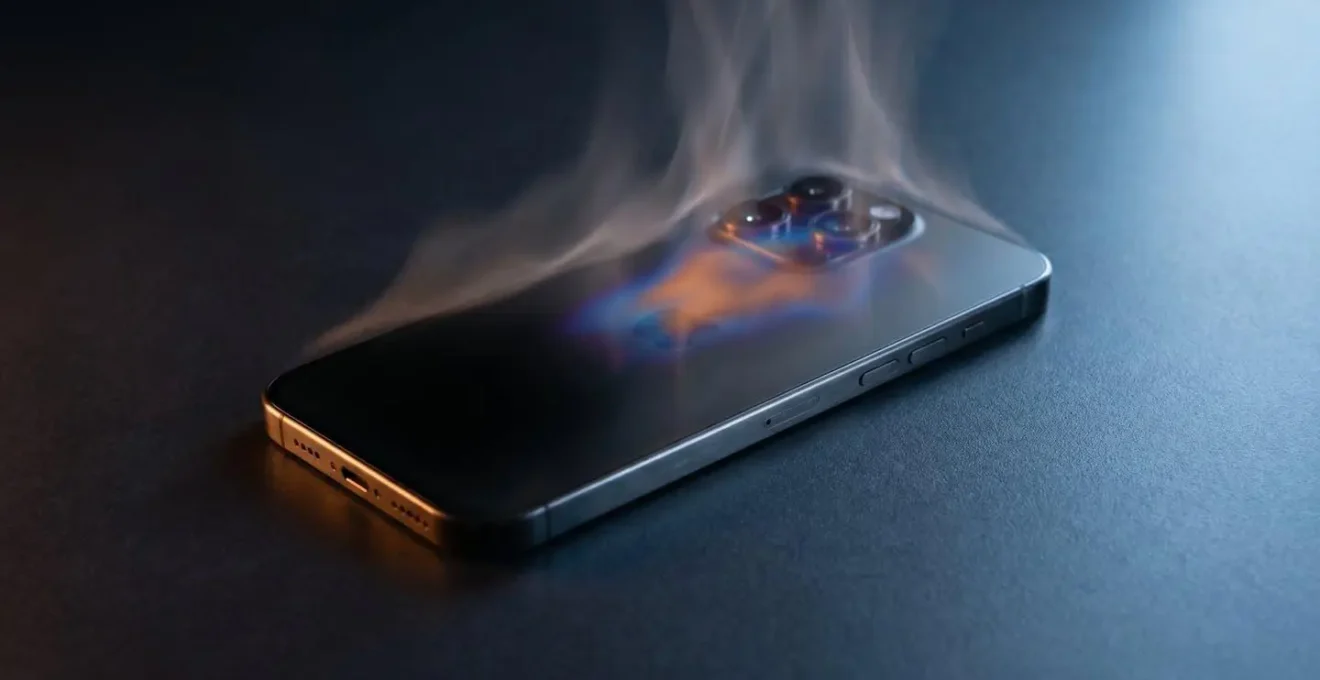
Your phone isn’t broken; it’s protecting itself from heat with a mechanism called thermal throttling, which is the real cause of your mid-game FPS drops.
- Performance is intentionally reduced when your phone’s skin hits ~45°C, cutting CPU speeds by over 50%.
- This sustained heat causes permanent, irreversible damage to your battery, drastically reducing its lifespan.
Recommendation: Stop focusing on generic tips and start managing your phone’s thermal envelope by choosing the right case material and capping your frame rate to a sustainable level.
You know the moment. You’re 30 minutes into a tense match in PUBG Mobile or exploring the vibrant world of Genshin Impact. Everything is running smoothly at a crisp 60 FPS. Then, without warning, the game starts to stutter. The fluid motion becomes a choppy slideshow. You’ve closed all your background apps, you’ve lowered the graphics settings, and you’ve tried all the generic advice you can find online. Yet, the lag always returns, ruining the experience.
The frustration is real, but the cause is often misunderstood. This performance drop isn’t a random bug or a sign that your phone is failing. It’s a deliberate, predictable, and measurable self-defense mechanism engineered directly into your device’s System-on-Chip (SoC). It’s called thermal throttling, and it’s the single biggest enemy of sustained mobile gaming performance. Instead of fighting it with superficial fixes, you need to understand it, manage it, and engineer your entire setup around it.
This guide moves beyond the platitudes. We will dissect the hardware-level reasons your phone slows down, quantify the permanent damage heat causes, and provide you with the technical strategies of a performance tuner. We will analyze the thermal properties of cases, the logic of frame rate capping, and the physics of cooling to transform your gaming experience from a frustrating battle against lag into a state of stable, predictable performance.
To help you navigate this deep dive into your phone’s performance, this article is structured to build your understanding from the ground up, from identifying the core problem to implementing advanced solutions. Here’s a look at what we’ll cover.
Contents: A Tuner’s Guide to Stable Gaming Performance
- Why Does Your Processor Clock Speed Drop When It Hits 45°C?
- How to Use Overlays to Check CPU Temp While Gaming?
- The Heat Damage That Kills Your Battery Life Permanently
- Fan Cooler or Metal Case: Which Keeps FPS Stable Longer?
- How to Cap Frame Rates to Prevent Overheating?
- 240Hz Sampling: Can You Actually Feel the Difference in Shooter Games?
- Why Do Silicone Cases Trap Heat Worse Than Hard Plastic?
- Does Your Rugged Case Cause Your Phone to Overheat?
Why Does Your Processor Clock Speed Drop When It Hits 45°C?
The core of the performance drop issue lies in a single, critical concept: thermal throttling. This is not a flaw; it’s an essential safety feature designed to prevent your phone’s processor (SoC) from overheating and causing permanent hardware damage. Your phone has multiple thermal sensors, and one of the most important tripwires is the external chassis or “skin” temperature. For user safety and comfort, manufacturers program the system to aggressively reduce performance long before the internal components reach a dangerous state.
The magic number is often around 45°C (113°F). This isn’t an arbitrary figure; research demonstrates that throttling is initiated as the phone’s surface approaches this temperature because it’s the threshold where the device becomes uncomfortable to hold. Once this temperature is detected, the operating system intervenes and forces the CPU and GPU to slow down. This isn’t a minor adjustment. During thermal management events, it’s not uncommon for the main CPU cluster frequency cap to be reduced from 2.46GHz to 1.19GHz—a reduction of over 50% in processing power.
This massive drop in clock speed is precisely what you experience as a sudden plunge in frame rate. Your SoC, which was previously rendering frames at a blistering pace, is now being deliberately starved of the power it needs. The game’s engine can no longer execute its instructions fast enough, and the result is stuttering, lag, and an unplayable experience. The goal, therefore, isn’t to stop throttling—it’s to prevent the device from ever reaching the thermal throttling threshold in the first place.
How to Use Overlays to Check CPU Temp While Gaming?
You cannot manage what you cannot measure. To move from guessing to knowing, you must become a diagnostician of your phone’s thermal performance. The most powerful tool at your disposal is a performance monitoring overlay, an app that displays real-time hardware data on top of your game. This gives you a direct window into your SoC’s behavior, allowing you to see the exact moment throttling begins and what triggers it.
These overlays provide critical metrics like CPU/GPU clock speeds, their respective temperatures, and battery temperature. By running a demanding game like Genshin Impact at high settings, you are creating a “stress test” scenario. As you play, you can watch the temperature numbers climb. You will literally see the CPU frequency hold steady and then, as the temperature hits a specific point (e.g., 45°C skin temp, 85°C internal CPU temp), the clock speed will suddenly drop. That point is your device’s unique thermal trip point.
Identifying this is the foundational step in performance tuning. It tells you the thermal budget you have to work with. Once you know your phone’s specific limit, you can start making informed decisions about graphics settings, accessories, and other strategies to stay below that threshold. This data-driven approach is what separates a casual gamer from a performance-oriented one.
Your Action Plan: Identify Your Phone’s Throttle Point
- Install a performance monitoring app like CPU Throttling Test that displays real-time CPU/GPU frequency and temperature data as an overlay.
- Launch a demanding mobile game (e.g., Genshin Impact) at high graphics settings to stress both CPU and GPU simultaneously.
- Monitor the overlay data continuously for 30 minutes, watching for the exact temperature threshold where clock speeds begin to drop significantly.
- Record the temperature values for the CPU core and battery at the moment throttling begins—this reveals your device’s specific thermal trip points.
- Correlate the visible frame rate drops in-game with the temperature spikes and frequency drops shown in the overlay to confirm the cause is thermal throttling.
The Heat Damage That Kills Your Battery Life Permanently
While thermal throttling is a temporary inconvenience designed to protect your processor, the heat that causes it has a much more sinister and permanent effect on your phone’s battery. Lithium-ion batteries, the power source for every modern smartphone, are incredibly sensitive to temperature. Exposing them to the high heat generated during intense gaming sessions causes irreversible degradation of their internal chemistry.
This isn’t a minor effect. Every minute your battery spends above 40°C, a series of accelerated chemical reactions are taking place. These reactions permanently reduce the battery’s ability to hold a charge. Scientific studies quantify this damage precisely: research confirms that batteries exposed to temperatures as high as 45°C can experience 6.7% capacity loss after just 200 charge cycles, compared to only 3.3% for a battery kept at a cooler 25°C. This means your “100%” charge is actually getting smaller over time.
Even more alarmingly, heat drastically shortens the overall lifespan of the battery. As you can see in the microscopic view of cell degradation, the damage is physical. Further studies demonstrate that at 45°C, battery cycle life is reduced by up to 50% compared to operating at a standard 20°C. This means a battery that should have lasted for 1000 cycles might only give you 500 before it’s effectively useless. Compounding this issue by gaming while your phone is charging adds even more heat to the system, accelerating this destructive process. Every gaming session that makes your phone hot to the touch is literally shaving days and weeks off its usable life.
Fan Cooler or Metal Case: Which Keeps FPS Stable Longer?
When it comes to managing heat, there are two primary schools of thought for phone accessories: active cooling and passive cooling. Understanding the fundamental difference is key to choosing the right strategy for stable FPS. A fan cooler represents active cooling, while a metal case represents passive cooling.
A metal case, typically made of aluminum, works by leveraging the material’s high thermal conductivity. Instead of trapping heat like plastic or silicone, the metal absorbs heat from the phone’s chassis and spreads it over a larger surface area. This allows the heat to radiate away into the environment more efficiently. A metal case effectively increases the size of your phone’s built-in heatsink. This is an excellent strategy for lowering baseline temperatures and can delay the onset of thermal throttling. However, it’s a passive system; once the entire case becomes saturated with heat, its effectiveness diminishes.
A fan cooler, on the other hand, is an active system. It works by using forced convection—a fan blows air across the back of the phone, rapidly carrying heat away from the device’s surface. This is a far more aggressive and effective method of heat removal than passive radiation. A fan can keep the phone’s skin temperature well below the 45°C throttling threshold even under sustained, heavy load. While a bare phone or a phone in a metal case will eventually heat-soak and throttle, a fan cooler can, in many cases, prevent throttling entirely for much longer gaming sessions.
So, which keeps FPS stable longer? For maximum sustained performance, the answer is unequivocally the fan cooler. It directly attacks the problem by actively removing heat from the system. A metal case is a significant upgrade over an insulating plastic one, but it only delays the inevitable. The fan provides a continuous cooling solution that enables the SoC to run at higher clock speeds for longer.
How to Cap Frame Rates to Prevent Overheating?
One of the most effective and counter-intuitive strategies for preventing overheating is to intentionally limit your game’s frame rate. This may seem backward—why would you lower your FPS to get better performance? The answer lies in the concept of a sustainable performance load. Your phone’s SoC generates heat proportional to its workload. Running a game at an uncapped 60 FPS forces the CPU and GPU to work at 100% capacity, generating maximum heat and quickly pushing the device toward its thermal throttling threshold.
By capping the frame rate to a slightly lower, but stable, number like 40 or 50 FPS, you are giving the SoC a command: “Do not work any harder than is necessary to hit this target.” This prevents the processor from running at its absolute peak, which dramatically reduces heat output and power consumption. The result is a slightly lower but perfectly stable frame rate that your phone can maintain for hours without ever hitting the temperature that triggers throttling. You trade a few frames of peak performance for a completely smooth, consistent experience over the long term.
Finding your device’s ideal sustainable FPS is a process of experimentation, but it’s a crucial step in performance tuning. This method allows you to define the thermal envelope yourself, rather than letting the phone’s emergency throttling system dictate your experience.
- Launch your most demanding mobile game and access its graphics settings menu.
- Manually lower the frame rate cap from 60 FPS (or higher) to 30 FPS as an initial baseline.
- Run a 20-30 minute gaming session at this capped rate while monitoring CPU temperature with an overlay app.
- If temperatures remain stable below your throttle threshold (e.g., under 45°C skin temp), incrementally increase the cap by 10 FPS (to 40 FPS).
- Repeat the test to find the highest FPS your phone can sustain for extended periods without triggering thermal throttling. This is your “golden” sustainable cap.
- For displays with 120Hz refresh rates, capping at clean divisors like 30, 40, or 60 FPS can also minimize screen tearing and ensure smooth frame pacing.
240Hz Sampling: Can You Actually Feel the Difference in Shooter Games?
In the competitive arms race of gaming phones, one specification that is frequently marketed is the touch sampling rate, with numbers like 240Hz, 360Hz, or even higher. This spec measures how many times per second the screen scans for your touch input. A higher number means lower touch latency—the delay between you touching the screen and the game registering that action. For fast-paced shooter games like PUBG Mobile, a few milliseconds can be the difference between winning and losing a firefight. But is the jump to 240Hz and beyond a tangible advantage, or just a marketing number?
For most casual players, the difference between a standard 120Hz sampling rate and a 240Hz rate is likely imperceptible. The improvement in latency is in the single-digit milliseconds. However, for highly skilled competitive players, this tiny reduction can provide a noticeable edge in “peek and fire” scenarios and quick-scoping. It allows for more precise and reactive aim adjustments. The feeling is one of the game being more “connected” to your inputs.
However, this enhanced responsiveness comes at a direct and measurable cost: power consumption and heat. The hardware must work harder to scan the screen more frequently. As a research team from the University of Texas noted in their analysis of mobile platforms, this is a fundamental trade-off.
Higher scan rate, in general, provides higher touch responsiveness at the cost of higher power consumption, due to the additional energy overhead to the analog and digital circuits.
– University of Texas Research Team, Adaptive Touch Sampling for Energy-Efficient Mobile Platforms
This extra power draw contributes to the overall thermal load on your device. So, while a 240Hz sampling rate can offer a slight competitive advantage, it also makes your phone heat up faster, potentially bringing you closer to the thermal throttling threshold we’ve been working to avoid. For the average gamer focused on stable performance over long sessions, ensuring this feature is set to a standard level (like 120Hz) or even disabled might be a smarter thermal management strategy.
Why Do Silicone Cases Trap Heat Worse Than Hard Plastic?
Not all phone cases are created equal when it comes to thermal performance. The material your case is made from plays a monumental role in whether your phone stays cool or quickly overheats. Two of the most common materials, silicone and hard plastic (polycarbonate), have vastly different thermal properties. While both are insulators compared to metal, silicone is significantly worse for heat dissipation.
The key metric here is thermal conductivity, measured in Watts per meter-Kelvin (W/m·K). This number indicates how well a material can transfer heat. The higher the number, the better it is at moving heat away. Silicone and TPU (a common flexible plastic) have a very low thermal conductivity, typically around 0.2-0.3 W/m·K. Polycarbonate hard plastic is slightly better, but still low at around 0.19-0.22 W/m·K. For comparison, aluminum, used in metal cases, has a thermal conductivity of over 205 W/m·K—over 1000 times more effective at conducting heat.
Beyond the material’s inherent properties, the physical structure of a silicone case makes things worse. Its flexibility means it often creates small, insulating air gaps between the case and the phone. Air is an excellent insulator (thermal conductivity of ~0.024 W/m·K), effectively wrapping your phone in a warm blanket. A rigid, hard plastic case, if well-made, can offer a snugger fit with fewer air pockets, providing a more direct (though still poor) path for heat to escape.
As this comparative data shows, for any serious gamer, a thick, flexible silicone case is one of the worst choices for thermal management. It actively works against your phone’s ability to cool itself.
| Material Type | Thermal Conductivity | Heat Retention | Air Gap Formation | Gaming Suitability |
|---|---|---|---|---|
| Thick Silicone/TPU | Very Low (0.2-0.3 W/m·K) | Very High | High (flexible creates pockets) | ❌ Worst – avoid for gaming |
| Thin Hard Plastic (Polycarbonate) | Low (0.19-0.22 W/m·K) | Moderate-High | Moderate (rigid can fit snugly) | ⚠️ Acceptable for casual gaming |
| Carbon Fiber Composite | Moderate (varies by composition) | Moderate | Low (engineered fit) | ✓ Good thermal performance |
| Aluminum/Metal Frame | High (205+ W/m·K for aluminum) | Low (acts as heatsink) | Very Low (precision machined) | ✓✓ Best – excellent heat spreading |
| No Case (Bare Phone) | N/A (direct chassis contact) | Lowest | None | ✓✓✓ Optimal – maximum dissipation |
Key Takeaways
- Thermal throttling is a deliberate safety feature, not a bug, triggered around 45°C to prevent hardware damage.
- Sustained high temperatures cause irreversible battery degradation, permanently reducing capacity and lifespan.
- Your phone case material is critical; insulating materials like silicone trap heat and accelerate throttling.
Does Your Rugged Case Cause Your Phone to Overheat?
For many users, a rugged, multi-layered case feels like a mandatory accessory for protecting a valuable smartphone. It provides peace of mind against drops and scratches. However, for a mobile gamer, that same protective case could be the primary culprit behind your performance issues. The very design that makes a case “rugged”—thick layers of shock-absorbing material like rubber, TPU, and polycarbonate—also makes it an incredibly effective thermal insulator.
As we’ve established, your phone needs to dissipate heat into the surrounding air to stay cool. A thick, rugged case essentially seals off this vital pathway. It traps heat against the phone’s chassis, causing internal temperatures to rise much faster than they would on a bare device. This accelerated heat build-up means you reach your phone’s thermal throttling threshold in a fraction of the time, triggering the dreaded FPS drops sooner and more severely.
The problem is not just the thickness of the material, but the air trapped within the layers, as demonstrated by thermal analysis. This is not theoretical; it’s a measurable phenomenon.
Case Study: The Impact of Phone Cases on Thermal Performance
Controlled testing reveals that thick phone cases trap heat and block natural dissipation. During extended gaming sessions, devices with rugged multi-layer cases experience accelerated thermal throttling compared to bare phones. The primary culprit is not the material thickness alone, but the air gaps trapped between the case layers and the phone chassis—air acts as an excellent insulator, preventing the phone’s metal or glass back from radiating heat into the environment. Removing the case during intensive tasks allows the device to cool naturally and delays the onset of performance throttling.
If you’re a serious gamer, you face a critical choice: maximum protection or maximum performance. A rugged case is excellent for everyday use, but for an extended gaming session in Genshin Impact, removing it is one of the most effective and immediate ways to improve your phone’s thermal performance and maintain a stable frame rate. Think of it as preparing your car for the racetrack—you strip out unnecessary weight to gain a performance edge.
To truly master your mobile gaming experience, you must adopt a holistic approach. It’s not about a single trick but about systematically managing your device’s entire thermal envelope—from the case you use to the settings you choose. Start today by analyzing your own setup using these principles to build a more stable and enjoyable gaming platform.