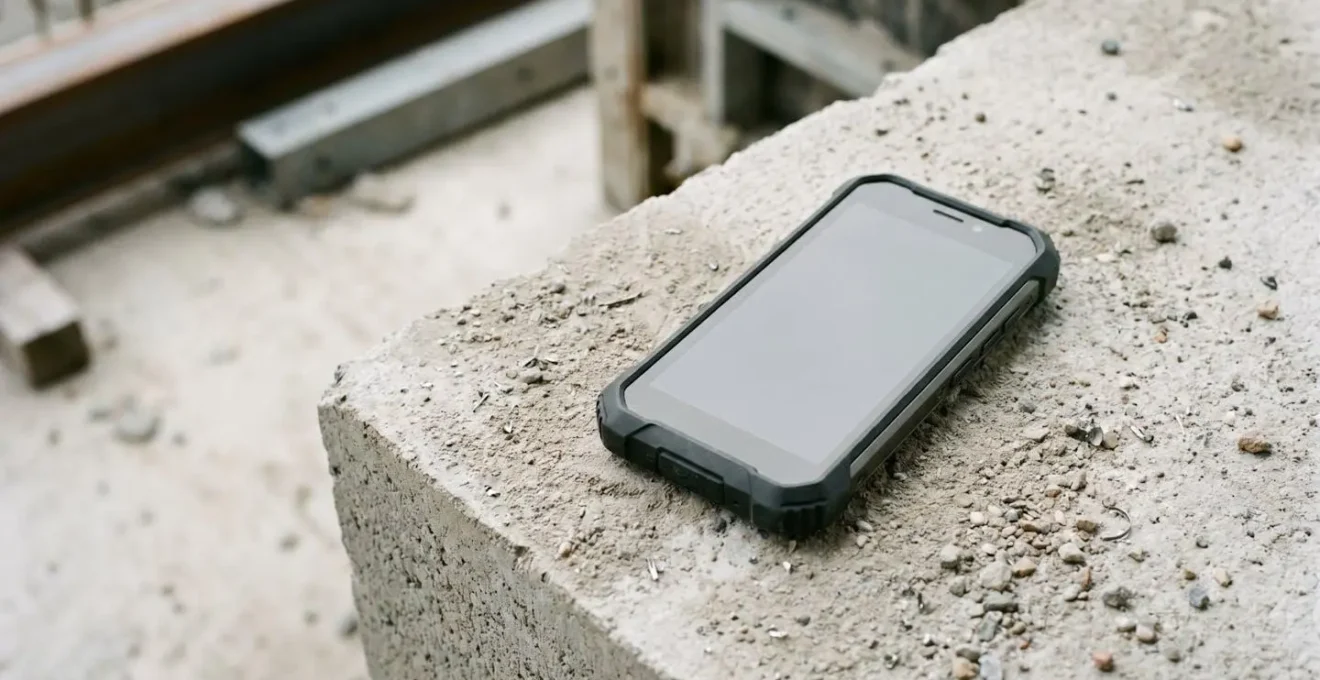
The IP and military ratings on a phone’s box are only half the story; real-world job site survival depends on testing for failures the lab never sees.
- Liquid damage isn’t about water, it’s about the chemicals in coffee or beer that bypass seals designed for fresh water.
- Screen shatters are often caused by slow, twisting pressure in your pocket, not just drops.
- GPS reliability in a city is less about the phone and more about its ability to fight signal reflection from tall buildings.
Recommendation: Before you buy, subject a phone to a series of practical stress tests that mimic your actual work environment, from pocket-torsion to polarized-sunglass visibility checks.
You did everything right. You bought the phone with the IP68 rating, the one with “military-grade” durability and the toughest glass. You paid a premium for a device that was supposed to survive your work on the construction site. Then it took a short, clumsy dive into a puddle of spilled coffee, and now it’s a paperweight. The marketing promises and the spec sheet mean nothing when your communication line to the foreman, your access to blueprints, and your GPS are dead.
The common advice is to look for those IP ratings or MIL-STD-810G certifications. But this is where the industry gets it wrong. These are lab tests, conducted in sterile, predictable environments. They don’t account for the grit in cement dust, the corrosive nature of soda, the dynamic pressure of a fall, or the slow-motion twisting force of being in your pocket when you bend over. The real-world failure of a “rugged” phone is rarely about a single, clean test it was designed to pass.
This guide isn’t another list of spec sheets. This is a boot-camp for your next potential device. We’re going to ignore the marketing and focus on the real mechanisms of failure. You’ll learn how to perform practical, real-world stress tests that reveal a phone’s true weaknesses before you’re stranded on a job site with a brick in your pocket. We’ll deconstruct why phones fail and show you how to identify a device that’s truly built for the job, not just for the showroom.
This article will guide you through a series of critical evaluations, from understanding the fine print of water resistance to testing the very reliability of its navigation in dense urban environments. Prepare to see beyond the marketing hype.
Summary: How to Stress Test a Phone for Job Site Durability?
- Why Did Your IP68 Phone Die After Falling in a Pint of Beer?
- How to Test Navigation Reliability Before Buying for Courier Work?
- The Pocket Mistake That Makes Your Screen Shatter Easier
- Drop or Crush: Which Accident Is More Likely to Kill Your Phone?
- How to Clean Cement Dust From Your Charging Port Safely?
- How to Read Your Screen in Direct Sunlight Without Overheating the Phone?
- Why Does Your Blue Dot Jump Around in Canary Wharf?
- Google Maps vs Citymapper: Which Is Best for London Commuting?
Why Did Your IP68 Phone Die After Falling in a Pint of Beer?
Here’s the hard truth: that IP68 rating on your phone is a liar. Not a malicious one, but one that tells a very specific, limited truth. It promises protection against dust and water immersion, but the key is in the fine print. The “water” in those tests is clean, fresh, laboratory-grade water. It is not beer, coffee, saltwater, or soapy water from a wash bucket. These real-world liquids are the real killers.
The problem is chemistry. Surfactants, like the sugars and alcohol in beer, drastically lower the surface tension of the liquid. This allows it to creep into microscopic gaps in your phone’s seals that would easily repel plain water. So, while your phone might survive a drop in a lake, a pint is a different beast. The liquid finds its way past the seals, and once inside, the sugary, corrosive residue goes to work, short-circuiting electronics long after the liquid itself has evaporated. Furthermore, IP68 certification only guarantees protection in fresh water, a condition rarely found on a job site.
Case Study: Sony’s Underwater Controversy
In 2015, Sony heavily promoted its IP68-certified Xperia phones with images of them being used to take photos underwater. After a wave of customer complaints about water damage, the company backtracked, advising users *not* to use the devices underwater. Sony clarified that the IP rating was achieved in controlled lab conditions with the device in standby mode, not while being actively used. This was a critical lesson in the gap between a lab certification and real-world, dynamic use.
It’s not just chemicals. Dynamic pressure is another factor. An IP rating tests static immersion—gently placing the phone in a tank of water. When your phone falls from a height into a puddle, the force of impact creates a pressure spike that can force liquid past seals designed for a much calmer environment. The rating also doesn’t account for wear and tear; a seal that was perfect at the factory can be compromised by a single drop that doesn’t even crack the screen.
How to Test Navigation Reliability Before Buying for Courier Work?
For a courier or a tradesperson navigating to multiple sites a day, a flakey GPS is more than an annoyance—it’s lost time and money. While a smartphone is convenient, it’s not a dedicated piece of hardware. The difference in reliability can be small but significant; test data from a 50-mile delivery route comparison shows that even the best apps only achieve 96.3% accuracy compared to 99.5% for dedicated trackers. Your job is to find a phone that gets you as close to perfect as possible. Don’t trust the spec sheet; run your own tests.
Before committing, you need to put the phone’s entire navigation system—hardware and software—under pressure. This means testing more than just its ability to find a signal. You need to assess its speed, stability, sensor quality, and performance under a realistic workload. A phone might have a great GPS chip, but if the antenna design is poor or if it overheats and throttles performance while navigating and charging, it’s useless in the field.
The following protocol isn’t about finding a route; it’s about trying to break the navigation system to see where its limits are. Perform these checks in the store if you can, or within the first 14 days of purchase. This is the only way to know if the device is truly up to the task of a full day’s work.
Your Pre-Purchase GPS Testing Protocol
- Time-to-First-Fix (TTFF): From a “cold” start (turn the phone on fresh), time how long it takes for a mapping app to get a solid, accurate location lock. A good phone should do this in under 30 seconds.
- Static Drift Test: Place the phone on a stable, outdoor surface with a clear view of the sky. Open a map and leave it untouched for 10 minutes. Watch the location dot. Does it stay perfectly still, or does it “drift” or jump around? Significant drift indicates poor signal processing.
- Multi-Constellation Check: Install an app like “GPS Test” to verify the phone can see and use multiple satellite systems (GPS, Galileo, GLONASS, BeiDou). More constellations mean a faster, more reliable lock, especially in “urban canyons” between tall buildings.
- Sensor Fusion Test: Start navigation and walk into a large building or underground car park where it will lose the GPS signal. Observe how well the blue dot continues to track your movement. A good phone uses its accelerometer and gyroscope to guess your position, keeping you on track until the signal returns.
- Multi-Tasking Stress Test: This is the real-world simulation. Run navigation with voice guidance, stream music or a podcast via Bluetooth to a headset, and make a phone call. Does the phone become hot? Does the navigation lag or crash? This is its performance under your actual workload.
Running these tests reveals more than any spec sheet. It tells you how the phone will behave on mile 50 of your route, not just on the first turn out of the depot.
The Pocket Mistake That Makes Your Screen Shatter Easier
You pull your phone out of your pocket and the screen is a spiderweb of cracks. You don’t remember dropping it. You’re meticulous. What happened? The culprit is likely not a single, violent impact but a slow, insidious force: torsional stress. This is the twisting pressure applied to your phone simply by being in your pocket while you move, bend, and sit. It’s the most common way screen protectors and even screens themselves crack without any memorable “accident”.
Think about it. When you put a large, rigid phone in the pocket of your jeans and then sit down or bend over to pick up a tool, your body’s movement flexes the fabric. That fabric, in turn, applies uneven pressure and a slight twist to the phone’s frame. While a single instance won’t do much, this cumulative stress, repeated hundreds of times a day, week after week, is like bending a paperclip back and forth. Eventually, it finds a microscopic flaw in the glass and a crack propagates. This is backed up by user reports; people frequently find their screen protectors crack while the phone is just in their pocket, proving that impact isn’t the only enemy. This problem is so prevalent that recent consumer surveys reveal 85% of consumers now prioritize protection, as screen replacements are a major expense.
As the image demonstrates, the force isn’t a direct hit but a twist that stresses the corners and edges where the glass meets the frame. A high-quality rugged phone is designed with a more rigid frame and often a slightly raised bezel or “lip” around the screen. This design feature isn’t just for drop protection; it’s a crucial defense against this exact kind of torsional flex. The rigid frame resists the twist, and the lip ensures that pressure from the pocket is applied to the frame, not directly to the edge of the glass, which is its most vulnerable point.
When stress-testing a phone, you can’t easily replicate years of pocket torsion. But you can assess its defense. Hold the phone firmly and try to gently twist it. A cheap, flexible frame will give noticeably. A truly rugged phone will feel like a solid block with virtually zero flex. That feeling of rigidity is your best indicator of its ability to survive the silent, long-term war being waged in your pocket.
Drop or Crush: Which Accident Is More Likely to Kill Your Phone?
It’s the classic debate for anyone on a job site. What’s worse for your phone: a six-foot fall onto concrete, or getting crushed between a toolbox and a wall? The immediate, dramatic visuals of a drop test make it the star of marketing videos. But the quiet, unseen damage of a crush event is often the more insidious and definitive killer.
A drop is about a sudden transfer of kinetic energy. Modern rugged phones are engineered for this. They use shock-absorbing materials and reinforced corners to dissipate the force of impact. While industry durability testing standards require devices to survive over 50 drops from 1.2 to 1.8 meters, these tests are done on a brand-new device. They don’t account for the reality of a phone that has already endured months of micro-scratches and minor bumps.
A crush accident is different. It’s about sustained, high-pressure force. It might not shatter the screen instantly, but it can bend the phone’s internal chassis, pop seals, and create hairline fractures in the motherboard or battery. This is where the concept of cumulative damage becomes critical. A phone that survives a crush might seem fine, but the event can create a network of invisible micro-fractures in the glass and internal components.
The Enemy of Cumulative Damage
Real-world analysis shows that what kills a phone isn’t always the first drop, but the tenth. Each minor bump, scratch, and pocket-twist weakens the material integrity. A corner hit creates a stress point. A temperature swing from being in the sun to a cool truck cab can cause materials to expand and contract, widening these invisible cracks. Then, weeks after a minor crush incident, you might drop the phone from a mere two feet, an impact it should have easily survived. But because of the pre-existing, invisible damage, that minor drop is the final straw, and the screen shatters. The crush didn’t kill the phone, but it signed its death warrant.
So, which is more likely to kill your phone? The drop is more dramatic, but the crush is often the real assassin. A well-designed rugged phone can survive drops repeatedly. But a crush event introduces a level of unseen, cumulative damage that makes the device a ticking time bomb. The best defense is a rigid internal frame that resists bending under pressure, something you can feel when you handle the device.
How to Clean Cement Dust From Your Charging Port Safely?
For a construction worker, the charging port is the Achilles’ heel of any phone. It’s an open door inviting the enemy inside. And on a job site, the most dangerous enemy is cement dust. It’s not just dirt; it’s fine, abrasive, and, when mixed with even a tiny amount of moisture or humidity, it becomes highly alkaline and corrosive. Leaving it in your charging port isn’t just risking a bad connection; it’s inviting a chemical reaction that will eat away at the delicate electronic contacts over time.
The temptation is to grab the nearest tool—a paperclip, a wooden toothpick, or a can of compressed air—to clean it out. This is a critical mistake. Metal tools can easily short-circuit the pins, causing permanent damage. Wooden splinters can break off and become lodged deeper inside. And the most common mistake of all, using compressed air, is the worst. It doesn’t remove the dust; it forces the abrasive particles deeper into the phone’s internals, past seals and into areas you can never reach. The rapid expansion of the gas can also cause condensation, introducing the very moisture you need to avoid.
Safe cleaning requires a delicate touch and the right tools. It’s not about force; it’s about carefully lifting and brushing the particles out without causing further harm. The goal is to perform regular, preventative maintenance before the buildup becomes a compacted, corrosive plug.
As shown, the correct approach involves using tools designed for the job. A soft, anti-static brush (like one used for camera lenses) can dislodge loose particles. For more compacted debris, a non-conductive plastic tool, like a dental pick, is ideal for gently scraping and hooking particles out. In stubborn cases, a small piece of electronics cleaning putty (or even Blu-Tack in a pinch) can be gently pressed into the port to lift out dust without leaving a residue. The ultimate solution for a construction environment, however, is to eliminate the problem altogether by choosing a phone with robust, tight-fitting port covers or, even better, one that supports wireless charging.
How to Read Your Screen in Direct Sunlight Without Overheating the Phone?
It’s a constant battle on any outdoor job site: you need to see your screen to check a blueprint or message, but the midday sun turns it into a useless black mirror. The phone’s answer is to crank its brightness up to the maximum, which helps for a moment, but this creates a new problem: immense heat. A screen running at full brightness is one of the biggest power drains and heat generators in a smartphone. In direct sunlight, this can quickly push the device past its thermal limits, causing it to dim the screen to protect itself—right when you need it most—or even shut down entirely.
The first line of defense is hardware. A screen’s outdoor visibility is measured in “nits,” a unit of brightness. A typical indoor monitor is around 250-300 nits. A modern flagship phone might hit 1000 nits. But truly great rugged phones are built for this specific challenge. For instance, testing of the 8849 Tank 4 Pro revealed it can achieve a staggering 1800 nits peak brightness, putting it on par with the best consumer devices. High peak brightness is non-negotiable for outdoor work.
However, hardware is only part of the solution. You can’t fight the sun forever. The other half of the battle is using smart, passive strategies to manage heat and improve legibility without relying solely on raw brightness.
- Test with Polarized Sunglasses: This is a critical pass/fail test you must do before buying. Put on a pair of polarized sunglasses (common on job sites to reduce glare) and look at the phone screen. Rotate the phone 90 degrees. Many OLED and LCD screens will go completely black at a certain orientation, making them unusable. A phone that remains visible from all angles is the only acceptable choice.
- Use Passive Cooling: Don’t leave the phone sitting on a hot dashboard. Mount it to an AC vent in your vehicle to actively cool it. When you’re on foot, simply using your body or a clipboard to cast a shadow on the phone for 30 seconds can be enough to let it cool down and restore full brightness.
- Choose Light Colors: A black phone case in the sun is a heat magnet. A white or light-colored case will reflect significantly more solar energy, keeping the device cooler for longer.
- Prioritize Anti-Reflective Screens: A screen with a better anti-reflective coating doesn’t need to be as bright to be legible, because it’s fighting less glare. This is harder to test, but a side-by-side comparison in-store can reveal which screen handles reflections better.
By combining high-brightness hardware with smart usage habits, you can win the war against the sun and keep your phone both visible and operational.
Why Does Your Blue Dot Jump Around in Canary Wharf?
You’re standing on a street corner in a dense city center like Canary Wharf, and your phone’s GPS is having a meltdown. The blue dot representing your location is jumping across the street, spinning in circles, or placing you inside a building half a block away. This isn’t necessarily a fault with your phone; it’s a victim of the “urban canyon” effect. High-rise buildings create a maze of reflective surfaces that bounce satellite signals around like a pinball machine. Your phone receives multiple versions of the same signal, arriving at slightly different times, and it gets confused about which one is the direct, correct path.
This is where the quality of a phone’s GPS chipset and antenna design truly shows. A basic GPS receiver will be easily fooled by these multipath reflections. A superior system, however, uses several techniques to fight back. The most important is multi-constellation and multi-band support. Instead of just relying on the American GPS system, it pulls data simultaneously from Europe’s Galileo, Russia’s GLONASS, and China’s BeiDou systems. Having more satellites to choose from allows the phone’s software to cross-reference signals and reject the ones that are obviously reflected or delayed.
The Power of Advanced GNSS
Testing by the experts at DXOMARK has shown the dramatic difference this makes. The most accurate Global Navigation Satellite System (GNSS) receivers, using signals from multiple constellations on multiple frequency bands, can achieve positioning accuracy of just a few centimeters. While this is high-end gear, the technology is trickling down to consumer devices. Higher-end smartphones consistently demonstrate better navigation stability in cities precisely because they have better antennas and more sophisticated “sensor fusion” algorithms that blend GPS data with input from the phone’s compass and gyroscopes to make a more educated guess about your true location and direction.
So, when your blue dot is dancing, it’s because your phone is struggling to tell the difference between the real satellite signal and its many echoes. A better phone isn’t immune to the urban canyon, but it’s equipped with better tools to see through the confusion. It’s also important to note that the problem isn’t limited to cities; delivery tracking research indicates that accuracy also degrades in new housing developments where maps are outdated or in rural areas with poor cellular coverage to assist the GPS lock.
Key takeaways
- A phone’s true durability is measured by its performance in real-world scenarios, not just its lab-certified IP or military ratings.
- The biggest threats to a job site phone are often cumulative and unseen: chemical corrosion from spills, torsional stress from being in a pocket, and compacted dust in ports.
- Before buying, you must perform practical stress tests for key functions like GPS stability in urban canyons and screen visibility with polarized sunglasses.
Google Maps vs Citymapper: Which Is Best for London Commuting?
A rugged phone is only as good as the software running on it. For a professional who relies on navigation, choosing the right app is just as important as choosing the right hardware. The battle often comes down to two giants: the universally known Google Maps and the transit-focused Citymapper. While both will get you from A to B, they are built with different philosophies, and for a professional user, the differences are critical.
Google Maps is the jack-of-all-trades. Its strength is its sheer breadth of data and its powerful driving navigation. For multi-stop delivery routes, its ability to optimize a sequence of stops can be a game-changer. In fact, comparative testing demonstrates that proper route optimization can reduce total drive time by 25-40% compared to just navigating from point to point. Citymapper, on the other hand, excels at public transport, brilliantly integrating real-time data from every bus, tube, and train line, and even factoring in the time it takes to walk to the platform.
For a tradesperson or courier, however, the evaluation criteria go far beyond simple route accuracy. Your phone is a tool for an 8-12 hour shift, and the app you use must be evaluated like any other piece of professional equipment: for its efficiency, reliability, and usability under job site conditions.
The following table outlines a professional’s checklist for evaluating a navigation app. It moves beyond “which one has better maps?” to “which one will survive a workday?”.
| Evaluation Criteria | Critical for Construction/Courier Work | Testing Method |
|---|---|---|
| Battery drain per hour | Must last 8-12 hour shift | Run navigation continuously and measure percentage drain per hour |
| Mobile data consumption | Essential for limited data plans | Monitor data usage over 1-hour navigation session |
| Offline map robustness | Critical for basements, tunnels, no-signal zones | Download offline maps and test navigation without cellular connection |
| Gloved-hand UI functionality | Must work with work gloves or dirty hands | Test touch target sizes and one-tap actions while wearing gloves |
| Voice command effectiveness | Hands-free operation during work | Test voice input accuracy in noisy environments |
| Background process footprint | Affects phone temperature and longevity | Use developer tools to measure RAM and CPU usage |
Ultimately, the “best” app depends on your specific workflow. A delivery driver doing 50 stops in a van will have different needs than a contractor navigating to a single site via the London Underground. The best approach is to test both apps against these professional criteria on your own device and routes to see which one performs better under the pressures of your actual workday.