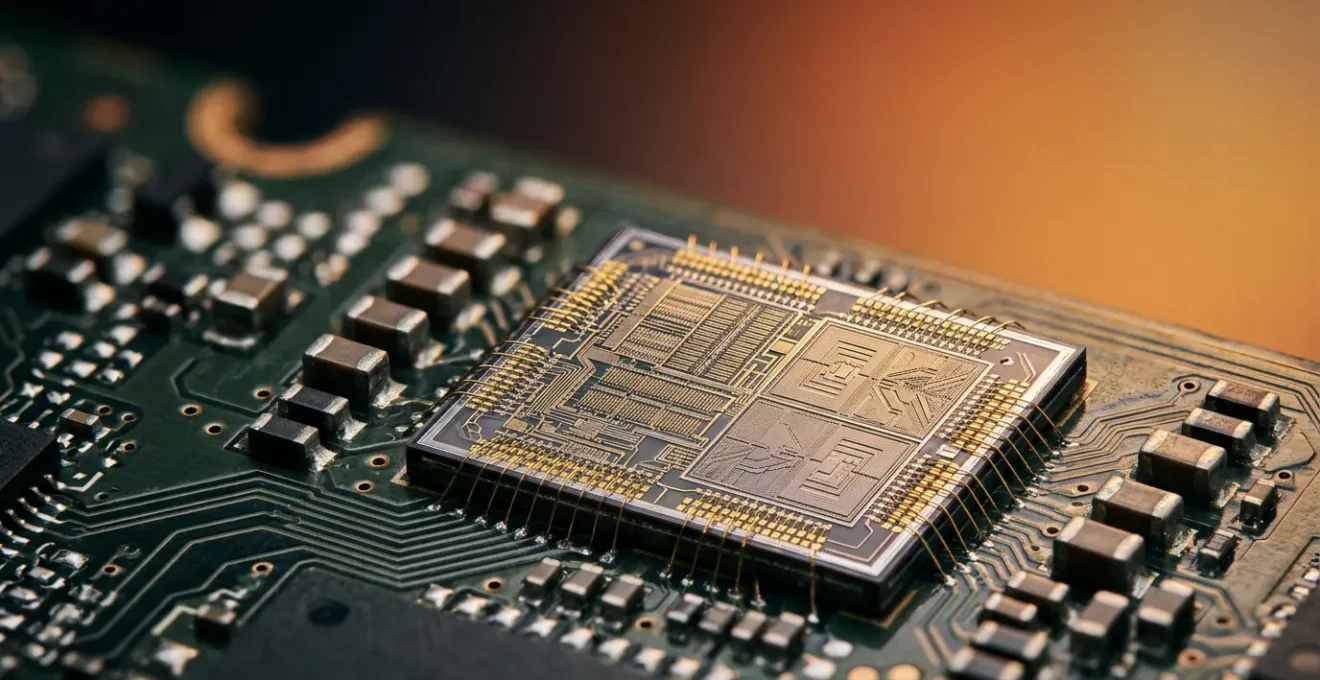
Contrary to marketing hype, the ‘AI’ in your phone isn’t a magical upgrade—it’s a specific tool with real trade-offs in battery, privacy, and heat that you need to understand.
- Most “AI features” aren’t created equal; some use the efficient on-device Neural Processing Unit (NPU), while many secretly send your data to the cloud, draining battery and risking your privacy.
- True on-device AI is significantly more power-efficient and secure for tasks like real-time translation, but generative AI can easily cause your phone to overheat.
Recommendation: Before buying a new phone for its ‘AI’, use the simple ‘airplane mode test’ described in this guide to verify which features work offline and are genuinely running on the device.
Every new smartphone launch comes with a tidal wave of buzzwords, and today’s king is “AI-powered.” It’s on the box, in the ads, and presented as the single reason you must upgrade. You’re promised a device that magically edits your photos, anticipates your needs, and translates conversations in real time. It’s easy to feel a mix of excitement and deep-seated skepticism. Is this a genuine leap forward, or are we being sold a feature that will barely impact our daily lives while quietly compromising our privacy and battery life?
The typical advice focuses on what these AI features *do*, showcasing impressive-looking demos of object removal in photos or instant language summaries. But this misses the entire point. The most critical question isn’t *what* the AI feature is, but *how* and, more importantly, *where* the processing happens. The battle between on-device processing, handled by a specialized Neural Processing Unit (NPU), and cloud-based processing, which sends your data to a remote server, is the one that truly affects you. An NPU promises incredible efficiency and privacy, but only if the apps you use are designed to leverage it. Too often, the “AI” label is just a front for a data-hungry cloud service.
This guide cuts through the marketing noise. We’re not here to celebrate AI; we’re here to debunk the hype and give you the tools to become a pragmatic, informed consumer. You’ll learn how to verify the manufacturers’ claims, understand the real-world costs of AI in terms of battery drain and heat, and determine if an NPU-equipped phone is a genuine necessity for your daily tasks or an expensive gimmick you can safely ignore. Forget the buzzwords; it’s time to focus on verifiable facts.
To help you navigate this complex topic, this article is structured to address your most pressing concerns one by one. From privacy risks and battery life to the very real threat of obsolescence, we’ll give you the information you need to make a smart decision.
Summary: Do You Really Need an NPU in Your Next Phone for Daily Tasks?
- Why Uploading Photos for AI Editing Risks Your Privacy in the UK?
- How to Check If Your Phone’s AI Features Are Actually Working?
- Hardware vs Software AI: Which Drains Your Battery 20% Faster?
- The Generative AI Mistake That Overheats Your Phone in Minutes
- When Will Your Non-AI Phone Become Obsolete for Banking Apps?
- How to Check Which AI Features Send Data to Servers?
- Paid ChatGPT or Free Tier: Is the Subscription Worth It on Mobile?
- Cloud AI vs On-Device AI: Which Is Safer for Your Banking Data?
Why Uploading Photos for AI Editing Risks Your Privacy in the UK?
The allure of AI photo editing is powerful: remove unwanted objects, change the sky, or enhance portraits with a single tap. Many of these features, however, operate by uploading your photo to a cloud server for processing. This convenience comes with a significant and often overlooked privacy cost. Every photo you upload can carry a hidden payload of metadata, known as EXIF data, which can include the exact time, date, and even the GPS coordinates of where the picture was taken. While some social media platforms strip this data, AI editing services might not.
This isn’t a theoretical risk. In a famous 2012 incident, tech pioneer John McAfee was located by authorities because a photo posted online contained GPS metadata. He thought he was anonymous, but the data embedded in the image file told a different story. Even today, with greater awareness, the problem persists. In fact, recent research reveals that up to 80% of smartphone photos may retain some form of identifying metadata even after basic compression. When you upload a photo to a third-party server for “AI magic,” you’re not just sending a picture; you could be sending a map to your front door, your child’s school, or your favorite private location.
For users in the UK, this is particularly relevant given the complex data processing agreements post-Brexit. Your data may be processed by servers in countries with different privacy laws, making it harder to track and control. The seemingly innocent act of erasing a tourist from your vacation photo could mean surrendering your location history to a company you’ve never heard of. True on-device editing via an NPU mitigates this entirely by keeping the photo and its sensitive metadata securely on your phone.
How to Check If Your Phone’s AI Features Are Actually Working?
Manufacturers love to advertise “on-device AI” and the power of their NPU, but how can you be sure a feature is actually running locally and not just offloading the work to the cloud? Blindly trusting the marketing is a fool’s errand. A pragmatic consumer needs simple, effective methods to verify these claims. Fortunately, you don’t need a computer science degree to play detective. The most powerful tool at your disposal is your phone’s airplane mode.
Here’s a simple protocol to test any AI feature:
- The Airplane Mode Litmus Test: This is the ultimate truth-teller. Activate airplane mode, completely cutting off all network connections. Now, try to use the AI feature in question, whether it’s real-time translation, photo editing, or a voice assistant command. If the feature works perfectly, congratulations—it’s running on-device, likely using the NPU. If it fails, lags, or shows a “no connection” error, you’ve exposed it as a cloud-dependent feature masquerading as on-device AI.
- Developer Options Deep Dive: For the more technically curious, you can enable ‘Developer Options’ on Android (typically by tapping the ‘Build Number’ in your phone’s settings seven times). Within these options, you can activate overlays that show real-time CPU or GPU usage. While it may not explicitly label NPU activity, you can observe which processors spike when you use an AI task.
- Forced Regression Test: Compare the “AI” feature against a basic, non-AI third-party app that does the same thing. For example, use the phone’s native “AI” photo enhancer and then use a simple editor like Snapseed. Time the process and feel the phone. If the native app is significantly faster and produces less heat, the NPU is likely doing its job efficiently.
This simple process of verification is essential. It helps you understand what you’re actually getting for your money and exposes the marketing fluff for what it is. The visual below represents the kind of system data you can access to see these processors at work.

By using these tests, you shift from being a passive consumer to an active investigator. You can confidently know which features are leveraging the efficiency and privacy of the NPU and which are just glorified shortcuts to a remote server. This knowledge is power, allowing you to make informed decisions about which features to use and which to disable.
Hardware vs Software AI: Which Drains Your Battery 20% Faster?
The central promise of a dedicated NPU (hardware AI) is efficiency. Unlike a general-purpose CPU or a graphics-focused GPU, an NPU is designed from the ground up for one thing: running the specific mathematical operations required by neural networks. This specialization means it can perform AI tasks using a fraction of the power. In fact, according to IBM research on neural processing units, they offer significantly lower power consumption while maintaining high throughput. But what does this mean for your daily battery life?
It means everything. When an AI task is forced to run on the CPU or GPU (software-emulated AI), it’s like using a Swiss Army knife to chop down a tree. You can do it, but it’s incredibly inefficient and will exhaust you quickly. The same is true for your phone’s battery. A task that might sip power on the NPU will guzzle it on the CPU, leading to a noticeably shorter battery life and a much hotter device.
The difference is not subtle, especially with sustained AI tasks. A recent comparative analysis of processor workloads shows a clear and dramatic gap in efficiency. The table below, based on this research, illustrates how much more battery is consumed when AI tasks are not handled by dedicated hardware.
| AI Task Type | NPU Processing (Battery Drain) | CPU/GPU Processing (Battery Drain) | Thermal Impact |
|---|---|---|---|
| 10-min Live Translation | Low drain, stable power draw | 20-35% higher drain, variable power | NPU: minimal heat; CPU: moderate throttling |
| Real-time Photo Enhancement | Efficient, sustained performance | 15-25% higher drain, heat spikes | NPU: cool operation; GPU: thermal throttling after 5 min |
| Always-On Wake Word Detection | Minimal passive drain (~1-2%/hour) | 8-12%/hour passive drain | NPU: negligible heat; CPU: continuous background heat |
| Ambient Song Recognition | Low continuous power usage | 12-18% higher drain over 30 min | NPU: stable; CPU: cumulative heat buildup |
The data is unequivocal. Relying on software-based AI can easily result in a 20% or greater increase in battery drain for the same task. This is the hidden cost of a phone that boasts “AI features” without the proper hardware to back them up. An NPU isn’t a luxury; it’s a fundamental requirement for any phone that claims to be “AI-powered” without destroying its battery life in the process.
The Generative AI Mistake That Overheats Your Phone in Minutes
While NPUs are designed for efficiency, not all AI tasks are created equal. There’s a world of difference between recognizing a face in a photo (a predictive AI task) and creating a whole new image from a text prompt (a generative AI task). This latter category, known as Generative AI, is computationally brutal. It involves running massive models to create something from nothing, and this intense workload has a very physical consequence: extreme heat.
The biggest mistake a user can make is treating on-device generative AI like any other feature. Running back-to-back image generations or creating complex custom “Genmojis” places an unprecedented and sustained load on your phone’s processor. Even with an efficient NPU, the sheer volume of calculations can overwhelm the device’s cooling system, causing it to overheat rapidly. This isn’t just uncomfortable to hold; it can lead to performance throttling, force-closed apps, and even long-term damage to the battery and other components.
Case Study: Apple Intelligence Overheating Reports
This issue became starkly apparent following the iOS 18.2 update in late 2024. As documented by Android Headlines, users of the new iPhone 15 Pro and iPhone 16 models began reporting significant overheating issues. The culprit was Apple’s new on-device generative AI features, particularly Image Playground. Users found that creating just a few images in a row would cause the phone to become uncomfortably hot and slow down, as the entire computational workload was being placed on the phone’s hardware without a break.
This case study highlights a critical reality: even the most advanced hardware has its limits. The marketing may promise a creative studio in your pocket, but the laws of thermodynamics still apply. As the Everphone Research Team notes, “A good cooling system prevents overheating during intensive AI use.” The problem is that smartphone cooling systems are designed for short bursts of activity, not the sustained, high-intensity workload of a generative AI session. Using these features for more than a few minutes at a time is a recipe for a thermal shutdown.
When Will Your Non-AI Phone Become Obsolete for Banking Apps?
For a skeptical consumer, the most pressing question is often one of longevity: “How long will my current, perfectly good, non-AI phone last before it’s forced into obsolescence?” While features like AI photo editing are wants, not needs, the tipping point will likely come from a sector where security is paramount: banking. Your non-AI phone won’t become obsolete because it can’t create a Genmoji; it will become obsolete when it can no longer securely run your banking app.
Financial institutions are in a constant arms race against fraud. The rise of sophisticated scams and account takeovers is a massive financial threat; in the US alone, behavioral biometrics have become critical as account takeover fraud now costs an estimated $15.6 billion annually. To combat this, banks are increasingly turning to advanced, AI-driven security measures that go far beyond a simple password or fingerprint scan. This new frontier is called behavioral biometrics.
This technology uses AI to create a unique profile of you based on how you interact with your phone—the speed and pressure of your typing, the angle you hold the device, the way you swipe and scroll. It’s a continuous, passive form of authentication that is incredibly difficult for a fraudster to replicate. And it requires constant, low-power processing of sensor data, a task for which an NPU is perfectly suited. An older phone trying to run this on its CPU would see its battery decimated.

So, when will your phone become obsolete? The day your bank decides that the security risk of supporting older, non-NPU devices is too high. It won’t be a public announcement. It will happen quietly: an app update will be released, and the release notes will state that it now requires a device with “enhanced on-device security capabilities.” This is the Trojan horse for NPU-dependency. It won’t be a choice; it will be a requirement for accessing your own money. This shift is likely 2-3 years away for mainstream adoption, but it is coming.
How to Check Which AI Features Send Data to Servers?
The line between on-device AI and cloud-based AI is deliberately blurred by marketing, but for a user concerned about privacy, it’s the most important line to draw. Knowing which of your apps are sending voice recordings, photos, or other personal data to a remote server is a critical step in taking back control. Simply using the “Airplane Mode Test” is a great start, but for a deeper audit, you need to follow the data. Here is a practical, step-by-step plan to investigate your phone’s AI features.
Your Action Plan: Auditing Your Phone’s AI for Data Leaks
- Identify Points of Contact: Start by making a simple list of all the apps on your phone that claim to use AI. This includes your phone’s native camera and photo gallery, voice assistant, keyboard (for text prediction), and any third-party apps with “smart” features. These are your potential data-leak points.
- Collect Network Evidence: Install a network monitoring app (like GlassWire for Android) or use your phone’s built-in data usage monitor. Go through your list from step 1, using each AI feature one by one. After using a feature, check the monitor. Did it trigger a new, significant burst of data transmission to a remote server? Note it down.
- Verify Against Official Disclosures: Now, go to the app’s page on the Google Play Store or Apple App Store. Find the “Data safety” or “App Privacy” section. Compare what the developer *claims* to collect with the network activity you *observed*. If you saw a data spike but the privacy label claims no data is shared, you’ve found a major red flag.
- Search for the ‘Offline’ Signal: Open the settings menu within the AI app itself. Methodically look for any toggle or option labeled “Process on-device only,” “Offline mode,” or “Private compute.” The presence of such a setting is a strong, user-facing signal that the developer has built a true on-device processing path. Enable it everywhere you find it.
- Execute Your Integration Plan: Based on your audit, make a clear decision for each app. For features that are confirmed to be cloud-dependent and handle sensitive data, your plan is to either disable the feature entirely or find a privacy-respecting, on-device alternative.
This audit process may seem technical, but it’s fundamentally about asking the right questions and knowing where to look for the answers. It’s the only way to move beyond the marketing and build a digital life based on verified trust rather than blind faith. By taking these steps, you can ensure your personal data remains just that—personal.
Paid ChatGPT or Free Tier: Is the Subscription Worth It on Mobile?
Not all AI is meant to run on your device. Some of the most powerful models, like those behind OpenAI’s ChatGPT, are so massive that they can only exist in the cloud. For these services, the NPU in your phone is irrelevant. The question here isn’t about hardware efficiency but about tangible value: is it worth paying for a premium subscription like ChatGPT Plus on a mobile device?
For the pragmatic consumer, the answer depends entirely on how you use your phone. The free tier of ChatGPT is functional, but it comes with significant limitations that are especially noticeable in a mobile context. During peak hours, responses can be slow, and access can be throttled—major problems when you need a quick answer on the go. The paid tier offers a solution to these pain points, but at a recurring cost.
To decide if the subscription is worth it, you must analyze the mobile-specific benefits. The primary advantages of the paid tier are priority access for faster responses and access to more advanced models like GPT-4o, which includes powerful multimodal capabilities (analyzing images you take with your phone). The full-featured voice conversation mode is also a game-changer for hands-free use while walking or driving. The table below breaks down the key differences from a mobile-first perspective.
| Feature Category | Free Tier | Paid Tier (ChatGPT Plus) | Mobile-Specific Value |
|---|---|---|---|
| Response Time (Peak Hours) | Slower, queue-based access | Priority access, 2-3x faster | Critical for on-the-go productivity |
| Model Access | GPT-3.5 (standard) | GPT-4o, multimodal inputs | Image analysis useful for mobile photography, visual tasks |
| Voice Conversation Mode | Limited or unavailable | Full voice conversation support | Hands-free mobile use while driving, walking |
| Mobile Integration (iOS Shortcuts, Tasker) | Basic API access | Enhanced API quotas for automation | Upgrades entire phone’s automation capabilities |
| Monthly Cost | Free | $20/month | ROI depends on daily mobile usage intensity |
The verdict is clear: if you are a heavy mobile user who relies on AI for on-the-go productivity, hands-free operation, or integrating AI into automated workflows on your phone, the $20/month subscription can offer a significant return on investment. For casual users who only need a text-based query from time to time, the free tier is more than sufficient. An NPU won’t make ChatGPT faster, but paying for Plus will.
Key takeaways
- An NPU’s main benefit is efficiency, drastically reducing battery drain for on-device AI tasks compared to using a CPU/GPU.
- You must actively verify “on-device AI” claims using simple methods like the ‘airplane mode test’ to distinguish them from data-hungry cloud services.
- The true cost of an AI feature is not its price tag, but its impact on your device’s battery life, heat generation, and your personal data privacy.
Cloud AI vs On-Device AI: Which Is Safer for Your Banking Data?
We’ve established that the future of banking security will lean heavily on AI. This brings us to the most important question of all for a pragmatic consumer: when it comes to your financial data, which is safer? A powerful AI in the cloud or a more modest but private AI on your device? The answer, from a security standpoint, is overwhelmingly in favor of on-device processing.
The fundamental principle of data security is to minimize the attack surface. Every time your data travels from your phone to a server, it creates a potential point of vulnerability. It can be intercepted in transit or stolen from the server itself. The financial stakes are enormous; according to a recent cybersecurity analysis, the average cost of a data breach for a financial institution is a staggering $6.08 million. This is why banks are so focused on locking down data.

On-device AI, powered by an NPU working within a secure enclave, sidesteps this risk entirely. Your biometric data, your typing patterns, your location—it all stays on the device. It is processed locally to verify your identity, and only a simple “yes” or “no” authentication token is sent to the bank’s server. Your raw personal data is never exposed. As the experts at a leading financial UX design agency put it, the privacy benefits are the defining feature.
On-device AI processes data locally on the user’s device, significantly reducing the risk of data breaches. This approach aligns with increasing consumer demand for privacy, as sensitive financial information remains on the device rather than being transmitted to cloud servers.
– UXDA Financial UX Design Team, On-Device vs Cloud AI: Future of Personalized Banking UX
Cloud AI, for all its power, introduces a necessary point of trust. You must trust the bank’s security, the security of their cloud provider, and the integrity of the internet connection between you and them. On-device AI requires you to trust only the hardware in your hand. For sensitive information like your financial data, minimizing trust and keeping data local is always the safer bet. An NPU, in this context, is not a performance feature; it’s a fundamental pillar of modern digital security.
Ultimately, the decision to seek out a phone with a powerful NPU is not about chasing trends. It’s a pragmatic choice about efficiency, control, and security. By learning to question the marketing, test the features, and understand the fundamental difference between on-device and cloud processing, you arm yourself against hype. Don’t just buy a phone with “AI”; invest in a device you can truly understand and control.