
The frustrating “mushy” feel of your phone’s keyboard isn’t just unpleasant—it’s a primary cause of typos and lost productivity during your commute.
- High-fidelity haptics (from X-axis linear motors) provide crisp, tactile confirmation that can boost typing accuracy to near-physical keyboard levels.
- Vague, low-quality feedback contributes to “phantom vibration syndrome,” increasing anxiety as your brain struggles to distinguish real alerts from random jolts.
Recommendation: Auditing your phone’s haptic settings to create distinct, powerful feedback for key contacts and apps is the first step to mastering a more efficient and less stressful mobile workflow.
The rhythmic clatter of the train, the low hum of conversation, the sudden jolt over a switch—this is the challenging sensory landscape of the British daily commute. For professionals attempting to draft an urgent email or reply to a critical message, this environment is a productivity minefield. You tap away at your glass screen, but the combination of motion and distraction leads to a flurry of typos. Your thumb hovers, deletes, and re-types, your frustration mounting with each missed character. It feels like trying to have a conversation in a loud room where you can’t quite hear the other person.
The common advice is often simplistic: get a phone with a bigger screen, or just wait until you’re at your desk. We’ve been told to focus on visual cues, to watch the screen intently to catch our mistakes. But what if the problem isn’t just what we see, but what we don’t feel? What if the key to unlocking productivity on the move lies not in our eyes, but in our fingertips? This is where we must move beyond thinking of vibration as a simple alert and start understanding it as a rich, detailed ‘haptic language’.
This article reframes the conversation. We will move past the idea that “haptics are just a buzz” and explore how the sensory fidelity of tactile feedback is a crucial, yet often overlooked, component of mobile user experience. We will dissect why that vague, ‘mushy’ feedback is actively working against you and how a crisp, precise ‘click’ can fundamentally change your interaction with your device. We will explore the hardware that makes this possible, the psychology it influences, and the practical steps you can take to turn your phone from a source of tactile noise into a finely-tuned instrument of communication. This guide will show you how to master this haptic language to make your commute more productive and less stressful.
To navigate this complex topic, we have structured this guide to take you from the fundamental problem of poor feedback to the advanced techniques for mastering your device’s tactile capabilities. Explore the sections below to understand the science, psychology, and practical application of better haptics.
Summary: Mastering Haptic Feedback for Commuter Productivity
- Why Does “Mushy” Feedback Cause 20% More Typos in Emails?
- How to Create Custom Vibration Patterns for VIP Contacts?
- Linear Motor vs Coin Motor: Which Feels Like a Premium Click?
- The Neck Pain Mistake 80% of Commuters Make While Working
- The Psychological Reason You Feel Your Phone Buzz When It Didn’t
- Why Do Standard Touch Targets Fail Users With Tremors?
- How to Use Haptic Feedback to Navigate Your Phone Without Sight?
- How to Size Buttons for Users With Arthritis on Mobile?
Why Does “Mushy” Feedback Cause 20% More Typos in Emails?
That indistinct, “mushy” buzz you feel when typing on many phones is more than a minor annoyance; it’s a failure of communication. Imagine trying to type with gloves on—you lose the precise sensation of a key being pressed and released. Mushy haptics create a similar effect, providing vague, delayed, and undifferentiated feedback. Your brain, deprived of a clear signal of a successful keypress, becomes uncertain. Did the tap register? Was it a single letter or a double? This uncertainty forces you to slow down, to visually confirm every character, and ultimately, to make more mistakes.
This isn’t just a feeling; it’s a measurable deficit in performance. The lack of crisp, immediate tactile confirmation introduces a cognitive load. Your brain is forced to work overtime to compensate for the poor quality of the sensory information it’s receiving. On a shaky train, where your body is already processing a chaotic stream of motion and vibration, this added mental effort leads directly to more errors. Research confirms this gap in performance, with one study showing 80% accuracy with haptic-enhanced touchscreen keyboards versus only 65.8% for those without. This demonstrates that not all haptics are created equal; the quality is what drives the result.
The goal of high-quality haptics is to restore the certainty that was lost when physical keyboards were replaced by glass screens. It’s about providing a sensation so clean and immediate that it feels like a physical mechanism. As the Boréas Technologies Research Team notes in their study, this makes a world of difference:
Touchscreens using haptics show accuracy levels that are near the performance of a physical keyboard, while touchscreen keyboards that are not using haptics are left behind.
– Boréas Technologies Research Team, Haptic Typing Accuracy Study
A “mushy” feeling isn’t just bad design; it’s a barrier to effective communication between you and your device, directly contributing to the frustration and inaccuracy that plagues mobile work.
How to Create Custom Vibration Patterns for VIP Contacts?
Moving beyond the default buzz is the first step in learning to speak the haptic language. Most modern smartphones offer a surprising depth of customization, allowing you to transform your device from a source of constant, undifferentiated noise into a discreet and intelligent messenger. The goal is to create a personal dictionary of vibrations where you can distinguish an urgent email from your boss from a group chat notification without ever taking the phone out of your pocket. This is particularly transformative for a commuter, reducing the constant need to check your screen and allowing you to stay present in your surroundings.
This process is about assigning meaning to different tactile sensations. A short, sharp series of pulses could signify your partner, while a long, gentle wave could be a notification from your calendar. By dedicating unique patterns to your most important contacts and applications—your “VIPs”—you filter the digital noise at a sensory level. This allows your brain to ignore the non-essential, preserving your focus for the task at hand. The interface for this customization is designed to be intuitive, allowing you to feel the differences as you create them.
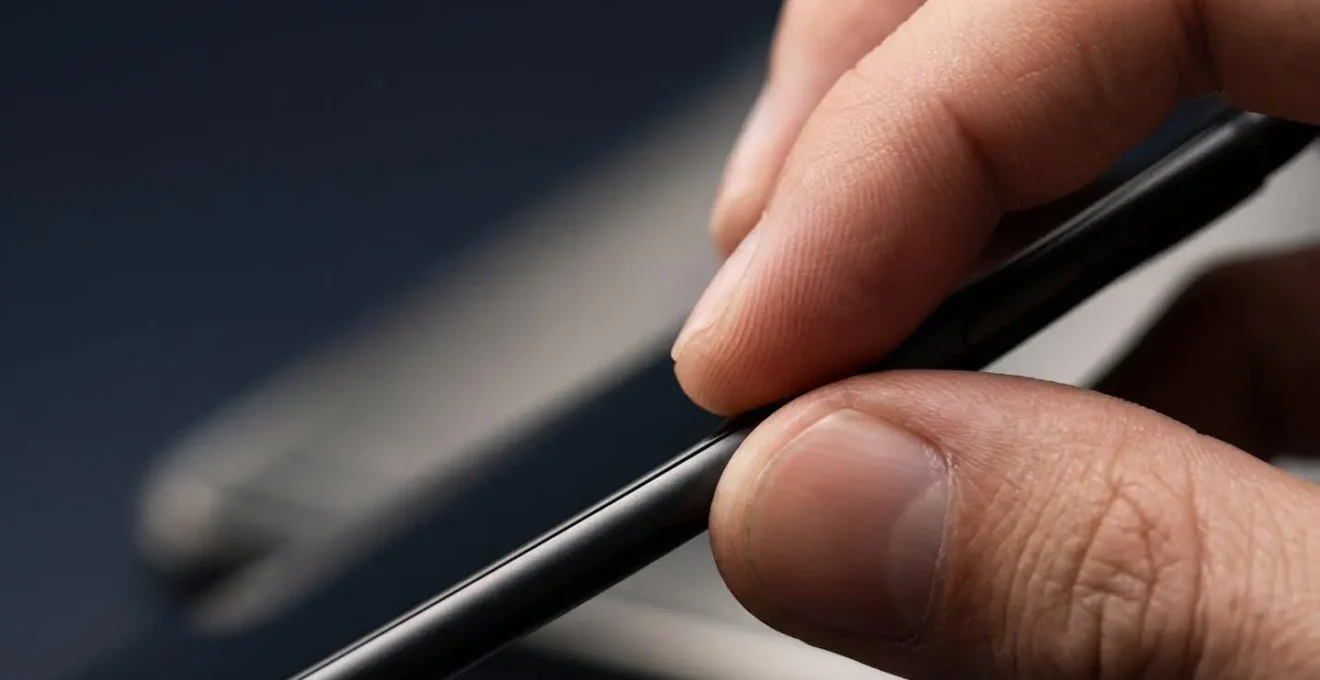
As you can see, the interaction is meant to be felt. The best way to create a useful haptic palette is to test patterns in an environment that simulates your commute. A vibration that feels distinct in a quiet room might be completely lost amidst the rumble of a train. The key is to find patterns that are not just different, but are robust enough to cut through the environmental noise, providing clear and unambiguous information directly to your fingertips.
Action Plan: Auditing Your Personal Haptic Signals
- Points of contact: List every channel where you receive critical notifications on the move (e.g., work email, partner’s messages, National Rail app, NHS app).
- Collecte: Inventory your current vibration patterns. Are they all the default buzz? Note which ones feel indistinct on a moving train.
- Cohérence: Compare these signals to your priorities. Does an urgent email feel different from a social media like? If not, there’s a conflict.
- Mémorabilité/émotion: For your top 3 VIP contacts, create a unique, memorable haptic pattern. Does it feel like a “tap on the shoulder” or an urgent alarm?
- Plan d’intégration: Systematically assign your new patterns to the contacts and apps identified in step 1, replacing the generic buzz and filling the gaps.
Linear Motor vs Coin Motor: Which Feels Like a Premium Click?
The difference between a satisfying ‘click’ and a vague ‘buzz’ is not just in the software; it’s a physical distinction rooted in the hardware deep inside your phone. The ‘mushy’ feeling that causes so many issues is typically the product of an older, cheaper technology: the Eccentric Rotating Mass (ERM) motor, often called a coin motor. It works by spinning a small, off-balance weight, which causes the entire phone to shake. It’s imprecise, slow to start and stop, and produces a muddy, indistinct vibration that is difficult to localise. It’s the source of the problem.
In contrast, the crisp, premium feedback you feel in high-end devices comes from a Linear Resonant Actuator (LRA). These motors use magnets and springs to move a mass back and forth in a straight line. This allows for incredibly fast start and stop times, creating sensations that are sharp, clean, and can be directed to a specific part of the phone. The most advanced form is the X-axis linear motor, which moves horizontally. As the SubTech IT Review Team explains, this is the key to a premium feel: “X-axis motors move horizontally across a wider surface area, allowing for faster start and stop times that prevent the mushy or buzzy feeling found in cheaper phones.”
This difference in hardware has a profound impact on the user experience, especially for a commuter. The slow, whole-body rumble of a coin motor is easily lost in the ambient vibrations of a moving train. The quick, localised pulse of an X-axis motor, however, cuts through that noise, delivering a clear and unmistakable signal. It’s the difference between a shout in a crowded room and a whisper directly in your ear.
The table below breaks down the key differences, highlighting which technologies are typically found in smartphones available on the UK market.
| Motor Type | Response Time | Feedback Quality | Commute Performance | Example Devices (UK Market) |
|---|---|---|---|---|
| Coin Motor (ERM) | Slow (100-150ms) | Mushy, whole-device vibration | Poor – lost in train motion | Budget Android devices |
| Z-Axis Linear (LRA) | Medium (50-80ms) | Improved but limited range | Acceptable for basic alerts | Mid-range Samsung, Google Pixel A-series |
| X-Axis Linear Motor | Fast (10-30ms) | Crisp, localized, premium click | Excellent – clear on busy Tube | iPhone 15, Samsung S24, Pixel 8, OnePlus 12 |
The Neck Pain Mistake 80% of Commuters Make While Working
The daily commute often involves hunching over a small screen, a posture that has become so common it has its own name: “text neck.” This forward head tilt places an enormous strain on the cervical spine, leading to stiffness, soreness, and long-term musculoskeletal issues. While this ergonomic problem is widely acknowledged, its connection to haptic feedback is often missed. The mistake commuters make is assuming neck pain is solely a posture problem; it is also an information problem. We crane our necks because we need constant visual confirmation that our taps have registered and our words are correct.
Every time you experience a “mushy” or ambiguous vibration, you instinctively glance down to verify the input on the screen. Each of these micro-confirmations reinforces the poor posture that leads to neck pain. Over the course of a 30-minute train journey spent drafting emails, these small movements add up to a significant period of sustained strain. Indeed, this is not a niche issue; a comprehensive study found that 90% of smartphone users were affected by neck-related problems, a clear indicator of a widespread ergonomic crisis.
High-fidelity haptics offer a powerful antidote. A crisp, unambiguous ‘click’ felt at the fingertip provides the brain with the certainty it craves, reducing the subconscious urge to look down. This tactile confirmation allows you to type with more confidence while maintaining a healthier, more upright posture, keeping your eyes up and aware of your surroundings. Ergonomic assessments of smartphone users confirm the high risk, with one study noting that “Most smartphone users had a total RULA Grand Score of 6 for both sides, indicating the need for further investigation and changes.” This high score is a direct result of the poor posture we adopt to compensate for inadequate feedback from our devices.
By providing clear, reliable feedback, a good haptic system offloads the work of confirmation from the visual system to the tactile system. This small change in sensory input can lead to a significant improvement in physical well-being, turning a painful commute into a more comfortable and productive one.
The Psychological Reason You Feel Your Phone Buzz When It Didn’t
Have you ever reached for your phone, certain it just vibrated, only to find no new notification? This uncanny experience is known as Phantom Vibration Syndrome, and it is an incredibly common phenomenon. In fact, according to research, as many as 9 out of 10 undergraduates experienced phantom vibrations in the last week or month. While it can feel like a strange trick of the mind, it has a clear psychological basis: your brain has been trained to be on high alert for notifications, and in its anticipation, it starts misinterpreting other signals—a rustle of clothing, a muscle twitch—as a buzz from your device.
For a UK commuter, this syndrome is exacerbated by both the environment and their mental state. The constant jolts and vibrations of a train or bus create a perfect storm of ambiguous sensory input, what we can call ‘environmental dissonance’. Furthermore, the professional waiting for an urgent work email or a National Rail delay alert is in a state of heightened attachment anxiety. This creates a hyper-vigilant brain state, primed to detect a signal.

Case Study: The Anxious Commuter
This hyper-vigilance is not just a feeling; it has measurable psychological effects. Research in the Cyberspsychology, Behaviour and Social Networking journal found that individuals prone to regular phantom vibrations experience 18% higher levels of attachment anxiety. For commuters, imprecise, mushy haptic feedback worsens this state because the brain cannot easily distinguish a real, important notification from the random, low-frequency rumbles of public transport. It is constantly asking, “Was that it?” This state of constant, low-grade alert increases stress and drains mental energy, making it harder to focus.
This is where high-fidelity haptics become a tool for mental well-being. A crisp, distinct, and unique vibration pattern cuts through the noise. It provides a signal so clear and unlike the ambient rumble of the train that the brain doesn’t have to guess. It reduces the cognitive load of interpretation and lowers the state of hyper-vigilance, allowing the commuter to relax, knowing they will be alerted when necessary, and only when necessary.
Why Do Standard Touch Targets Fail Users With Tremors?
For many, using a smartphone is an effortless act of precision. But for users with motor impairments like essential tremor or Parkinson’s, or even just the unsteadiness that comes with age, hitting a small digital button can be a monumental challenge. Now, place that user on a bumpy Birmingham bus or a shaky Northern Line train. The difficulty is magnified tenfold. This is a scenario of dual instability: the user’s hand is unsteady, and the device itself is in a moving, unpredictable environment. Standard touch targets, designed with a perfectly stable user in mind, become almost impossible to use.
Under these conditions, a simple tap can become a frustrating series of misses and accidental presses. The user is left wondering, “Did my finger slip? Did the tremor make me miss the button? Or did the train jolt at the exact wrong moment?” Without clear feedback, the interaction is a guessing game. This is where haptics transition from a ‘nice-to-have’ feature to an essential accessibility tool. A strong, immediate pulse of tactile confirmation upon a successful button press provides crucial reassurance. It definitively answers the question, “Did it work?”
Case Study: Compounded Challenges on the Move
Research examining smartphone ergonomics highlights this dual failure. The studies show that the challenges are compounded when device instability (from a tremor) meets environmental motion (from a vehicle). For a passenger with arthritis or a tremor, the precision demanded by standard app design is simply unachievable in these conditions. Haptic confirmation feedback offers a vital lifeline, reducing the frustration of not knowing if an input registered successfully. In the UK context, providing such features can even be seen as a way of meeting the reasonable adjustment requirements outlined in the UK Equality Act 2010, ensuring digital services remain accessible to everyone, everywhere.
Therefore, for users with tremors, a high-quality haptic engine is not about a premium ‘feel’. It is a fundamental requirement for usability. It provides the sensory certainty needed to overcome the combined challenges of a physiological condition and a difficult environment, allowing for more confident and less frustrating navigation of the digital world.
How to Use Haptic Feedback to Navigate Your Phone Without Sight?
For a visually impaired commuter navigating the complexities of the London Underground or transferring between platforms at a major UK station like King’s Cross, the world is a symphony of sound and touch. In this context, a smartphone is not a visual device but a tactile and auditory guide. Haptic feedback, when combined with screen readers like VoiceOver or TalkBack, becomes a fundamental part of a non-visual user interface, allowing a user to operate their device without ever looking at the screen.
Each tap on the screen can be confirmed with a distinct haptic pulse, allowing for “eyes-free” typing on a virtual keyboard. This is not just a convenience; it is a critical safety feature. It means a visually impaired person can reply to a message or look up train times while keeping their head up, using their hearing and other senses to maintain full spatial awareness of their often-crowded and fast-moving surroundings. High-quality haptics allow for a fluid, confident interaction that doesn’t compromise a user’s awareness of the world around them.
Case Study: RNIB and Eyes-Free Navigation
The importance of this technology is supported by dedicated research. An IEEE study on non-visual smartphone use demonstrated that haptic feedback significantly increased typing speed and decreased errors for visually impaired users. For UK commuters, this technology is essential for navigating complex journeys. Haptic cues from navigation apps can signal upcoming turns or proximity to a destination, while a custom haptic alert from the Trainline app can discreetly signal a last-minute platform change. This provides a layer of information that is both private and doesn’t interfere with the crucial audio cues from their environment—such as station announcements or approaching traffic.
For these users, the haptic language is not an enhancement; it is the primary method of interaction. Here are practical steps to enable this powerful functionality:
- Enable VoiceOver (iOS) or TalkBack (Android) in Accessibility settings.
- Activate Haptic Keyboard feedback for tactile confirmation of each character.
- Configure navigation apps like Google Maps or Citymapper to use haptic alerts for directional cues.
- Set distinct haptic patterns for critical transport apps to signal important alerts.
- Adjust haptic intensity to maximum to ensure feedback is not missed in noisy environments.
Key Takeaways
- Your phone’s motor matters: An X-axis linear motor provides the crisp “sensory fidelity” needed to reduce typos, whereas older coin motors create a “mushy” feel.
- Customisation is a power tool: Creating unique, strong vibration patterns for VIP contacts and critical apps turns your phone into a smarter, less distracting tool for your commute.
- Haptics are deeply ergonomic: Good tactile feedback reduces the need for constant visual confirmation, helping to alleviate “text neck” and providing an essential accessibility aid for users with visual or motor impairments.
How to Size Buttons for Users With Arthritis on Mobile?
For the millions of people in the UK living with arthritis, the simple act of tapping a small icon on a smartphone can be painful and difficult. Stiff, swollen joints reduce dexterity and precision, making standard user interfaces a daily source of frustration. The solution is often seen as purely visual: make buttons bigger. While increasing touch target size is a critical first step, it only solves half of the problem. A truly accessible and comfortable experience for users with arthritis requires a dual approach that combines larger visual targets with clear, strong tactile confirmation.
When dexterity is compromised, a user needs unambiguous feedback that their intended action was successful. A strong haptic pulse on a successful button press provides exactly that. It removes the doubt and uncertainty, preventing the need for repeated, often painful, attempts to hit the same target. This is especially important when using essential services like the NHS App to book appointments, where certainty of input is paramount. Combining a larger button with a satisfying ‘thump’ creates a much more forgiving and reassuring user experience.
Modern smartphones offer a suite of powerful accessibility features designed to help. By diving into the settings, users can create a much more comfortable and usable environment tailored to their specific needs. This isn’t about a single setting, but about orchestrating several features to work in concert.
Here is a practical guide to configuring a phone for arthritis-friendly interaction:
- Navigate to Accessibility settings and enable ‘Display & Text Size’ to increase button and text sizes system-wide.
- Activate ‘Touch Accommodations’ (iOS) or ‘Interaction Controls’ (Android) to adjust how the screen responds to touch, for example by ignoring rapid, unintentional repeat touches.
- Enable Haptic Feedback at maximum intensity to provide the strongest possible tactile confirmation for successful presses.
- For critical apps like the NHS App, enable the ‘Accessibility Zoom’ feature to temporarily magnify specific areas of the screen.
- Configure ‘AssistiveTouch’ (iOS) or the ‘Accessibility Menu’ (Android) to create a persistent on-screen menu with large, easy-to-press buttons for common actions.
Ultimately, designing for users with arthritis or other motor impairments reinforces the central theme: good design communicates clearly. Whether through a larger button or a crisp haptic pulse, the goal is to provide certainty. By thoughtfully combining visual and tactile adjustments, we can make technology less of a barrier and more of an enabler for everyone.
By now, it should be clear that the quality of your phone’s haptic feedback is not a trivial detail. It is a fundamental aspect of its design that has a direct impact on your productivity, your physical comfort, and even your psychological well-being. The first step to reclaiming your focus and efficiency is to audit your own device and its settings. Start today by exploring your phone’s sound and vibration menu, and begin your journey to mastering its haptic language.