Accessories & Gadgets
The mobile device in your pocket represents just half of your digital ecosystem. The accessories you pair with it—TWS earbuds, protective cases, external DACs, smartwatches—fundamentally shape your daily experience. Yet these supplementary devices often receive a fraction of the attention given to flagship phones, despite being the tools you interact with most frequently throughout the day.
The mobile accessories market has evolved from simple protective sleeves and basic headphones into a sophisticated landscape of specialised gear addressing complex technical challenges: maintaining audio quality over wireless connections, managing thermal performance without sacrificing protection, delivering accurate health metrics from wrist-worn sensors, and enabling genuine productivity in confined spaces like train carriages or coffee shops.
This comprehensive overview examines the core categories of mobile accessories, explaining how they work, where they commonly fall short, and how to optimise their performance. Whether you’re troubleshooting Bluetooth latency, choosing between case materials, or questioning your smartwatch’s heart rate readings, understanding the underlying technology empowers better decisions and more satisfying daily use.
Mobile Productivity Essentials for On-the-Go Working
The rise of remote and hybrid working has transformed trains, cafés and airport lounges into viable workspaces. However, the constraints are real: limited surface area, unreliable power access, and public environments requiring vigilance over expensive equipment.
Device selection matters significantly in cramped quarters. An iPad Pro with a detachable keyboard occupies roughly 40% less depth than a MacBook Air when positioned on a standard economy train table—a difference that determines whether you can comfortably type or constantly adjust your elbows. Compact folding stands can angle tablets or laptops to eye level, preventing the neck strain that affects approximately 80% of regular commuters who work while travelling.
Security in public spaces doesn’t require packing up every time you need the restroom. Laptop locks with keyless combination mechanisms can secure your device to fixed furniture in under five seconds. For coffee shops, positioning yourself with your back to a wall and your screen visible only to you reduces both theft risk and visual hacking concerns.
Mobile networks remain frustratingly inconsistent, particularly on long-distance rail routes. The West Coast Main Line exemplifies this challenge: 5G signals frequently drop to 4G or even 3G as trains pass through valleys, tunnels and areas with limited infrastructure investment. Practical solutions include dual-SIM devices allowing automatic switching between carriers, offline-first workflows that sync when connectivity returns, and downloaded maps and documents to maintain productivity during dead zones.
Battery management for extended sessions requires methodical optimisation. Reduce display brightness to the minimum comfortable level (often 30-40% indoors), close unnecessary browser tabs, disable Bluetooth and Wi-Fi when not actively needed, and switch to battery-saver mode before your charge drops below 40%. A portable USB-C power bank rated at 20,000mAh can fully recharge most laptops once—however, verify that your chosen bank supports Power Delivery at sufficient wattage, as many laptops require 45W or higher for charging during active use.
Smartphone Camera Systems and Image Quality
Modern smartphones incorporate multiple rear cameras, each serving distinct purposes. The primary wide lens handles most photography, the ultrawide captures architecture and landscapes, and the telephoto enables optical zoom for portraits and distant subjects.
The question of whether these systems can replace dedicated cameras for travel photography depends entirely on shooting conditions. In good daylight, flagship smartphones produce images comparable to entry-level DSLRs for web and social media use. In low light, larger camera sensors still maintain significant advantages in noise control and dynamic range.
The 3x telephoto lens excels at portrait distances (roughly 2-3 metres from your subject), producing flattering compression and natural bokeh. However, switching between lenses mid-shoot requires deliberate thought about focal length rather than intuitive zooming.
Attaching traditional photography filters to smartphone cameras presents alignment challenges with triple-camera setups. Specialised smartphone filter systems use magnetic attachment rings that adhere to the phone case, with individual filters sized for specific lenses. This allows you to apply a polariser to the primary lens while leaving the ultrawide and telephoto unobstructed.
The marketing emphasis on megapixel counts misleads consumers. A 12MP sensor with larger individual pixels, superior processing algorithms, and better lens optics will consistently outperform a 108MP budget sensor in real-world conditions. For standard smartphone photography—sharing on social media, viewing on screens, printing at photo sizes—12 to 50MP provides more than sufficient resolution. Image quality depends far more on sensor size, pixel size, lens quality, and computational photography capabilities.
High-Resolution Audio: DACs, Codecs and Sound Quality
Understanding Digital-to-Analogue Conversion
The removal of headphone jacks from most smartphones hasn’t eliminated the relevance of wired audio. Digital-to-Analogue Converters (DACs) handle the critical task of transforming digital audio files into analogue signals that headphones can reproduce as sound. Smartphone internal DACs prioritise space and power efficiency over audio fidelity.
External DACs connected via USB-C or Lightning can deliver studio-quality audio by incorporating superior components, dedicated amplification, and support for high-resolution formats (24-bit/192kHz and beyond). The audible difference becomes apparent with high-quality headphones and lossless audio files—subtle details like instrumental separation and soundstage width emerge clearly.
Bluetooth Codec Comparison
Wireless convenience comes with technical compromises. Standard Bluetooth audio uses SBC codec, which compresses audio significantly. Higher-quality codecs improve the situation considerably:
- AAC: Apple’s preferred codec, offering good quality though performance varies by implementation
- AptX HD: Transmits near-CD quality (48kHz/24-bit), widely supported on Android devices
- LDAC: Sony’s codec, capable of up to 990kbps transfer rate, the highest quality wireless option currently available
The critical limitation is that both your smartphone and your headphones must support the same advanced codec. Many expensive headphones still default to basic SBC when paired with incompatible devices, explaining why they “sound average on Bluetooth.”
Equalisation and Sound Profiles
Headphones exhibit different frequency response curves—the balance between bass, midrange, and treble. Some emphasise bass for consumer appeal, others pursue flat response for studio accuracy. Smartphone EQ settings allow you to compensate for these characteristics or adjust to personal preference.
The most effective approach involves starting with your headphone manufacturer’s recommended profile (often available in companion apps), making incremental adjustments of ±2-3dB maximum per frequency band, and testing with familiar reference tracks. Avoid extreme EQ curves that boost multiple frequencies by 10dB or more—this typically introduces distortion and reduces overall headroom.
Protective Cases and Thermal Management
Phone cases serve dual purposes: protecting against physical damage and providing aesthetic customisation. However, they introduce an often-overlooked problem—heat retention that can throttle performance and accelerate battery degradation.
Silicone cases trap heat more effectively than hard plastic alternatives. The material’s thermal insulation properties can increase internal phone temperature by 3-5°C during intensive tasks like gaming, navigation, or camera use. This matters because lithium batteries degrade faster at elevated temperatures, and processors throttle performance to prevent overheating.
Material choice creates a genuine dilemma: silicone provides superior grip and shock absorption, while hard plastic allows better heat dissipation but offers less impact protection. Vented cases with deliberate air gaps and mesh sections represent an intermediate solution, though their effectiveness varies significantly by design.
You can measure the thermal impact of your specific case using smartphone temperature monitoring apps:
- Run a demanding benchmark or game for 10 minutes with your case on
- Note the peak temperature
- Allow the phone to cool completely
- Repeat the identical test with the case removed
- Compare the temperature difference
Differences exceeding 5°C suggest your case significantly impairs thermal management. One charging habit particularly damages batteries in insulating cases: leaving phones charging overnight while enclosed in thick silicone. The combination of charging heat plus poor heat dissipation can cause battery swelling over time. Remove cases during long charging sessions, or switch to thinner alternatives.
Bluetooth Audio Latency and Synchronisation
When watching YouTube or Netflix via Bluetooth headphones, you might notice audio lagging 200-300 milliseconds behind the video—lips moving before voices emerge. This frustrating desynchronisation stems from the time required to compress, transmit, and decompress audio wirelessly.
Standard Bluetooth introduces approximately 100-200ms of latency, imperceptible for music but distracting for video. Gaming amplifies this problem dramatically: a 200ms delay between on-screen action and corresponding sound effects fundamentally breaks immersive gameplay.
AptX Low Latency codec reduces this delay to approximately 40ms—close to imperceptible for most users. To verify Android support, check Settings → Developer Options → Bluetooth Audio Codec. iOS devices don’t support AptX, relying instead on AAC’s moderate latency. The codec solution requires compatible headphones as well.
The inherent tradeoff exists between synchronisation and audio fidelity: lower latency codecs typically reduce audio quality slightly compared to LDAC or AptX HD. For gaming or video editing where timing matters critically, USB-C wired dongles eliminate latency entirely and cost significantly less than premium low-latency wireless headphones. Many video player apps also include manual audio sync adjustments in settings.
Smartwatch Health Sensors: Accuracy and Limitations
How Optical Heart Rate Sensors Work
Wrist-worn smartwatches use photoplethysmography (PPG)—shining LED light into your skin and measuring the minute changes in light absorption caused by blood flow. When your heart beats, blood volume in capillaries increases momentarily, changing how much light reflects back to the sensor.
This elegant solution works well under optimal conditions but faces inherent limitations. Unlike medical-grade equipment with finger clips or chest electrodes, wrist sensors must contend with movement, varying skin tones, tattoos, and imperfect contact.
Common Accuracy Issues
Several factors compromise wrist-based heart rate accuracy:
- Tattoo interference: Dense ink blocks LED light penetration, preventing sensors from detecting blood flow changes. Dark tattoos on the wrist make optical sensors essentially non-functional
- Strap tension: Too loose allows the sensor to move and lose skin contact; too tight restricts blood flow and creates discomfort
- Cadence lock: During rhythmic activities like running, sensors sometimes mistake step rate for heart rate, reporting impossibly consistent values that match your stride frequency
- Motion artifacts: Vigorous arm movements create noise in the optical signal, causing erratic readings
When to Use Alternative Methods
For activities requiring precision—high-intensity interval training (HIIT), structured training zones, or medical monitoring—chest strap heart rate monitors remain the gold standard. They measure electrical heart activity directly, providing accuracy within 1-2 beats per minute comparable to medical ECG.
True resting heart rate measurements work best immediately upon waking, before getting out of bed, when your body is genuinely at rest. For general fitness tracking and trend awareness, smartwatch sensors provide sufficient accuracy. For medical decisions or athletic training optimisation where 5-10 BPM accuracy matters, invest in dedicated chest strap monitors.
TWS Earbuds: Longevity, Maintenance and Repairability
True Wireless Stereo (TWS) earbuds pack remarkable technology into incredibly small enclosures—and this miniaturisation creates inevitable longevity challenges. The typical 40mAh battery inside each earbud represents a fraction of smartphone battery capacity, and lithium cells this small experience accelerated degradation.
Daily users commonly report noticeable capacity loss after 18-24 months, with complete battery failure by year three. This isn’t planned obsolescence but physics: lithium-ion batteries lose roughly 20% capacity per 300-500 charge cycles, and small cells reach this threshold faster.
The most common maintenance oversight involves earwax accumulation on charging contacts. The golden pins on earbuds and inside charging cases conduct both power and data. Earwax acts as an insulator, preventing reliable charging even when batteries remain healthy. Clean contacts monthly with isopropyl alcohol (70% or higher) on a cotton swab.
Storage practices significantly affect unused earbud longevity. Storing TWS earbuds at full charge or complete depletion damages lithium cells faster than maintaining 40-60% charge. If you won’t use earbuds for several weeks, charge them to roughly half capacity.
The repairability question divides the market. AirPods are essentially impossible to repair without destruction. Fairbuds and similar repairable models use modular designs with accessible batteries—but this necessitates slightly larger enclosures and higher prices. Neither approach is objectively superior; it depends on your priorities regarding sustainability, cost-per-year, and size constraints.
Extending charging case battery life is straightforward: avoid daily top-ups when the case remains above 40%. Charge fully every few days rather than constantly, reducing total charge cycles and extending the case battery’s useful life well beyond the earbuds themselves.
Active Noise Cancellation: Technology and Health Considerations
Active Noise Cancellation (ANC) uses microphones to detect external sound, then generates inverse sound waves that cancel incoming noise through destructive interference. The technology excels at eliminating consistent, low-frequency sounds—train rumble, airplane cabin drone, traffic hum—but struggles with irregular, high-frequency sounds like human voices or announcements.
This explains the common observation that ANC blocks the deep rumble of the Tube perfectly while letting station announcements through clearly. It’s not a flaw but an inherent characteristic: low-frequency waves are predictable and easier to invert; human speech frequencies vary too rapidly for real-time cancellation.
For hearing protection, ANC provides genuine benefit in loud environments. Continuous exposure to sounds above 85dB (typical of busy Underground carriages at 80-90dB) damages hearing over time. By reducing external noise levels, ANC allows you to listen at safer volumes—assuming you don’t simply increase music volume to compensate.
However, some users experience the “eardrum suck” sensation—a feeling of pressure or mild nausea when ANC activates. This occurs because the noise-cancelling sound waves can create subtle pressure changes in the sealed ear canal. The effect typically diminishes with acclimation, but persists for approximately 10-15% of users who remain sensitive.
The fit test function available in many earbud apps measures how well the ear tips seal your ear canal. Proper seal is essential for both ANC effectiveness and hearing protection—loose fits allow external noise to leak in, forcing louder playback volumes and reducing noise cancellation performance.
For urban walking, passive isolation (physical blocking via ear tip seal) is often safer than ANC. Active cancellation can suppress important environmental sounds like approaching vehicles or warning shouts. Transparency mode—where external microphones deliberately pass through ambient sound—offers a middle ground, though tuning it to hear cars but not wind requires frequency filtering adjustments that many implementations don’t expose to users.
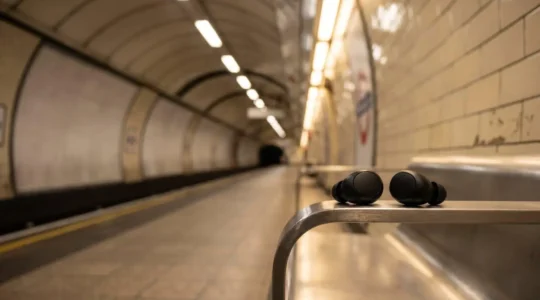
Does Noise Cancellation Protect Your Hearing on the Tube? A Clinical Perspective
Active Noise Cancellation (ANC) is a critical tool for protecting your hearing on the Tube, but only if you understand its limitations and use it correctly. ANC excels at cancelling low-frequency train rumbles, not the high-frequency sounds of announcements or…
Read more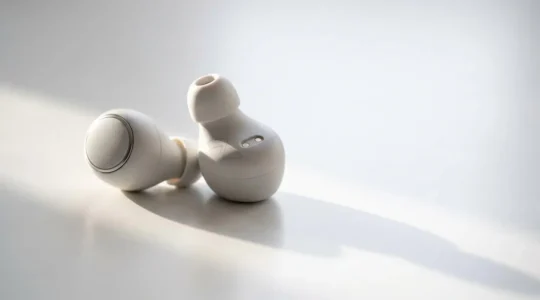
Why Do Your TWS Earbuds Inevitably Die After 2 Years?
Your TWS earbuds’ short lifespan isn’t a defect; it’s an unavoidable outcome of their core design and the laws of battery chemistry. Tiny lithium-ion cells are highly susceptible to “calendar aging,” a chemical degradation process accelerated by being constantly held…
Read more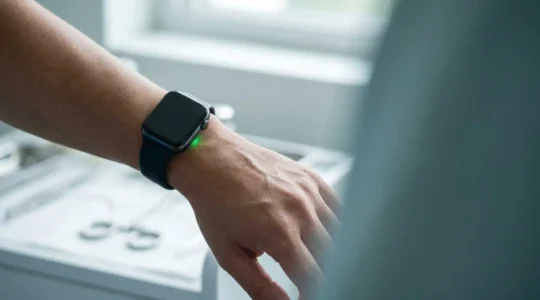
Can You Trust Your Smartwatch Heart Rate for Medical Data?
The heart rate data from your smartwatch is not inherently “good” or “bad”; its medical utility depends entirely on understanding its limitations and the context in which it was recorded. Wrist-based sensors are susceptible to errors from movement (cadence lock),…
Read more
How to Fix Audio Delay When Watching YouTube on Bluetooth?
In summary: Bluetooth audio delay is caused by high-latency audio codecs like SBC and AAC, common on many devices. Check your active codec in Android’s “Developer Options” and try to switch to a low-latency one like aptX Low Latency or…
Read more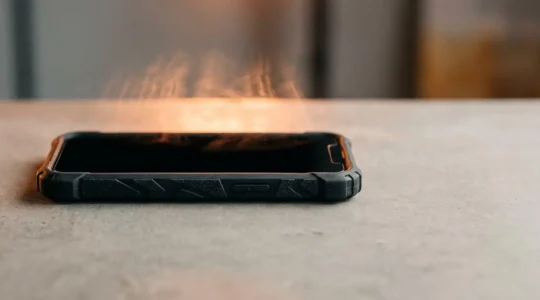
Does Your Rugged Case Cause Your Phone to Overheat?
The rugged case you bought for protection is a key component in a thermal system that can actively degrade your phone’s performance and battery life. Most case materials are insulators, not conductors, effectively trapping the heat generated by the processor…
Read more
How to Get True Hi-Res Audio on Your Smartphone in the UK?
In summary: Your phone’s audio is likely compromised by multiple “bottlenecks” in its signal chain, especially over Bluetooth. For true studio quality, bypass your phone’s internal hardware with an external USB Digital-to-Analogue Converter (DAC). Master advanced settings like Bluetooth codecs…
Read more
Can a Multi-Lens Smartphone Replace Your DSLR for UK Travel?
Trading your DSLR for a smartphone on your UK trip isn’t a downgrade; it’s a strategic switch to a different, powerful photographic system. Mastering the lens-switching strategy is crucial for capturing context, from London’s architecture to environmental portraits. Use RAW…
Read more
How to Set Up a Mobile Office on the Train to London Without Stress?
True productivity on a UK train isn’t about having the best laptop; it’s about mastering the journey’s physical and digital constraints. Unreliable connectivity is a feature, not a bug. An offline-first workflow is non-negotiable. Your biggest ergonomic enemy isn’t the…
Read more