
The choice between Face ID and a fingerprint is a distraction; your true legal security rests on forcing police to use formal legal processes rather than physical compliance.
- UK law treats providing a biometric (face/finger) differently from providing a passcode. The former can be physically compelled, while the latter is a ‘testimonial act’ requiring a formal RIPA s.49 notice.
- Activating your phone’s ‘Lockdown Mode’ is a critical pre-emptive step. It disables biometrics, forcing any access attempt to go through the higher legal threshold of demanding a passcode.
Recommendation: Prioritise a strong, alphanumeric passcode over any biometric method and learn how to activate Lockdown Mode instantly. This shifts any potential encounter from a physical to a legal one.
The ubiquity of smartphones in the United Kingdom is a given; official statistics confirm that the vast majority of UK adults now carry one. These devices are no longer simple communication tools but intimate archives of our lives. This evolution raises a pressing question, particularly in the context of interactions with law enforcement: which is safer, Face ID or a fingerprint? This debate, however, often misses the fundamental legal principles at play.
The common discussion focuses on technical vulnerabilities—whether a 3D scan is harder to fool than a fingerprint. While relevant, this conversation is secondary to the critical legal distinction under UK law between physical compulsion and a testimonial act. Police powers to compel you to place your finger on a sensor or look at your phone are legally distinct from the powers required to force you to divulge the contents of your mind—your passcode. Your biometric data is a physical key; your passcode is a piece of knowledge.
This article will not merely compare biometric technologies. Instead, it will provide a clear, solicitor-led analysis of your digital rights in the UK. We will dissect the legal framework that governs device access, explain why the permanence of your biometric data makes it a “special category” of information under GDPR, and provide actionable steps to configure your device in a way that maximises your legal protections. The objective is not to obstruct justice, but to ensure that any access to your private data occurs within the strict, challengeable boundaries of established law, namely the Regulation of Investigatory Powers Act (RIPA), rather than through informal coercion.
To navigate this complex but crucial topic, this guide breaks down the key legal and technical considerations you need to understand. From the immutable nature of your biometrics to the specific settings that can fortify your device, the following sections will equip you with the knowledge to protect your digital life.
Summary: A Legal Guide to UK Phone Security and Police Powers
- Why You Can Reset a Password but Not Your Fingerprint?
- How to Activate “Lockdown Mode” Before Handing Over Your Phone?
- The “Stay Unlocked” Setting That Compromises Your Biometric Security
- 3D Face or 2D Photo: Which Can Be Fooled by a Picture of You?
- How to Train Your FaceID to Recognise You With a Scarf?
- Why Is Face Data Treated Differently Than Passwords Under GDPR?
- How Long Should Your Passcode Be to Prevent Brute Force Attacks?
- Is Face Mapping GDPR Compliant for UK Employee Devices?
Why You Can Reset a Password but Not Your Fingerprint?
The fundamental difference between a password and a biometric identifier like your fingerprint or face lies in a single concept: permanence. A password, however complex, is a piece of knowledge that can be changed, reset, or discarded at will. If it is compromised in a data breach, you can create a new one, rendering the old one useless. Your biometric data, however, is intrinsically and permanently tied to your physical self. You cannot “reset” your fingerprint or grow a new face.
This permanence has profound security and legal implications. As legal experts at Sprintlaw UK note, once biometric data is compromised, it is often impossible to recover. In their words, “Because once biometric data is compromised, it’s often impossible to reset – unlike a password, you can’t just ‘change’ your fingerprint or DNA. This permanence creates higher risks if there’s a loss or misuse.” This isn’t a theoretical risk; it means that a single breach of a database holding your biometric template could lead to a lifetime of potential identity fraud.
This is why the law, particularly data protection regulations like the UK GDPR, treats biometric data with a much higher degree of caution. It is not just another authentication method; it is an immutable and unique aspect of your identity. Losing control of it is not an inconvenience that can be fixed with a “forgot password” link; it is a permanent loss of control over a part of who you are. This distinction is the bedrock upon which all other legal and security considerations for phone access are built.
How to Activate “Lockdown Mode” Before Handing Over Your Phone?
The most critical action a UK citizen can take to protect their digital rights during a police encounter is to understand and use “Lockdown Mode.” This is a built-in feature on modern smartphones (both iOS and Android) that, when activated, immediately disables all biometric unlocking methods (Face ID and fingerprint sensors) and requires a passcode to access the device. The activation method is designed for speed and discretion: typically, it involves pressing a combination of physical buttons (e.g., holding the power button and a volume button simultaneously for a few seconds).
The legal significance of this action cannot be overstated. It single-handedly shifts the nature of a police request for access. Without lockdown, an officer might attempt to compel you to physically unlock the device using your face or finger. In a high-pressure situation, this can be difficult to refuse. However, once Lockdown Mode is active, the only way into the device is the passcode. Forcing you to divulge a passcode is considered a “testimonial act”—compelling you to reveal the contents of your mind. This act requires a formal, legally documented process under Section 49 of the Regulation of Investigatory Powers Act 2000 (RIPA). By activating Lockdown Mode, you are not obstructing justice; you are forcing the police to use the proper legal channels and create a paper trail that can be scrutinised by your solicitor.
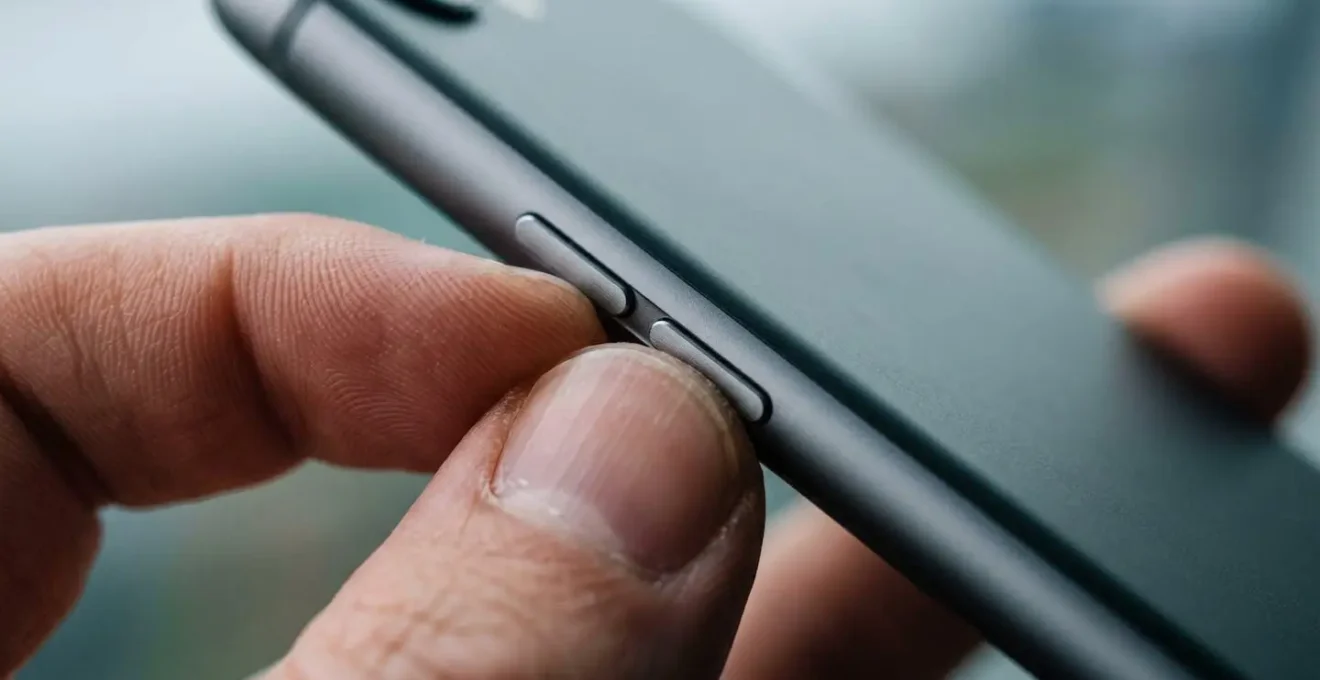
This simple, pre-emptive action moves the encounter from the realm of physical compliance to one of legal procedure. It ensures that any request for your data is made formally, is justified, and is challengeable. It is the single most powerful tool you have to assert your digital rights when interacting with law enforcement in the UK.
Your Legal Checklist for UK Device Seizure
- Understand the Law: Police can request access under Section 49 of RIPA to prevent crime or for national security. It is not an informal request.
- Recognise the Penalty: Refusing to comply with a formal s49 RIPA notice can lead to imprisonment (two years, or five in national security cases).
- Seek Legal Advice: Police may encourage you to provide a password without serving a formal notice. Always seek legal advice before complying with any request for access.
- Activate Lockdown Mode: This action forces police to rely on the formal s49 notice rather than physical compulsion, but it does not eliminate the legal obligation to comply if served.
- Know Your Defence: A valid defence for non-compliance includes proving you do not possess the password or that the legal grounds for the notice are not met.
The “Stay Unlocked” Setting That Compromises Your Biometric Security
While considering police powers is critical, your day-to-day security is far more likely to be threatened by common criminals. In this context, convenience features like “Stay Unlocked” (or “Smart Lock” on Android devices) represent a significant and often overlooked vulnerability. These settings allow your phone to remain unlocked when in a “trusted” location (like your home or office) or when connected to a “trusted” device (like your smartwatch or car’s Bluetooth).
The security trade-off is stark. While convenient, this feature entirely bypasses your biometric security and passcode protection within these trusted zones. A thief who snatches your phone from a café table where you work, or from your hands on the street near your home, may find it completely unlocked and accessible. The risk is not hypothetical. A recent report revealed that 78,000 people had phones or bags snatched in England and Wales in the year ending March 2024, a staggering 153% increase on the previous year.
The UK’s National Cyber Security Centre (NCSC) cautions against over-reliance on biometrics, noting that “vulnerabilities do still exist in biometric systems, including spoofing of biometrics, or attacks against the systems and devices themselves.” Features like “Stay Unlocked” are an attack on the system itself, creating a deliberate loophole in your security posture for the sake of convenience. From a solicitor’s perspective, we advise clients to disable these features entirely. The minor inconvenience of authenticating each time you use your device is a small price to pay for ensuring your digital life remains protected in the face of soaring street crime.
3D Face or 2D Photo: Which Can Be Fooled by a Picture of You?
Not all facial recognition systems are created equal. The distinction between 2D and 3D facial recognition is crucial when assessing the security of your device against a “presentation attack”—the technical term for an attempt to fool a system with a photo, video, or mask. Generally, more basic systems found on less expensive devices use 2D facial recognition. This technology essentially compares a flat image of your face with a stored photograph, making it highly vulnerable to being fooled by a simple picture or a video of you displayed on another screen.
NCSC Findings on Facial Recognition Vulnerabilities
The UK’s National Cyber Security Centre (NCSC) has highlighted significant weaknesses in biometric systems, particularly in facial recognition. Their investigations found that some systems lack “liveness” detection, which could allow a device to be unlocked while the user is asleep or has their eyes closed. The NCSC confirms that while modern devices increasingly include these liveness checks to defend against presentation attacks (like using a photo), the resilience varies enormously between 2D and 3D systems. This makes the quality of the implementation a critical factor in device security.
In contrast, premium systems like Apple’s Face ID use 3D facial mapping. They project a grid of thousands of infrared dots onto your face to create a detailed depth map. This technology measures the three-dimensional structure of your face, making it nearly impossible to fool with a 2D photograph. It also incorporates “liveness” and attention-aware features, requiring your eyes to be open and looking at the device to authenticate.
This technical difference has real-world consequences, especially in high-theft areas. Data shows that the Metropolitan Police dealt with more than three-quarters of all UK mobile phone thefts in the year ending March 2024. A thief who has your stolen phone and can find a public photo of you online (from social media, for example) may be able to access a device with weak 2D facial recognition. For a device with 3D mapping, this is not a viable attack vector. Therefore, while a passcode remains the ultimate safeguard, if you use facial recognition, a 3D system offers substantially more robust protection against opportunistic criminals.
How to Train Your FaceID to Recognise You With a Scarf?
From a practical standpoint, users of 3D facial recognition systems like Face ID can improve its reliability by training it to recognise them with partial face coverings. In the UK, this is particularly relevant for winter when scarves are commonplace. Most modern systems allow you to set up an “alternate appearance.” This feature is designed for individuals who may look significantly different at times, but it can be effectively used to train the system with a mask or scarf on.
To do this, you would navigate to your device’s Face ID settings and select the option to set up an alternate appearance. You would then go through the face-scanning process while wearing the scarf or face covering as you normally would. This creates a second biometric template associated with your identity, dramatically increasing the chances of a successful unlock in those circumstances. It’s a simple step to improve the convenience of a secure system.
However, as we improve our devices’ ability to recognise us, we must remain vigilant about how this same technology can be used by the state. Privacy advocates like Big Brother Watch and Liberty have warned that “Facial biometrics are arguably even more sensitive and vulnerable to misuse than DNA and fingerprints, given the ability to obtain this sensitive data remotely and without an individual’s awareness, consent or compliance, via photographs or CCTV footage.” The ease with which your face can be captured by ubiquitous surveillance makes it a uniquely powerful tool for state tracking. So, while you train your phone to recognise you, be mindful of how many other systems are being trained to do the same without your consent.
Why Is Face Data Treated Differently Than Passwords Under GDPR?
Under the UK’s implementation of the General Data Protection Regulation (GDPR) and the Data Protection Act 2018, your facial data is not just ordinary personal data. It is classified as ‘special category data’. This is a crucial legal status that affords it a much higher level of protection. As Sprintlaw UK clarifies, “Biometric data falls into a category called ‘special category data’ – the same group that covers things like racial or ethnic origin, health records, and political beliefs.”
A password, by contrast, is just standard personal data. This legal distinction exists because biometric data is intrinsically linked to your unique human characteristics and is immutable. The misuse of this data can lead to more severe risks, such as discrimination or irrevocable identity theft. Consequently, processing special category data is prohibited unless specific, stringent conditions are met, such as obtaining explicit consent from the individual or a clear legal justification in the public interest.
The ICO and Facial Recognition at King’s Cross
The power of ‘special category’ status was demonstrated in the UK Information Commissioner’s Office (ICO) investigation into the use of facial recognition at London’s King’s Cross. The deployment was found to have been non-compliant with data protection law, as it failed to meet the high threshold for processing biometric data without explicit consent. This case, along with the first legal challenge against a UK retailer’s use of the technology (Southern Co-op), set a strong precedent. It established that organisations cannot deploy facial recognition systems without conducting a rigorous Data Protection Impact Assessment and securing a very clear legal basis, reinforcing the protected status of our biometric identities.
The scale of biometric data collection by the state underscores the need for these robust protections. Analysis from the Electronic Frontier Foundation suggested that as of 2019, the Police National Database reportedly held around 20 million facial images, primarily sourced from arrestees. This vast database highlights the stark difference between data you control on your phone and data held by the state, and reinforces why the law treats biometric information with such gravity.
How Long Should Your Passcode Be to Prevent Brute Force Attacks?
While biometrics offer convenience, the ultimate line of defence for your device remains the passcode. It is the key that unlocks your biometric settings and the only thing protecting your data when Lockdown Mode is activated. The strength of this defence is directly proportional to the passcode’s length and complexity. A simple 4 or 6-digit PIN is trivial to overcome for a determined adversary with physical access to your device. These can be “brute-forced”—every possible combination tried—in a matter of hours or days with the right equipment.
The sheer volume of data at risk justifies a more robust approach. The Information Commissioner’s Office (ICO) has noted that our phones process an immense amount of data—far more than could have been envisaged when the underlying legislation was drafted. The modern smartphone is an archive containing emails, messages, photos, location history, and financial information. Protecting this archive requires moving beyond a simple PIN to a strong alphanumeric passcode (a mix of letters, numbers, and symbols). A six-character passcode using only numbers has one million possible combinations. A six-character passcode using upper and lower-case letters and numbers has over 56 billion combinations. An eight-character alphanumeric passcode has trillions.
The principle is known as entropy. Every character you add exponentially increases the time and computational power required to guess it. While there is no single “magic” length, a strong recommendation is to use an alphanumeric passcode of at least 8-12 characters, or to use the “custom” option to create a passphrase of several memorable words. This makes a brute-force attack computationally infeasible for all but the most sophisticated state-level actors. In the context of UK law enforcement, a device protected by such a passcode forces them to rely entirely on the formal RIPA s.49 process, as there is no technical shortcut.
Key takeaways
- The critical legal distinction is not Face ID vs. Fingerprint, but a ‘testimonial act’ (giving a passcode) vs. ‘physical compulsion’ (using your face/finger).
- Proactively using your phone’s ‘Lockdown Mode’ is the most effective way to force police to use formal legal procedures (a RIPA s.49 notice) rather than physical coercion.
- Under UK GDPR, your biometric data is ‘special category data’, granting it higher legal protection due to its permanent and unique nature.
Is Face Mapping GDPR Compliant for UK Employee Devices?
The question of biometric data extends into the workplace, where employers are increasingly using it for access control or device security. Here, the UK GDPR sets an exceptionally high bar. If a company uses biometrics to verify an employee’s identity—for example, using Face ID to unlock a work-issued phone—it is almost certainly processing special category data. This requires the employer to meet two conditions: identify a lawful basis for processing under Article 6 of the GDPR, and satisfy a specific condition for processing special category data under Article 9.
For employers, the most common condition relied upon is explicit consent. As legal firm Sprintlaw UK points out, this is not a trivial requirement: “UK GDPR requires you to identify a lawful basis and typically this requires explicit consent from the data subject – not just tick-box or implied consent, but a clear, positive statement.” The inherent power imbalance in an employer-employee relationship makes genuine, freely given consent difficult to establish. An employee may feel they cannot refuse a request from their employer, meaning any consent given may not be considered legally “free.”
Therefore, any UK employer implementing a policy that requires the use of facial mapping on employee devices must proceed with extreme caution. They must be able to demonstrate that consent was explicit, unambiguous, and freely given, with no detriment to employees who refuse. They must also have a clear policy on data security, retention, and a robust Data Protection Impact Assessment (DPIA). The legal threshold is significantly higher than for a simple password policy, reflecting the sensitive nature of the data being processed. For an employee, this means you have significant rights and should not be forced to use biometrics without a clear and compliant process being followed by your employer.
The first step in protecting your digital rights is to understand them. We advise you to review your device’s security settings today, prioritise a strong alphanumeric passcode over any biometric, and familiarise yourself with activating Lockdown Mode. These proactive steps ensure your security posture aligns with the legal realities of the United Kingdom.