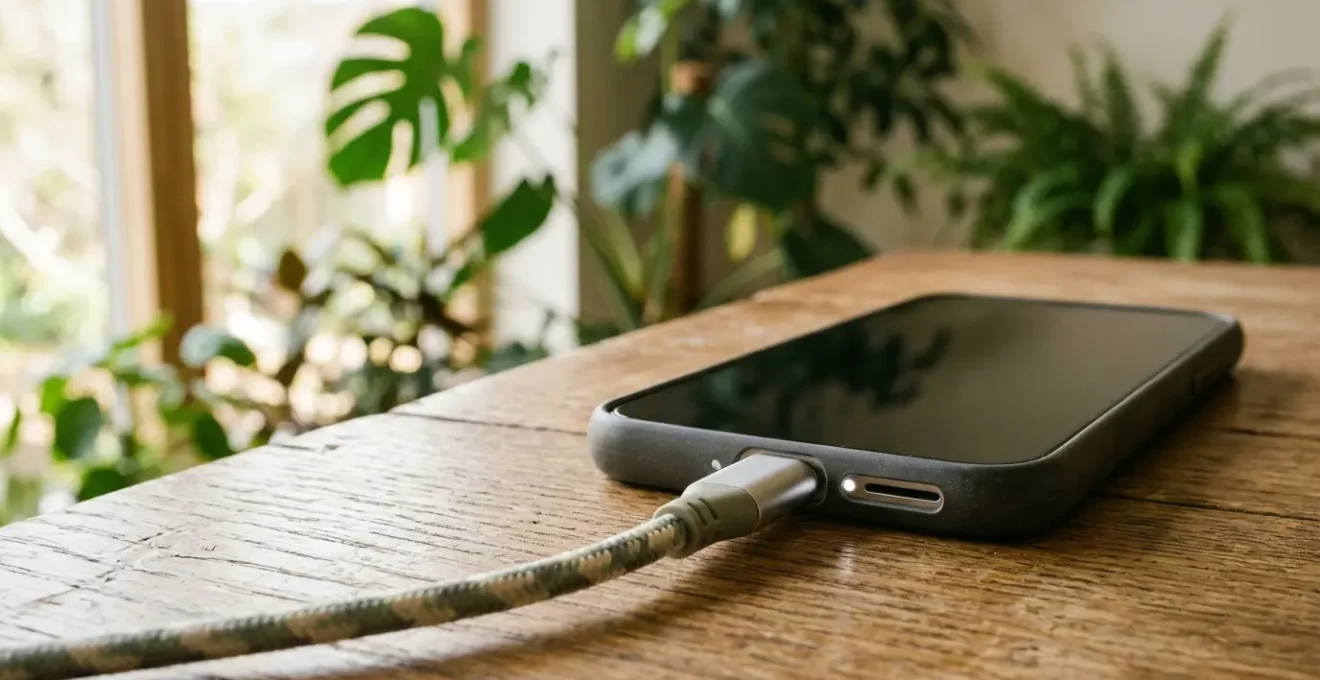
The greatest environmental harm from your phone isn’t the electricity it uses, but the massive carbon footprint of manufacturing its replacement.
- The single best green action you can take is to make your current phone last longer by preserving its battery health.
- Charging to 100% and exposing your phone to high heat are the two main culprits that permanently degrade your battery.
Recommendation: Adopt the “80% rule” as your primary charging strategy. This simple habit has a far greater positive impact on the planet than obsessing over unplugging your charger.
If you’re trying to live a more sustainable life, you’ve probably felt a small pang of guilt leaving your phone charger plugged in overnight. We’ve all heard the advice: unplug phantom power sources, use energy-saving modes, and recycle our old devices. These are well-intentioned tips, but they barely scratch the surface of our phone’s true environmental impact. We focus on the tiny trickle of electricity used for charging, while completely missing the tidal wave of carbon emissions generated before the phone ever reaches our hands.
The inconvenient truth is that the most significant portion—over 80%—of a smartphone’s lifetime carbon emissions comes from its manufacturing and shipping. This includes the energy-intensive process of mining rare earth metals, fabricating complex components, and transporting the final product across the globe. Therefore, the single most impactful action you can take to reduce your digital carbon footprint has nothing to do with saving a few watts of electricity.
What if the key wasn’t about using less energy, but about fundamentally rethinking our relationship with our devices? This guide will shift your focus from the myth of overnight charging guilt to the real, actionable strategy: preserving your battery’s health to radically extend your phone’s lifespan. By focusing on longevity, you directly combat the cycle of consumption and avoid the massive environmental cost of creating a new device.
We’ll explore the hidden energy drains you’re not aware of, provide concrete rules for smarter charging, and reveal why keeping your old phone in use is exponentially better for the planet than even the most diligent recycling. Get ready to become a true green tech advocate, not through guilt, but through empowerment.
This article will guide you through the practical, science-backed habits that make a real difference. Follow along to understand the invisible forces affecting your battery and master the strategies to keep your device performing at its best for years, not months.
Summary: A Guide to Slashing Your Phone’s Environmental Impact
- Why Does Facebook Use Power Even When You Don’t Open It?
- How to Set a “Stop Charging at 80%” Rule on Any Phone?
- The “Hey Siri” Setting That Increases Your Daily Consumption by 10%
- Smart Plug or Optimised Charging: Which Saves More Energy?
- How to Make Your Battery Last a Full Weekend at Glastonbury?
- Why Does Leaving Your Phone on the Dashboard Destroy the Battery?
- Why Buying a Used Phone Beats Recycling Your Old One?
- Buying Refurbished: Is It Really Better for the Planet?
Why Does Facebook Use Power Even When You Don’t Open It?
It’s a common frustration: you haven’t touched an app all day, yet it’s showing up as a major consumer of your battery. This isn’t a glitch; it’s by design. Social media apps like Facebook, Messenger, and Instagram are engineered to provide a seamless, real-time experience, and the cost of this convenience is your battery life. They operate with persistent background processes, constantly maintaining connections to their servers. This allows them to sync data continuously, check for new messages, fetch new posts for your feed, and update your location, all without you ever opening the app.
This feature, known as “Background App Refresh,” is the primary culprit. While it makes the app feel faster when you do open it, it creates a constant, low-level energy drain that accumulates significantly over a day. Research has shown that these apps are among the most power-hungry applications on any device. They are constantly listening, fetching, and processing, turning your phone into a busy data hub even when the screen is off. The problem isn’t that they use power; it’s the sheer scale of their invisible activity.
The good news is that you have control. Both iOS and Android offer granular settings to manage background activity. By navigating to your battery usage settings, you can see exactly which apps are the worst offenders and restrict their ability to run in the background. Disabling Background App Refresh for non-essential apps is a simple, effective step to reclaim your battery life and reduce unnecessary energy consumption, forcing these apps to only use power when you are actively engaged with them.
How to Set a “Stop Charging at 80%” Rule on Any Phone?
The single most effective habit you can adopt for your phone’s longevity is to stop charging it to 100%. While it seems counterintuitive, fully charging a modern lithium-ion battery places it under significant chemical stress. Think of it like stretching a rubber band to its absolute limit every time; eventually, it loses its elasticity. For a battery, this stress accelerates degradation, permanently reducing its ability to hold a charge. The “sweet spot” for lithium-ion health is keeping the charge level between 40% and 80%.
This isn’t just anecdotal advice. The science is clear: charging that last 20% from 80% to 100% causes a disproportionate amount of wear. Research on lithium-ion cells shows that capacity loss accelerates dramatically as the battery approaches its maximum voltage. Staying below this high-stress threshold can effectively double the number of full charge cycles your battery can endure before its capacity drops below a useful level. Implementing an “80% rule” is a direct investment in your phone’s future resale value and reusability.

As this visualization suggests, the internal structure of the battery is happiest and most stable in that middle-charge zone. Making this a regular practice is easier than ever, as phone manufacturers have started building in tools to help. However, you can take even more direct control. The goal is to make stopping at 80% an effortless, automated part of your routine. The following checklist will help you audit your options and implement the best solution for you.
Your 5-Step Action Plan: Mastering the 80% Charge Rule
- Identify Native Tools: First, explore your phone’s built-in features. On iPhone, enable ‘Optimized Battery Charging’ (Settings > Battery > Battery Health). On Android, look for ‘Adaptive Charging’. These are your first line of defense.
- Inventory Your Hardware: Do you own any smart plugs? These can be programmed to cut power after a set time, providing a hardware-based solution if you have a consistent charging schedule (e.g., charge for 90 minutes every morning).
- Assess Your Needs vs. Habits: Be honest: do you truly need a 100% charge every single day? Confront your “battery anxiety.” For most daily use, an 80% charge is more than sufficient. Acknowledge that you only need 100% for specific, long days out.
- Evaluate Automation Friction: Compare the effort. Native OS features are zero-effort but less precise. Manual alerts from third-party apps require you to act. A fully automated smart plug with IFTTT is powerful but complex to set up. Choose the method that best fits your technical comfort level.
- Implement and Iterate: Start with the easiest method (native OS features). If you find your phone is still often charging to 100%, escalate to a more controlled method like a smart plug or a dedicated battery alarm app to build the habit.
The “Hey Siri” Setting That Increases Your Daily Consumption by 10%
Beyond active use and background refresh, a third category of battery drain exists: parasitic features. These are the “always-on” conveniences that seem magical but come at a constant energy cost. The most famous example is the voice-activated assistant. Whether it’s “Hey Siri” or “Hey Google,” this feature requires your phone’s microphone and a dedicated co-processor to be perpetually active, listening for a wake word. While highly optimized, this constant vigilance inevitably sips power all day long.
As one expert notes, this is a clear trade-off between convenience and battery life. It’s a feature that uses power by its very definition, even when the rest of the phone appears to be asleep. Adhikari, an iPhone expert interviewed for SHEfinds, puts it simply:
If you have ‘Hey Siri’ turned on, your device watches for the wake command, even when the screen is off. This may drain the battery.
– Adhikari, SHEfinds iPhone expert interview
While disabling the “Hey” command might save you a noticeable percentage of battery, it’s just one of many such features. Modern smartphones are packed with sensors and processors running quietly in the background to enable a host of seemingly passive features. Understanding these hidden consumers is key to taking full control of your device’s energy use.
- Raise to Wake: The accelerometer is always active, waiting for the specific motion that turns on your screen.
- Live Widgets: Home screen widgets that show weather, news, or calendar appointments must periodically fetch new data, consuming both power and data.
- Motion Co-processors: For fitness tracking, these chips are constantly monitoring your steps, flights climbed, and movement, even if you never open the Health app.
- Background Location Services: Apps you’ve granted location access to may be tracking your position continuously, a major power drain.
Auditing these features in your settings and disabling those you don’t use can yield significant battery savings, further extending the time between charges and reducing the number of charge cycles used over time.
Smart Plug or Optimised Charging: Which Saves More Energy?
When it comes to managing overnight charging, two popular solutions emerge: your phone’s built-in “Optimised” or “Adaptive” charging, and a physical smart plug. The question is, which one is better? To answer that, we must return to our core principle: the goal isn’t to save a few pennies on electricity, but to preserve the battery to avoid the massive carbon cost of manufacturing a new phone. For context, research indicates a staggering 63 kg CO2e annual footprint per smartphone, with the vast majority tied to its creation.
With that stake in mind, the question becomes: which method is better for your battery’s long-term health? Native operating system features like Apple’s Optimised Charging learn your daily routine. They will charge the phone to 80% quickly and then hold it there for most of the night, only topping it up to 100% just before you typically wake up. This is good, as it reduces the time spent at the high-stress 100% state. However, it’s an opaque system that still aims for 100% by morning.
A smart plug offers a more direct, if less intelligent, approach. You can set it to turn off after a specific duration (e.g., 90 minutes), preventing the phone from ever reaching 100%. The ultimate solution, however, is a combination: using automation platforms like IFTTT or iOS Shortcuts to have your smart plug automatically switch off the moment your phone’s battery level hits 80%. This offers the best of both worlds: precise control over the charge level and the complete elimination of phantom power draw once the charge is complete. The following table breaks down the pros and cons of each approach.
| Feature | Optimized Charging (OS-native) | Smart Plug | Combined Automation |
|---|---|---|---|
| Control Type | Adaptive AI/ML-based | Manual scheduling or timer-based | Automated with threshold triggers |
| Accuracy | Learns patterns but opaque operation | Precise on/off at set times | Precise threshold-based (80% cutoff) |
| Setup Complexity | Enable in settings (very easy) | Moderate (requires app and device pairing) | High (requires automation platform like IFTTT) |
| Privacy Implications | OS collects usage patterns | None (local hardware control) | Depends on automation platform |
| Reliability | Dependent on algorithm accuracy | Very reliable but inflexible | Highly reliable with dynamic response |
| Energy Waste Prevention | Reduces vampire power slightly | Eliminates standby power completely | Eliminates standby power + optimizes charge level |
| Primary Benefit | Extends battery health via charge timing | Cuts phantom power draw | Both battery health + zero standby consumption |
| Cost | Free (built-in) | $15-40 per smart plug | Smart plug cost + automation platform (may be free) |
How to Make Your Battery Last a Full Weekend at Glastonbury?
Multi-day festivals like Glastonbury present the ultimate battery life challenge. With limited access to power and a high need for communication, photos, and digital tickets, a dead phone can be a disaster. The common enemy here isn’t what you think. It’s not screen brightness or taking videos of the headliner; it’s the crowd itself. When tens of thousands of phones are packed into a small area, the cellular network becomes incredibly congested. Your phone’s antenna, in a desperate attempt to find a stable connection, boosts its power output to the maximum. This constant, high-power search for a signal is the single biggest battery drain in a festival environment.
This environmental shot perfectly captures the essence of the problem: a dense sea of people, each a potential point of network interference. In this setting, your phone is fighting a losing battle for bandwidth, and your battery is paying the price. The solution is to be strategic and proactive, preparing your device for a low-connectivity environment before you even arrive.

The key is to minimize your phone’s need to “think” or “search.” This means pre-loading content, aggressively managing connectivity, and knowing which settings provide the most significant savings. A high-capacity power bank is a safety net, but good habits are your first and best line of defense. The following protocol turns battery survival into a science.
- Pre-Festival Prep: Your phone should be an offline-first device. Download festival maps for offline use in Google Maps, save schedules and tickets as screenshots, and download music playlists. Don’t rely on streaming anything.
- Aggressive Airplane Mode: This is your most powerful weapon. Use it liberally. When you’re just walking between stages or enjoying the music, you don’t need a connection. Your phone searching for a signal in a crowd is its most power-intensive task.
- Immediate Low Power Mode: Enable Low Power Mode (or Battery Saver on Android) the moment you step onto the festival grounds. Don’t wait until you’re at 20%.
- Disable Wi-Fi and Bluetooth: If you’re not actively using them, turn them off completely, not just disconnect. Otherwise, they will continuously scan for networks and devices, draining power.
- Emergency Triage: When you’re critically low, go into ultra-low power mode. Drop screen brightness to the absolute minimum, manually close all apps, and stick to SMS for communication, which uses far less power than data-based messaging apps.
A good power bank (at least 20,000mAh) is essential, but don’t fall for gimmicks. Solar chargers are notoriously ineffective in typical British weather, and kinetic chargers produce negligible power. A fully charged, high-capacity battery pack is the only reliable hardware solution.
Why Does Leaving Your Phone on the Dashboard Destroy the Battery?
If there is one mortal enemy to a lithium-ion battery, it’s heat. While we often worry about the cold, high temperatures are far more damaging, causing irreversible harm to the battery’s chemistry. Leaving your phone on a car dashboard in the sun is one of the fastest ways to permanently kill its capacity. The “greenhouse effect” inside a car can cause dashboard temperatures to soar to 60-70°C (140-158°F). At these temperatures, the delicate chemical balance inside your battery begins to break down. The electrolyte can degrade, and the cathode material can be damaged, leading to a rapid and permanent loss of the ability to hold a charge.
This isn’t a slow process; the damage is immediate. Think of it like cooking an egg: you can’t un-cook it. The damage from a single afternoon on the dashboard is permanent. Scientific studies quantify this effect starkly; battery degradation research shows a 6.7% capacity loss after 200 cycles at 45°C, more than double the loss experienced at a milder 25°C. The dashboard is an extreme example, but many common habits create “hidden heat traps” that slowly cook our batteries and shorten our phones’ lifespans.
Recognizing these scenarios is the first step to protecting your device. Heat is a cumulative poison for your battery, and avoiding it is just as important as managing your charge cycles. Here are some common heat traps to avoid:
- Charging Under a Pillow: This is a double threat. Charging naturally generates heat, and the pillow acts as an insulator, trapping that heat and creating a miniature oven that accelerates battery degradation.
- Direct Sun on a Beach Towel: Combining direct radiant heat from the sun with the reflective surface of sand can push a phone beyond its safe operating temperature in minutes.
- Wireless Charging in a Warm Room: Inductive charging is less efficient than wired charging, with that lost energy being converted into waste heat. In an already warm environment, this can push the battery’s temperature into the danger zone.
- Pocket During Intense Exercise: Your body heat, combined with the lack of ventilation in a pocket, creates a sustained high-temperature environment for your phone.
Keeping your phone cool—especially while charging—is a cornerstone of battery preservation. Always seek shade, ensure good ventilation, and never, ever leave it in a hot car.
Key Takeaways
- Your phone’s biggest carbon footprint comes from its manufacturing, not its electricity use.
- The most impactful green action is extending your phone’s life, and battery health is the key to longevity.
- Avoid charging to 100% and exposing your phone to high heat; these are the two fastest ways to degrade your battery.
Why Buying a Used Phone Beats Recycling Your Old One?
We’ve been trained to think that recycling is the ultimate act of environmental responsibility for our old electronics. We dutifully drop our old phones in a special bin, feeling we’ve done our part. However, this belief overlooks a critical principle: the waste hierarchy. The familiar mantra of “Reduce, Reuse, Recycle” is a priority list, not a menu of equal options. Reuse is always, unequivocally better than recycling. Recycling is not a magic solution; it’s the least bad disposal option for a product at the absolute end of its life.
E-waste recycling is an energy-intensive industrial process. It involves shredding, smelting, and using chemicals to recover materials. The recovery rates for many precious metals are often low, and a significant portion of the world’s e-waste is shipped overseas, where it can create environmental and social problems. When you recycle your phone, you are simply feeding raw materials into this difficult and imperfect system.
When you sell, donate, or give away your old phone for reuse, you achieve something far more powerful: you directly displace the need for a new phone to be manufactured for another person. You prevent the ~55-95 kg of CO2 from ever being emitted. This impact dwarfs the energy consumed by charging. For perspective, a carbon fingerprint analysis estimates a 1.9kg CO2e per year footprint from charging alone. The emissions from manufacturing are at least 30 times greater. This is why every charging habit we’ve discussed—keeping the battery healthy, avoiding heat, and managing cycles—is so critical. These actions are not just about making your phone last for you; they are about preserving its value and functionality so it can have a second, or even third, life with someone else, which is the most powerful sustainable action you can take.
Buying Refurbished: Is It Really Better for the Planet?
If keeping an old phone in circulation is the goal, then buying a refurbished device is the logical conclusion for your next purchase. But is it genuinely that much better for the planet? The answer is a resounding yes, and the data is clear. A refurbished phone is not just a “used” phone; it’s a device that has been professionally tested, repaired, and restored to full working order. Most importantly for longevity, reputable refurbishers will replace the battery, guaranteeing it meets a minimum health standard (typically 85% of its original capacity).
This process addresses the biggest fear associated with buying a second-hand device—a worn-out battery—while delivering massive environmental savings. The carbon footprint of the refurbishment process (testing, cleaning, battery replacement, shipping) is a tiny fraction of manufacturing a device from scratch. By opting for a refurbished model, you are saving approximately 70-80% of the CO2 emissions compared to buying new.
The distinction between “new,” “refurbished,” and “used” is crucial, as their environmental footprints differ dramatically. A direct-sale used phone has the lowest footprint, but a certified refurbished device offers a guarantee of quality and longevity that makes it a more reliable and sustainable long-term choice for most people.
| Phone Type | Estimated CO2e Footprint | Primary Emissions Source | Manufacturing Impact |
|---|---|---|---|
| Brand New Phone | 55-95 kg CO2e | Mining rare earth metals, component manufacturing, global shipping | 100% full manufacturing cycle |
| Certified Refurbished | ~15-25 kg CO2e | Battery replacement, component testing/replacement, technician labor, shipping | ~20-30% of new device impact |
| Used (Direct Sale) | ~2-5 kg CO2e | Local/regional transportation, minimal packaging | ~3-5% of new device impact |
| Recycled Components | Variable (offset credit) | Energy-intensive disassembly and material recovery processes | Low material recovery rate (typically 30-40%) |
By embracing the refurbished market, you participate in a circular economy. You give a device a second life, prevent unnecessary manufacturing, and save a significant amount of money. It’s a choice that aligns your wallet with your values, proving that the most sustainable option can also be the smartest one.
Start today by adopting the 80% rule and being mindful of heat. When the time comes for an upgrade, make the conscious choice to explore the refurbished market. These actions, combined, create a powerful ripple effect that reduces waste, conserves resources, and makes a tangible difference for the planet.