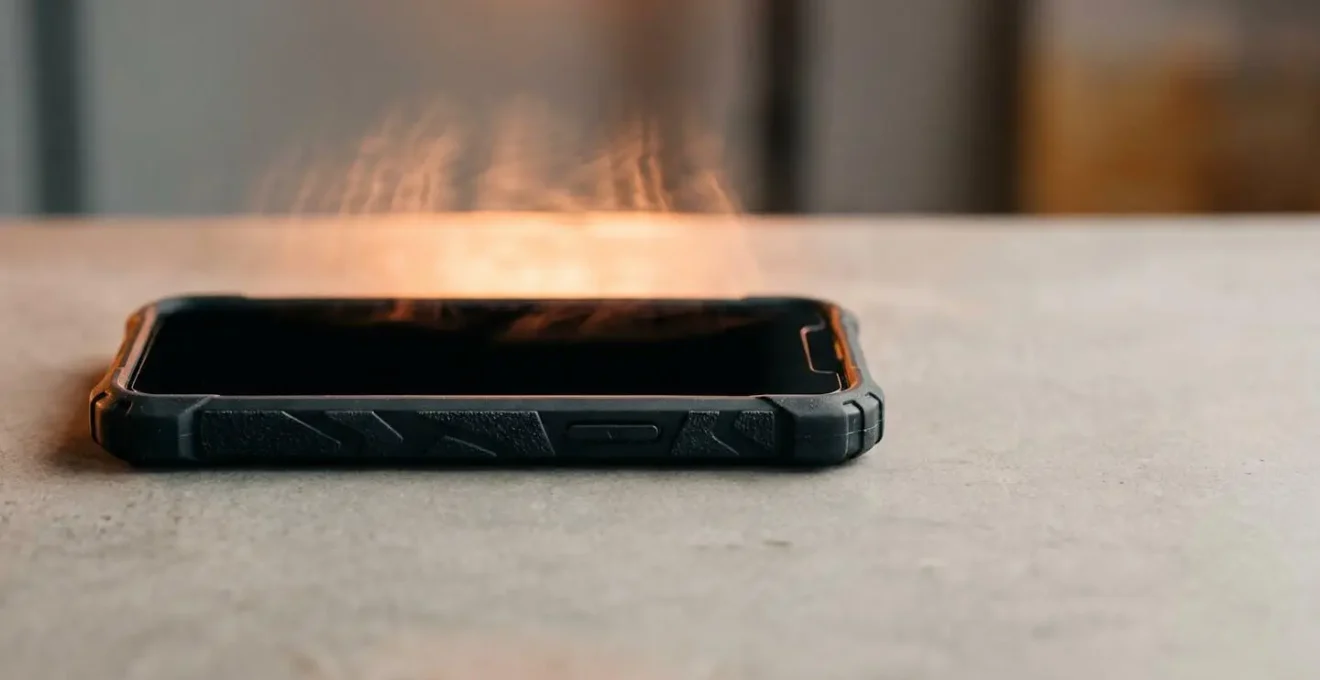
The rugged case you bought for protection is a key component in a thermal system that can actively degrade your phone’s performance and battery life.
- Most case materials are insulators, not conductors, effectively trapping the heat generated by the processor and battery.
- This trapped heat accelerates permanent battery degradation and forces the phone’s software to intentionally slow down (thermal throttle) to prevent damage.
Recommendation: Understanding the basic physics of heat transfer is more critical for your phone’s health than just avoiding direct sunlight. The key is to manage heat during high-load activities like charging and gaming.
You invested in a robust, rugged phone case with one goal in mind: protection. It’s your device’s armor against drops, scratches, and the general chaos of daily life. Yet, you’ve started to notice a troubling side effect. During a long gaming session, the phone feels warm to the touch, and the frame rate starts to stutter. While it’s charging on your desk, it gets unusually hot. You may have even seen a temperature warning after leaving it in your car. You’re not imagining it. That protective case, while excellent at absorbing physical shocks, may be creating a thermal prison for your high-performance device.
The common advice is often generic: close background apps, reduce screen brightness, or simply take the case off. While these tips have some merit, they are merely symptoms-based first aid. They fail to address the fundamental physics at play. They don’t explain why a silicone case feels different from a hard plastic one, or why wireless charging seems to generate so much more heat. The truth is, your phone and its case form a miniature, complex thermal ecosystem. To truly solve the problem of overheating, we must stop thinking like a casual user and start thinking like a thermal engineer.
This guide moves beyond the platitudes. We will not just tell you *what* happens; we will explain *why* it happens. By understanding the principles of thermal conductivity, energy transfer, and the software logic behind thermal throttling, you can make informed choices. This isn’t about ditching your case; it’s about understanding how to make protection and performance coexist. We will dissect how heat is generated, how it gets trapped, and the cascading effects it has on your battery’s longevity and your processor’s speed, giving you the knowledge to finally take control of your device’s thermal health.
This article provides a comprehensive look at the science behind your phone’s temperature. The following sections break down each aspect of the thermal challenge, from material science to daily habits, to give you a complete picture.
Summary: A Scientific Look at Phone Cases and Heat Management
- Why Do Silicone Cases Trap Heat Worse Than Hard Plastic?
- How to Measure Temp Difference With and Without Your Case?
- The Charging Habit That Swells Batteries in Rugged Cases
- Vented Case or Cooling Sticker: Which Actually Lowers Temps?
- How to Mount Your Phone in the Car to Keep It Cool?
- Why Does Leaving Your Phone on the Dashboard Destroy the Battery?
- Why Does Your Processor Clock Speed Drop When It Hits 45°C?
- Why Your Frame Rate Drops After 30 Minutes of Gaming?
Why Do Silicone Cases Trap Heat Worse Than Hard Plastic?
At the heart of the overheating issue lies a fundamental concept in physics: thermal conductivity. This property measures a material’s ability to transfer heat. Materials with high conductivity, like metals, feel cool to the touch because they quickly pull heat away from your hand. Materials with low conductivity, like wood or rubber, are insulators; they trap heat. Most phone cases, particularly thick, rugged ones, are designed for shock absorption, not thermal performance. The materials used, like silicone (TPU) and polycarbonate (PC), are effective insulators.
Silicone, a common material for flexible, grippy cases, is a particularly poor conductor of heat. Its molecular structure is adept at trapping air and slowing the transfer of thermal energy. Hard plastics like polycarbonate are slightly better but are still fundamentally insulators compared to the aluminum or glass chassis of the phone itself. An in-depth study on the influence of case materials used infrared cameras to visualize this effect, showing significant temperature differences between encased and non-encased phones under load. The case effectively acts like a winter coat, preventing the phone’s own passive cooling system from radiating heat into the surrounding air.
This insulating effect is the primary reason your phone feels hotter inside its case. The heat generated by the processor (SoC) and battery has nowhere to go. It builds up within the device’s chassis, raising the internal temperature far more quickly than it would without the case. While this provides excellent drop protection, it creates a thermal bottleneck that directly impacts every other aspect of the phone’s performance and health, a trade-off many users are unaware they are making.
How to Measure Temp Difference With and Without Your Case?
Anecdotal evidence of a “hot phone” is one thing, but quantifying the thermal impact of your case is far more insightful. You don’t need a laboratory-grade infrared camera to get meaningful data. By using a standardized testing protocol and free system monitoring apps (like CPU-Z or AIDA64 on Android), you can perform a controlled experiment that clearly reveals your case’s insulating properties. The goal is to isolate the variable—the case itself—while keeping all other conditions identical.
The critical threshold you’re watching for is around 40-45°C (104-113°F). This is the temperature range where most smartphone operating systems begin to initiate thermal throttling to protect the hardware. By measuring the peak temperatures your phone reaches with and without the case during a high-intensity task, you can see how much faster it hits that throttling point when it’s insulated. A difference of 5-10°C is not uncommon for a thick, rugged case, which is a significant delta in the world of thermal management.
This temperature difference isn’t just a number; it’s a direct measure of the thermal stress your case is adding to the system. The higher the peak temperature and the faster it’s reached, the more aggressively the phone’s software will have to intervene, leading to the performance drops and long-term battery degradation we will explore later. Performing this test can be an eye-opening experience, turning an abstract concern into concrete, actionable data about your specific phone and case combination.
Your Action Plan: Standardized Case Thermal Impact Test
- Cool phone to room temperature (approximately 20-22°C ambient) and remove the case.
- Close all background applications and clear the recent app cache to ensure a clean start.
- Run a processor-intensive task for a consistent 30 minutes, such as playing a 4K video on loop or running a benchmark app.
- Record the peak CPU, GPU, and battery temperatures reported by a monitoring app immediately after the 30 minutes are up.
- Allow the phone to cool completely back to room temperature, install the case, and repeat the exact same 30-minute test, recording the new peak temperatures for comparison.
The Charging Habit That Swells Batteries in Rugged Cases
Of all the activities that generate heat, charging is one of the most significant and often misunderstood. The process of forcing electrical energy into a lithium-ion battery is inherently inefficient; a portion of that energy is always lost as heat. When you combine this with the insulating properties of a rugged case, you create a perfect storm for accelerated battery degradation. This is particularly true for wireless charging, a convenient technology with a notable thermal downside.
As the EcoFlow Research Team notes in their technical analysis, “Wireless charging isn’t as energy efficient as charging with a cable.” This inefficiency directly translates into more waste heat. The phone and the charging pad both warm up, and a thick case traps this heat directly against the battery. Heat is the number one enemy of lithium-ion chemistry. Exposing a battery to elevated temperatures, especially while it’s in a high state of charge, causes irreversible damage. This damage manifests as a permanent loss of capacity—the reason your battery doesn’t hold a charge as long as it used to.
The numbers are stark: studies demonstrate that batteries exposed to temperatures of 45°C experience more than double the degradation compared to those kept at a milder 25°C. Charging your phone overnight in a rugged case, especially on a wireless pad, can easily keep the battery in this high-temperature danger zone for hours. Over months, this single habit can dramatically shorten the effective lifespan of your battery, forcing you to reach for a charger more often and eventually leading to a costly replacement. In extreme cases, chronic overheating can even cause the battery’s internal components to break down and release gas, leading to the dangerous phenomenon of a swollen battery.
Vented Case or Cooling Sticker: Which Actually Lowers Temps?
As awareness of thermal issues grows, a market for “cooling” accessories has emerged, primarily centered around two concepts: vented cases and thermal stickers. However, their real-world effectiveness often falls short of their marketing claims due to a misunderstanding of thermal physics. Vented cases, featuring perforations or cutouts, aim to improve cooling by allowing air to circulate. The problem, as pointed out in a technical review by Mobile Thermal Management Research, is that “Vents rely on active airflow (convection) to be effective. In a pocket or lying flat, there is no airflow, rendering the vents purely aesthetic.” For vents to work, air needs to be moving across the phone’s surface, a condition that rarely occurs during typical use.
Cooling stickers or pads often claim to use materials like graphene to draw heat away. While these materials are indeed excellent conductors, they can only move heat from one spot to another on the phone itself. They don’t remove the heat from the system. Unless they are paired with a larger surface or a fan to dissipate that heat into the air, they merely redistribute the problem. The most promising innovations are not simple stickers but are integrated into the case design itself.
Case Study: Advanced Passive Cooling with Phase Change Materials
Some high-end cases are incorporating sophisticated passive cooling technologies. A notable design integrates a flat copper heat pipe with a composite material made of docosane-dodecanol. The heat pipe works to spread the thermal energy from hotspots like the processor across a much larger surface area. Adjacent to this, the phase change material (PCM) acts as a thermal buffer. When the device’s temperature exceeds 25°C, the PCM begins to melt from a solid to a liquid, absorbing a significant amount of thermal energy in the process. This energy is stored as latent heat, preventing a rapid spike in the phone’s temperature during periods of intense use.
Ultimately, for the average user, the most effective solution isn’t a magical sticker but a change in behavior and a smarter choice of case. A slim case made of a more conductive material or simply removing the case during intense tasks will have a more significant impact than most aftermarket cooling gadgets. True cooling requires moving heat away from the device, a task that simple vents and stickers are ill-equipped to perform without active airflow.
How to Mount Your Phone in the Car to Keep It Cool?
The car is one of the most thermally hostile environments for a smartphone. The combination of direct sunlight, the greenhouse effect inside a closed vehicle, and the demands of GPS navigation and streaming can push a phone’s temperature into the red zone with alarming speed. Your choice of car mount can either exacerbate this problem or become a crucial part of your cooling strategy. The worst offender is the common dashboard suction cup mount. On a sunny day, studies show that a black dashboard in direct sunlight can reach surface temperatures of 70-90°C (160-190°F). Placing your phone on this surface is like putting it on a hotplate.
Furthermore, mounting the phone directly in the windshield’s path exposes it to constant, intense solar radiation, heating it from the front while the dashboard mount cooks it from behind. This “thermal sandwich” is incredibly damaging to the battery and internal components. The optimal mounting strategy is one that leverages a source of active cooling: your car’s air conditioning system. A vent mount is, by a significant margin, the best choice for thermal management, especially in warmer climates or during summer.
By positioning the phone directly in the path of the cool air from the A/C, you are actively removing heat from the device through convection. This can make a dramatic difference, often keeping the phone cool to the touch even while running intensive navigation apps. A seasonal mounting strategy is a smart approach for any user concerned about their phone’s health:
- Summer strategy: Exclusively use a vent mount positioned on an A/C vent to provide active cooling airflow.
- Winter strategy: Switch to a cupholder or CD-slot mount to avoid blasting the phone with hot air from the heater vents.
- Mount design: Prefer minimalist claw-grip designs that maximize airflow around the phone’s back over mounts with large, solid backplates that trap heat.
Why Does Leaving Your Phone on the Dashboard Destroy the Battery?
Leaving a phone on a car dashboard, even for a short time, is one of the fastest ways to permanently damage its battery. This isn’t about temporary overheating; it’s about inflicting irreversible chemical degradation. The extreme temperatures on a sun-drenched dashboard accelerate the unwanted chemical reactions inside the lithium-ion battery at an exponential rate. As a rule of thumb from battery experts, “For every 8-10°C increase in average temperature, the rate of chemical degradation in a lithium-ion battery roughly doubles.”
This degradation manifests as a permanent loss of capacity. The materials inside the battery that store electrical charge break down and become inactive. This process is called “calendar aging,” and while it happens to all batteries over time, heat is a powerful accelerant. A phone battery that might lose 3-5% of its capacity in a year under normal conditions can lose that much in a single hot afternoon on a dashboard. According to a study on the impact of temperature on battery aging, a summer on the dashboard can age a battery the equivalent of a full year of normal use.
This accelerated aging is why a phone that was once able to last a full day suddenly needs a top-up by mid-afternoon after a summer of being used as a car GPS. The damage is cumulative and cannot be undone. Research data demonstrates a significant difference in degradation rates: a battery cycled at 45°C (a plausible temperature for a phone in a hot car) can show a 6.7% capacity loss after 200 cycles, compared to just 3.3% for a battery kept at a controlled 25°C. Protecting your phone from these temperature extremes is the single most important thing you can do to preserve its battery health and ensure it holds a charge for years, not months.
Why Does Your Processor Clock Speed Drop When It Hits 45°C?
When your phone starts to lag, stutter, or feel unresponsive during a demanding task, it’s not a sign of failure. On the contrary, it’s a sign that your phone’s sophisticated self-preservation system is working exactly as designed. This system is called thermal throttling, and it’s the operating system’s primary defense against catastrophic heat damage. The processor, or System-on-a-Chip (SoC), is the brain of your phone and its biggest heat generator. To prevent it from overheating, its temperature is constantly monitored by thermal sensors.
When these sensors report that the chip’s temperature is approaching a predefined threshold—often starting around 45°C for the battery and higher for the CPU—the operating system intervenes. It begins to systematically reduce the processor’s performance to lower heat output. The most direct way it does this is by reducing the clock speed. During thermal throttling, it’s not uncommon for processor speeds to drop significantly, for instance from a peak of 2.1GHz down to 1.4GHz or even 1.2GHz to cool down. This reduction in cycles per second directly translates to the sluggish performance you experience.
Case Study: Android’s Multi-Stage Thermal Mitigation
Modern smartphones implement a complex, multi-stage thermal management system. According to official Android documentation, this isn’t a simple on/off switch. As temperatures cross various thresholds, the system escalates its response. It starts by reducing CPU/GPU frequency. If that’s not enough, it may shift processing tasks from high-performance cores to more energy-efficient cores. Further temperature increases can trigger the OS to dim the display, reduce the screen’s refresh rate from 120Hz to 60Hz, and even disable power-hungry 5G connectivity in favor of 4G, all in a desperate bid to reduce the device’s thermal load.
A rugged case’s insulating effect means the phone reaches these throttling thresholds much faster and stays there longer. The heat has nowhere to dissipate, so the processor is forced to operate at a reduced clock speed for extended periods to maintain a safe temperature. This is the direct, measurable link between your case and your phone’s performance.
Key takeaways
- Heat is the primary enemy of both battery longevity and peak performance; it causes irreversible chemical damage and triggers software-induced slowdowns.
- Your phone case is not a passive accessory but an active insulator that can trap heat, accelerating battery degradation and forcing the system to thermal throttle sooner.
- Managing heat requires a proactive strategy, especially during high-load activities like charging, gaming, and GPS navigation in a hot environment.
Why Your Frame Rate Drops After 30 Minutes of Gaming?
The dreaded frame rate drop that occurs mid-way through a gaming session is the most tangible and frustrating manifestation of thermal throttling. For the first 15-30 minutes, everything is smooth. The game runs at a fluid 60 or 120 frames per second. Then, seemingly out of nowhere, the experience becomes choppy and unresponsive. This isn’t a bug in the game; it’s the thermal degradation cascade in action, and your insulating case is an accomplice.
Gaming is one of the most demanding tasks for a phone, pushing both the CPU and the GPU to their limits. This intense computation generates a massive amount of heat in a very short time. Research on smartphone thermal dynamics during intensive applications found that temperatures can quickly reach a battery temperature of 46°C and CPU/GPU temperatures of 60-70°C. Without a way to dissipate this heat, the phone’s thermal management system is forced to take drastic measures. The GPU, which is responsible for rendering the graphics you see on screen, is one of the first components to be throttled. The system lowers its clock speed, reducing its ability to draw frames each second. The direct result is a lower frame rate.
As one mobile performance analyst bluntly puts it, “Most phone cooling is still built around looking good on a specification sheet for the first 30 seconds, but not maintaining any decent and stable level of performance.” Your phone is capable of incredible burst performance, but it cannot sustain it without adequate cooling. A rugged, non-breathable case severely shortens the window of peak performance. It forces the phone to retreat to a lower, more sustainable (and laggier) performance level much sooner than it would otherwise. For gamers, the choice becomes clear: you can have maximum protection or sustained peak performance, but with a typical sealed rugged case, it’s very difficult to have both.
Take control of your device’s thermal health by applying these principles today. By making smarter choices about when and how you use your case, how you charge, and where you place your phone, you can mitigate the damaging effects of heat, preserving both the battery life and the peak performance you paid for.