
The real performance gap between Apple Silicon and Snapdragon isn’t in peak benchmarks, but in sustained workload efficiency and software stability—factors that critically impact professional workflows.
- Apple Silicon’s advantage stems from its vertically integrated ecosystem, where unified memory and tight hardware-software control lead to superior sustained performance and power efficiency.
- Snapdragon’s open ecosystem suffers from a hidden “fragmentation tax,” leading to inconsistent software optimisation, more aggressive thermal throttling, and tangible app stability issues for UK users.
Recommendation: For demanding, reliable professional use in the UK, Apple’s ecosystem offers more predictable and consistent performance. For users who prioritise hardware customisation and choice above all else, Snapdragon remains the viable, albeit less optimised, alternative.
For any tech enthusiast or creative professional, the debate between Apple Silicon and Snapdragon is more than just a brand preference; it’s a fundamental decision that dictates workflow, efficiency, and ultimately, productivity. The typical comparison revolves around benchmark scores and raw specifications—gigaflops, core counts, and gigabytes of RAM. These numbers provide a snapshot of potential but often fail to capture the reality of day-to-day use. A phone that tops the charts can still stutter during a 4K video export or lag when switching between critical business applications.
The conventional wisdom tells us to look at Geekbench scores or focus on the amount of RAM. However, this approach misses the bigger picture. The true measure of a processor’s capability for a power user isn’t its sprint speed but its endurance in a marathon. It’s about how it handles heat under pressure, how well software is tailored to its specific architecture, and the stability of the entire ecosystem it powers. These are the factors that separate a professional-grade tool from a consumer gadget.
This analysis moves beyond the platitudes. We will dissect the architectural philosophies that define Apple Silicon and Snapdragon, revealing why the real battle isn’t won on a spec sheet but in the nuanced domains of thermal management, software optimisation debt, and the hidden costs of hardware fragmentation. We’ll explore why your UK banking app might perform better on one platform, how to truly stress-test a device before you buy it, and why developers face different challenges when building for each ecosystem. By understanding the “why” behind the performance, you can make an informed decision that truly suits your power-user needs.
To navigate this complex comparison, we have structured this guide to address the most critical real-world scenarios that power users face. Each section tackles a specific performance question, providing technical insights and practical advice to help you see beyond the marketing hype.
Summary: Apple Silicon vs. Snapdragon: A Power User’s Deep Dive
- Why Do Some UK Banking Apps Lag on Android Compared to iOS?
- How to Test If Your Phone Can Handle 4K Video Editing Before Buying?
- Ray Tracing on Mobile: Is It a Gimmick or a Game Changer for Gamers?
- The Compatibility Issue That Breaks Essential Apps on New Chipsets
- How to Multitask with 8GB RAM Without Slowing Down Your Workflow?
- Why Is Optimising for Snapdragon Harder Than Apple Silicon?
- Why Does Your Processor Clock Speed Drop When It Hits 45°C?
- Why Does Custom Silicon Matter for UK App Developers?
Why Do Some UK Banking Apps Lag on Android Compared to iOS?
It’s a common frustration among UK power users: a flagship Android device, powered by the latest Snapdragon chip, inexplicably stutters when running a seemingly simple banking app, while its iPhone counterpart runs flawlessly. This isn’t a reflection of raw processing power, but a direct consequence of platform fragmentation. Apple’s closed ecosystem means developers optimise for a handful of devices with identical chipsets. In contrast, an Android developer must account for hundreds of hardware combinations, each with a different Snapdragon variant, screen size, and manufacturer software skin. This creates what is known as software optimisation debt.
Developers, faced with limited time and resources, often build for a “least common denominator” on Android or focus their primary efforts on the most popular models, leaving others with a sub-optimal experience. This explains why bugs, performance issues, and UI glitches are more prevalent. An analysis of UK banking app reviews confirms this trend, showing that while iOS users primarily request new features like seamless biometrics, Android users are far more likely to report fundamental stability and performance problems. The lag you experience isn’t the Snapdragon chip failing; it’s the software not being perfectly tailored to it.
This performance divergence is a tangible cost of the open ecosystem model. For a UK user whose banking app is an essential daily tool, this inconsistency can be a significant drawback. A study by Futurice, which analysed thousands of app store reviews, identified technical stability as a much higher pain point for Android users, directly linking it to the immense challenge of testing and optimising across a fragmented device landscape. The problem isn’t a lack of power, but a lack of focused optimisation.
How to Test If Your Phone Can Handle 4K Video Editing Before Buying?
Advertised peak performance metrics are often misleading for creative professionals. A chip might score high in a 30-second benchmark, but this says little about its ability to handle a sustained, heavy workload like editing and rendering a 10-minute 4K video. The real determining factor is thermal management. Under continuous load, processors generate heat, and to prevent damage, they engage in thermal throttling—intentionally slowing down to cool off. A device with poor thermal design will throttle aggressively, turning a powerful chip into a sluggish performer just when you need it most.
Therefore, testing for sustained performance is critical before committing to a device for professional work. You need to simulate a real-world, high-intensity task that pushes the processor over an extended period. This involves running stress-testing applications that max out the CPU and GPU cores for several minutes, allowing you to observe the performance drop-off as heat builds up. A significant decline indicates that the phone’s cooling solution is insufficient for demanding tasks, and it will likely struggle with your 4K editing workflow.
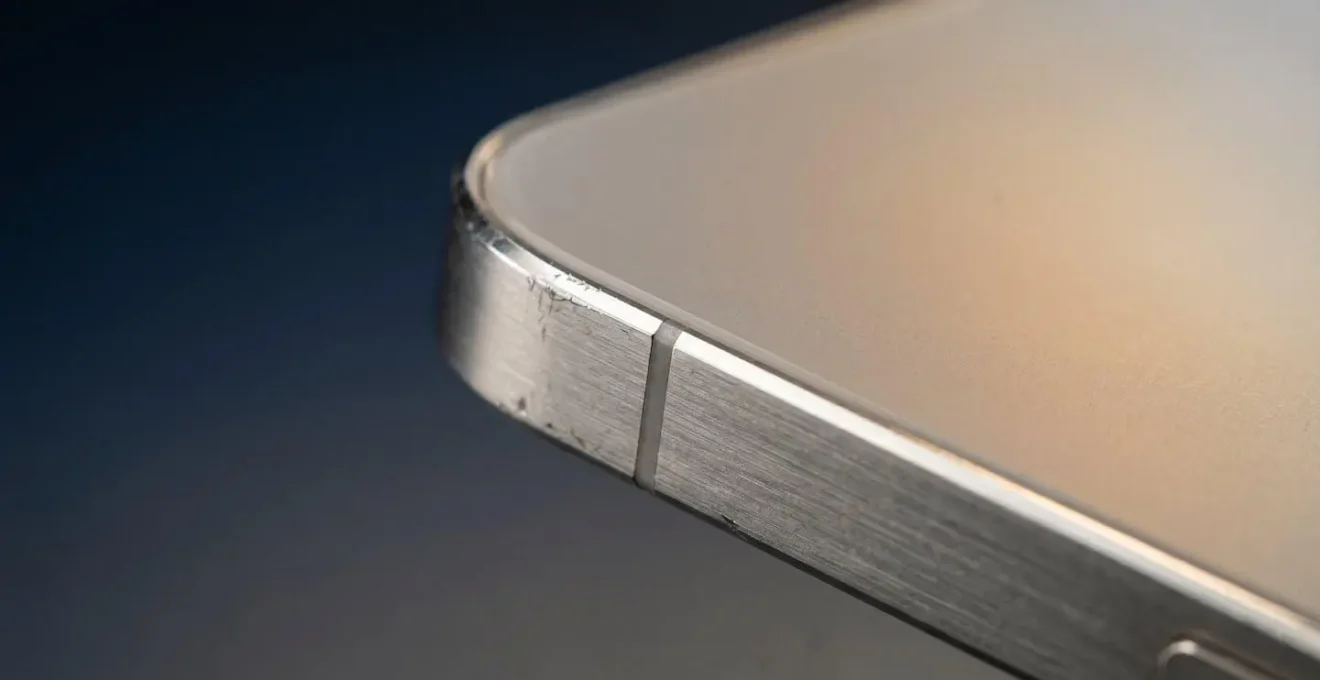
This image captures the abstract idea of thermal stress on the physical materials of a device. The real test, however, is to measure the performance impact. By running benchmarks consecutively, you can map out the device’s throttling curve and determine its true capability for professional use, not just its marketing claims.
Action Plan: Smartphone Stress Test for Video Editing
- Download the AnTuTu benchmark app from its official website. It’s available for both Android and iOS and is designed to test CPU and GPU performance under sustained workloads.
- Allow your device to cool down for at least 10 minutes and close all background apps to ensure you start with an accurate baseline result.
- Run the benchmark test multiple times in a row without any cooling breaks. Pay close attention to the performance graph: a yellow line indicates that throttling has begun, while a red line means cores are being disabled to manage temperature.
- To simulate the heavy load of 4K video editing, run the test at higher thread counts. Increase the setting from the default to 40 threads for a more realistic workload simulation.
- Compare the scores from each run. If you observe a performance drop of more than 15% between the first and subsequent runs, it signals significant thermal throttling that will negatively impact 4K video editing during long sessions.
Ray Tracing on Mobile: Is It a Gimmick or a Game Changer for Gamers?
Ray tracing, a rendering technique that produces incredibly realistic lighting, shadows, and reflections, has been the holy grail of graphics for years. Its arrival on mobile, heralded by chipmakers like Qualcomm for their Snapdragon series, promises a new era of immersive gaming. However, for the technology to be a true game-changer, it must deliver consistent performance. On mobile, this is where the promise often collides with the physical reality of thermal constraints. Ray tracing is one of the most computationally expensive tasks a GPU can perform, generating immense heat in a small, fanless chassis.
As a result, many flagship phones equipped with ray tracing capabilities can only sustain it for a few minutes before aggressive thermal throttling kicks in. The initial “wow” factor quickly fades as frame rates plummet, turning a smooth experience into a stuttering slide-show. In-depth stress testing of flagship Snapdragon chips reveals performance can plummet to less than 30% of its initial peak under the extended load of a demanding game. This makes ray tracing more of a technical demo or a “gimmick” on many devices rather than a viable feature for serious gaming sessions.
The effectiveness of mobile ray tracing, therefore, depends less on the chip’s raw capability and more on the phone’s overall thermal design. As the Android Headlines Technical Analysis Team noted when testing a recent high-end chip:
The thermal design of a phone, more than the chip’s raw capability, now dictates real-world, sustained performance.
– Android Headlines Technical Analysis Team, Snapdragon 8 Elite Gen 5 Thermals Force Performance Throttling
Apple’s advantage with its A-series chips in iPhones is its full control over both hardware and software. It can fine-tune the performance of demanding features like ray tracing to match the specific thermal envelope of each iPhone model, often resulting in a more consistent, albeit sometimes less visually spectacular, experience than what is seen on some Snapdragon devices that prioritise peak power over sustainability.
The Compatibility Issue That Breaks Essential Apps on New Chipsets
For a power user, nothing is more disruptive than an essential application failing after a software update or on a new device. This issue is a direct symptom of the “fragmentation tax” inherent in the Android ecosystem. When a new Snapdragon chipset is released, app developers must scramble to test and update their apps to ensure compatibility. Because they cannot possibly test on every single device model, bugs and broken features inevitably slip through, often affecting critical applications like banking and productivity tools.
This isn’t a hypothetical problem; it has measurable consequences for UK consumers. A new chipset architecture or even a minor OS update can introduce unforeseen conflicts that render an app unusable. In contrast, Apple’s control over its hardware and software allows it to provide developers with a stable, predictable target. Major iOS updates are rolled out simultaneously across a narrow range of devices, and developers can test against new Apple Silicon chips long before public release, drastically reducing the chances of day-one compatibility disasters.
UK Banking App Catastrophes: A Real-World Example
An April 2024 analysis of UK banking app performance provided a stark illustration of this issue. While Lloyds Bank maintained a stable and high customer satisfaction score, other banks were hit hard by platform-specific problems. Virgin Money’s rating plummeted from 3.7 to 3.0 out of 5 due to version-specific bugs like oversized fonts and missing features on certain Android devices. Most dramatically, Santander experienced the sharpest decline in user experience in 16 months, directly attributed to compatibility failures during a platform transition. These events highlight how the supposedly “open” nature of the Snapdragon ecosystem can directly and negatively impact the reliability of essential services for UK users.
The risk of a critical app breaking is a significant consideration for any professional who relies on their mobile device for business. While the Snapdragon platform offers choice and flexibility, that comes with an implicit gamble on whether your favourite apps will remain stable and performant across the endless sea of hardware and software variants.
How to Multitask with 8GB RAM Without Slowing Down Your Workflow?
A common misconception is that more RAM automatically equals better multitasking. While RAM is important, the efficiency of the underlying architecture is far more critical. This is where Apple Silicon’s Unified Memory Architecture (UMA) creates a significant advantage. In traditional systems, including those using Snapdragon chips, the CPU and GPU have separate pools of memory. Data must be copied back and forth between them, introducing latency and consuming energy. This process can become a bottleneck when juggling multiple demanding applications.
Apple’s M-series and A-series chips, however, integrate the CPU, GPU, and RAM into a single System on a Chip (SoC) with one shared pool of high-bandwidth memory. This means the CPU and GPU can access the same data without copying it, drastically reducing latency and improving efficiency. This is why an iPhone or MacBook with 8GB of unified memory can often feel smoother and more responsive when multitasking than an Android or Windows device with 12GB or even 16GB of conventional RAM. The system isn’t wasting cycles moving data around; it’s using that data in place.
This architectural efficiency also has profound implications for power consumption and heat. Because the chip is working smarter, not harder, it generates less heat and consumes less power. For instance, Apple’s M1 and M2 unified architecture demonstrates a power consumption as low as 10W under load, compared to 65W or more for traditional desktop CPUs. This efficiency is the key to maintaining sustained performance during heavy multitasking, preventing the thermal throttling that would otherwise slow down your workflow. It allows Apple to build powerful, fanless designs that remain responsive under pressure, proving that how memory is used is more important than just how much you have.
Why Is Optimising for Snapdragon Harder Than Apple Silicon?
The core challenge of optimising for Snapdragon lies in a single word: fragmentation. Unlike Apple, which designs its own chips (Apple Silicon), operating system (iOS/macOS), and devices (iPhone/Mac), the Snapdragon ecosystem is a sprawling confederation. Qualcomm designs the chip, Google develops the base Android OS, and dozens of manufacturers like Samsung, Xiaomi, and OnePlus then build their own hardware and apply their own custom software “skins.” For an app developer, this creates a testing nightmare.
An application that works perfectly on a Google Pixel with a stock version of Android might have UI bugs or performance issues on a Samsung device with the same Snapdragon chip due to Samsung’s One UI software layer. This forces developers to spend an enormous amount of time and money on Quality Assurance (QA), testing their apps across a vast matrix of devices, OS versions, and screen sizes. This “fragmentation tax” is a direct business cost. A comprehensive 2026 platform cost analysis shows that developing a feature-comparable Android app costs 10-15% more than its iOS equivalent, primarily due to this extended testing and optimisation cycle.
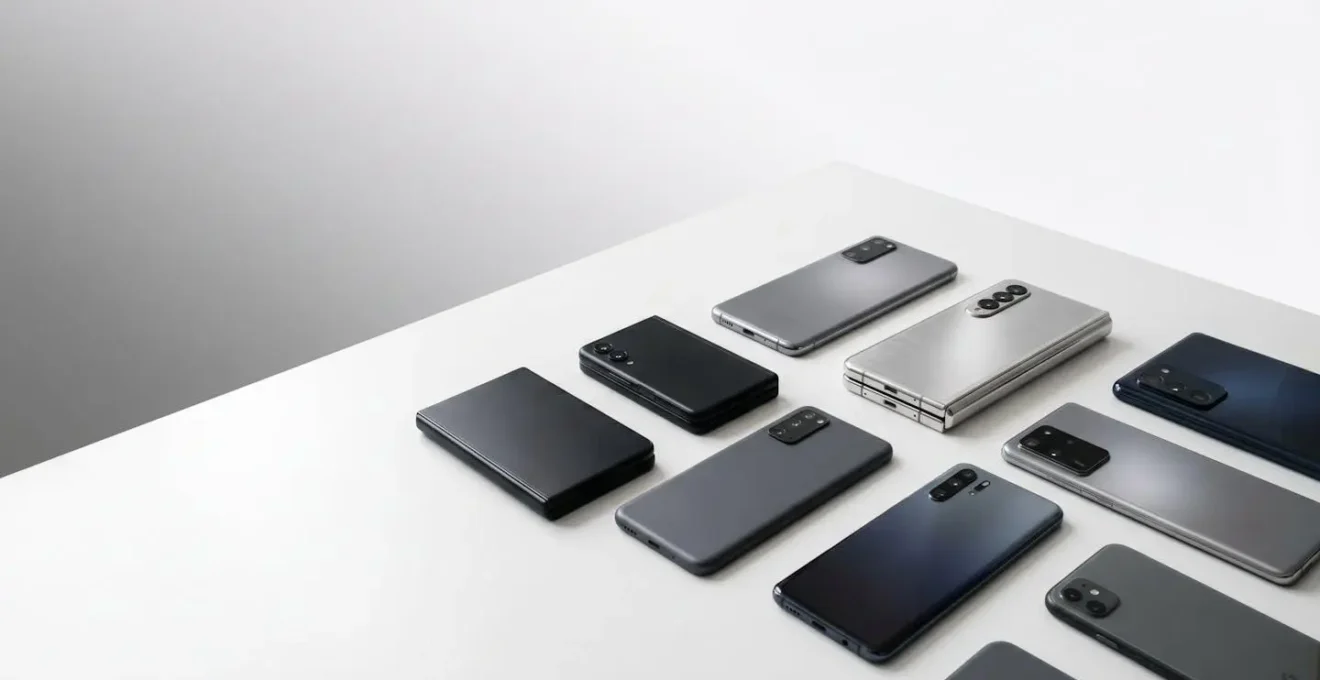
In contrast, developing for Apple Silicon is a streamlined process. A developer can be confident that if their app works on one iPhone 15 Pro, it will work on all of them. This allows them to focus their resources on innovation and feature development rather than on chasing down device-specific bugs. The following table breaks down the key cost drivers for developers on each platform, showing how fragmentation directly impacts timelines and budgets.
| Development Factor | iOS (Apple Silicon) | Android (Snapdragon Ecosystem) |
|---|---|---|
| Device Testing Complexity | Limited, well-defined device set | Hundreds of devices, OS versions, and screen sizes |
| QA Testing Time | Faster, more predictable | 15-20% longer due to fragmentation |
| Total Development Cost | Baseline cost | 10-15% more expensive for comparable features |
| Developer Hourly Rate | $45-$110/hour | $45-$110/hour (similar rates) |
| Platform Fee | $99/year | $25 one-time |
| Primary Cost Driver | Premium design requirements | Extended QA and device optimization |
Why Does Your Processor Clock Speed Drop When It Hits 45°C?
The sensation of a phone becoming warm to the touch and simultaneously slowing down is a direct experience of thermal throttling. It’s not a defect; it’s a critical self-preservation mechanism built into every modern processor, including both Apple Silicon and Snapdragon. As the Camomileapp Engineering Team explains, thermal throttling is an “automatic protective mechanism… that reduces the processor’s clock speed when the temperature exceeds a certain threshold.” This reduction in speed (measured in GHz) decreases power consumption, which in turn reduces heat generation, allowing the chip to cool down to safe operating temperatures and prevent permanent damage.
The key temperature isn’t just the internal core temperature but also the surface or “touch” temperature of the device. Manufacturers set strict limits to ensure the device remains comfortable and safe to hold. For many modern chips, this threshold is around 44-45°C. Once the chassis hits this point, the system will aggressively cut performance to stop it from getting any hotter. For power users, this is the critical bottleneck. The phone’s cooling system—its heat pipes, vapour chambers, and chassis design—determines how quickly it reaches this temperature limit under load.
This is where the efficiency of the chip’s architecture becomes paramount. A more efficient chip, like those based on Apple’s silicon designs, can perform more work before hitting that thermal ceiling. In contrast, chips that prioritise peak clock speeds often generate more heat, causing them to throttle sooner and more severely. For example, real-world stress testing demonstrates that a flagship Snapdragon chip can have its performance drop by over 70% once the touch temperature is capped at 44.1°C. This means the incredible power advertised is only available in short bursts, not for the sustained workloads that professionals require.
Key Takeaways
- Sustained performance, dictated by thermal management, is a more critical metric for power users than misleading peak benchmark scores.
- Apple’s vertical integration (custom silicon, OS, and hardware) provides a significant advantage in software optimisation, leading to more stable and efficient applications.
- The fragmentation of the Snapdragon ecosystem creates a hidden “tax” for both developers (higher costs) and users (inconsistent performance and app stability).
Why Does Custom Silicon Matter for UK App Developers?
For a UK app developer, the choice of which platform to prioritise is a strategic business decision, and custom silicon is a deciding factor. Apple’s complete control over its A-series and M-series chips creates a stable, predictable, and lucrative target. With the latest UK mobile device market data showing Apple holding over 50% of the market share, developers have a powerful financial incentive to build for iOS first. The combination of a large, affluent user base and a simplified development process makes it the path of least resistance to profitability.
Developing for a vertically integrated platform means developers can leverage the full power of the hardware. They can use advanced APIs like Metal for graphics with the confidence that it will perform consistently across the entire user base. This allows for the creation of highly optimised, graphically rich, and exceptionally stable applications. The nightmare of the “fragmentation tax”—endless testing, device-specific bugs, and delayed rollouts—is largely absent. As detailed in an analysis of Android development challenges, the cost of simply supporting the top five Snapdragon devices in the UK can be substantially more than supporting the entire relevant iPhone lineup.
This isn’t to say development for Snapdragon is without merit. The platform’s massive global reach is undeniable. However, the custom silicon approach championed by Apple offers a clear value proposition to developers: predictability, performance, and a direct line to a high-value market. For UK startups and established software houses alike, this means a faster time-to-market, lower development costs, and a better end-product for the user. Ultimately, the health of an app ecosystem is a direct reflection of the tools and incentives provided to its creators, and in this regard, Apple’s custom silicon strategy has created a powerful and self-reinforcing advantage.
Armed with this deeper understanding of thermals, software optimisation, and ecosystem dynamics, your next device purchase should be guided by a new set of criteria. Evaluate a device not by its advertised peak speed, but by the ecosystem’s commitment to delivering consistent, sustained performance for the tasks that matter most to you.