Losing a phone containing client information is a catastrophic event for any small business, triggering severe GDPR implications. The common advice to “use a strong password” is dangerously insufficient. This article establishes a critical mandate: the only viable defense against physical device theft is not software, but the unchangeable physical reality of hardware-based encryption. The security of your data depends entirely on the cryptographic marriage between your device’s processor and its storage, a bond that makes data physically inaccessible to a thief.
As a small business owner, your mobile device is your command center. It holds client communications, project files, invoices, and sensitive personal data. Now, imagine you leave it in a taxi. For a moment, the primary concern is the cost of replacement. Then, a far more severe reality sets in: the data on that device is regulated by GDPR. A physical loss is not just an inconvenience; it is a potential data breach with ruinous financial and reputational consequences.
The standard security advice often revolves around software solutions: use strong passcodes, enable remote wipe, and install security apps. While these are necessary hygiene factors, they fail to address the core vulnerability in a physical theft scenario. They operate on the assumption that the attacker is playing by the rules of the operating system. A sophisticated thief does not.
The conversation must shift from software settings to the fundamental physics of your hardware. The true security of your clients’ data does not reside in an app or a password policy, but in an irreversible, physical bond forged in silicon: the cryptographic pairing of your device’s security chip and its storage. This is the principle of hardware encryption. It is not an option you toggle; it is a physical state of being for your data.
This guide will deconstruct the physical realities of mobile data security. We will dissect why hardware-based encryption is the only effective bulwark against physical attacks, how to verify its presence, and why under GDPR, relying on anything less is an unacceptable risk for your business.
This article provides a structured analysis of the critical security layers protecting your mobile data. Explore the sections below to understand the technical and legal imperatives for safeguarding your business in the face of physical device theft.
Summary: Why Hardware Encryption Is Essential for Storing GDPR Data?
- Software or Hardware Encryption: Which Slows Down Your Phone?
- How to Check If Your Storage Is Actually Encrypted?
- The “Cold Boot” Risk: Can Thieves Bypass Your Encryption?
- Why a Broken Logic Board Means Your Data Is Gone Forever?
- How Long Should Your Passcode Be to Prevent Brute Force Attacks?
- How to Check Which AI Features Send Data to Servers?
- Why Is Face Data Treated Differently Than Passwords Under GDPR?
- Is Face Mapping GDPR Compliant for UK Employee Devices?
Software or Hardware Encryption: Which Slows Down Your Phone?
A common concern when mandating security measures is the impact on performance. The assumption is that strong encryption must necessarily lead to a slower, less responsive device. This is a dangerous misconception rooted in the era of software-only encryption. When encryption is handled by the main CPU alongside all other tasks, it competes for resources, leading to perceptible lag. Hardware-based encryption, however, fundamentally changes this equation by delegating cryptographic operations to a dedicated, optimized coprocessor (like a Trusted Execution Environment or TEE).
This dedicated hardware is designed for one purpose: performing complex mathematical operations for encryption and decryption at incredible speeds. As a result, for the vast majority of user-facing tasks—opening apps, saving files, taking photos—the process is seamless and the performance impact is negligible. The encryption is always on, but it is so efficient that it is effectively invisible to the user.
It is crucial, however, to understand the distinction between different levels of hardware security. While TEE-backed storage provides a massive performance advantage over software, the absolute highest level of security, often called a “StrongBox” or Secure Element, can introduce measurable overhead for specific, intensive tasks.
Case Study: TEE vs. StrongBox Performance Trade-offs
A comprehensive 2024 study analyzing secure key storage across the Android ecosystem confirmed this. It found that standard TEE-backed encryption is highly performant for almost all app use cases. Noticeable slowdowns compared to software-only methods only appeared when handling very large files (over 5 MiB). However, the more secure StrongBox implementations showed significant overhead. For example, encrypting a 1MiB message took around 3 seconds on a flagship Google Pixel 8. This demonstrates a clear security-performance trade-off: the most robust hardware isolation comes at a performance cost, a cost that is nonetheless a mandatory investment for protecting high-stakes data.
For a business owner, this trade-off is the entire point. The minor performance cost in extreme-security scenarios is the price of making unauthorized data access computationally impossible. The myth of encryption slowing down your phone is no longer a valid excuse to compromise on security.
How to Check If Your Storage Is Actually Encrypted?
Trusting a manufacturer’s marketing is not a sufficient security strategy. As a business owner responsible for GDPR-protected data, you have an obligation to verify your device’s security posture. Fortunately, the baseline has improved significantly. According to Android Open Source Project documentation, all devices launching with Android 10 and higher are required to use file-based encryption (FBE) by default. This is a significant step, as FBE encrypts files individually, allowing core phone functions like alarms and calls to work even before you enter your passcode.
However, the term “encrypted” can mean different things. Is it software-based? Is it backed by a generic hardware module, or a certified, tamper-resistant secure element? These distinctions are critical. A device that “supports” encryption is not the same as one that enforces it through a dedicated security chip. Verifying this requires moving beyond the surface-level settings menu.
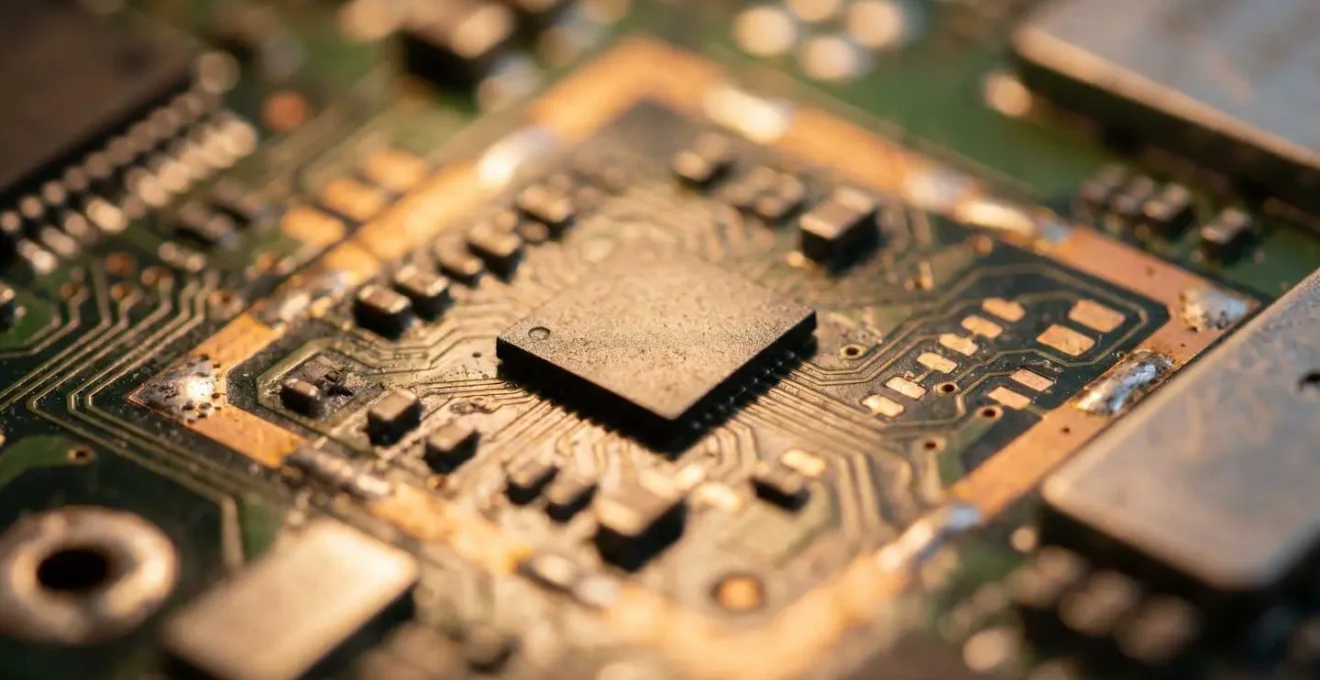
The image above represents the ideal state: data at rest, protected by an unbreakable layer of encryption before the device is even unlocked. The critical task is to confirm that this protection is anchored in hardware, not just a software toggle. You must actively investigate and document the security capabilities of any device used to handle client data.
Action Plan: Trust but Verify Your Encryption Status
- Device Settings Verification: Navigate to Settings > Security > Encryption (or similar path) to confirm that encryption is explicitly reported as enabled on the device.
- Encryption Type Identification: Determine if your device uses modern File-Based Encryption (FBE) or older Full-Disk Encryption (FDE). Devices shipping with Android 10+ use FBE by default. For Samsung devices, FBE is standard on devices with Android 9.0+ and Knox 3.3+.
- Hardware Confirmation: Research your device’s specific System-on-Chip (SoC) specifications online to confirm the presence of a dedicated security coprocessor (e.g., Apple’s Secure Enclave, Google’s Titan M, Samsung’s Knox Vault).
- Status Interpretation: Learn to differentiate between status indicators like ‘Encrypted’, ‘Supported’, and ‘Hardware-backed’. Only the ‘Hardware-backed’ status provides the necessary assurance for GDPR compliance in a physical theft scenario.
- Documentation: For every company device, document these findings as part of your technical and organizational measures for GDPR compliance.
This verification process is not a one-time task. It must be a mandatory part of your device procurement and deployment policy. Never assume; always verify.
The “Cold Boot” Risk: Can Thieves Bypass Your Encryption?
One of the more sophisticated physical attacks is the “cold boot” attack. The premise is simple: data inside a computer’s Random Access Memory (RAM) does not vanish instantaneously when power is cut. For a few seconds to a minute, especially if the RAM chips are chilled, the data (which could include encryption keys) can be read by an attacker who quickly reboots the machine into a special forensic environment. For a business owner, this raises a terrifying question: if a thief steals my phone while it’s on, can they extract the key from memory and unlock all my client data?
In the past, this was a legitimate and serious threat. However, modern smartphone architecture, specifically the use of hardware-based encryption with a Secure Enclave or TEE, was designed precisely to mitigate this and other physical attack vectors. The core principle is key isolation. The master encryption keys that protect your data are generated, stored, and used exclusively within the secure coprocessor. They are never loaded into the main system RAM where a cold boot attack could access them.
When your phone needs to encrypt or decrypt a file, the main processor sends the encrypted data to the secure coprocessor. The decryption happens *inside* this isolated black box, and only the resulting decrypted data is sent back. The key itself never leaves its silicon fortress. This makes the contents of the main RAM irrelevant; even if an attacker could dump the entire memory, the master key simply isn’t there to be found.
Case Study: The TRESOR Project’s Legacy
This principle of key isolation is not new. The TRESOR project, introduced in 2011, provided a blueprint for this defense. It demonstrated a method for performing full disk encryption by confining the AES keys solely to CPU registers, completely bypassing main memory. This made the system immune to cold boot attacks on RAM. Modern secure enclaves in smartphones have industrialized this concept, creating a hardware-enforced barrier that makes the encryption keys inaccessible to both malicious software on the device and physical attacks on its memory.
Therefore, for a modern, properly designed smartphone, the cold boot risk is largely a solved problem. The attack targets a location—main system RAM—where the critical secrets are intentionally never placed. This is a direct benefit of the hardware-centric security model.
Why a Broken Logic Board Means Your Data Is Gone Forever?
To the average user, a catastrophic hardware failure like a broken logic board is the ultimate disaster, meaning their data is lost. For a security architect, it is the ultimate proof of a properly implemented hardware encryption system. When your data is protected by hardware encryption, its security is not just an algorithm; it’s a physical state. This is the concept of the “cryptographic marriage”: the unique, unbreakable pairing between your device’s security coprocessor (SoC) and its flash storage.
Here is the physical reality: when your device is first set up, the secure coprocessor generates a unique ID (UID) that is fused into its silicon and cannot be altered. This UID is used as a primary component to create the master encryption key that protects all the data on your storage chip. This means the encryption key is intrinsically and physically tied to that specific processor. The data on the storage chip is only intelligible when it is decrypted by that *exact* processor.
An attacker cannot simply remove the storage chip from a stolen phone and place it in a reader or another phone to access the data. Without the original, paired processor, the data on the chip is nothing but meaningless, scrambled noise. This physical pairing is your single greatest defense. It neutralizes a whole class of sophisticated attacks known as “chip-off” forensics. The data is not just encrypted; it is cryptographically bonded to the logic board.
This is why a broken logic board means the data is gone forever. If the secure coprocessor is damaged, the unique key material it holds is destroyed. There is no backup, no recovery, and no way to reconstruct it. The cryptographic marriage is annulled, and the data becomes permanently inaccessible. From a data recovery perspective, this is a tragedy. From a GDPR and client data security perspective, this is a resounding success. It is the ultimate guarantee that even in the face of catastrophic physical damage or sophisticated tampering, your clients’ data will not be compromised.
How Long Should Your Passcode Be to Prevent Brute Force Attacks?
The passcode is the front door to your digital life. With mobile threats on the rise, its strength is not a trivial matter. A recent report highlighted that mobile ransomware attacks rose by 33%, while phishing attempts surged by 61%, underscoring the hostile environment these devices operate in. A common attack against a passcode is “brute force,” where an attacker tries every possible combination until they find the right one. This leads to the question: how long must a passcode be to be considered safe?
The answer, in the context of hardware encryption, is more nuanced than simply “longer is better.” The true defense is a combination of passcode complexity and hardware-enforced countermeasures. Your device’s secure coprocessor is designed to make brute force attacks computationally infeasible. It does this in two primary ways: introducing time delays and limiting attempt rates. After a few incorrect passcode attempts, the hardware will enforce an exponentially increasing delay before another attempt can be made. This turns a process that might take minutes in a lab into one that would take centuries or millennia in practice.
This is where the concept of a strong passcode becomes critical. A simple 4-digit PIN has only 10,000 possible combinations. A 6-digit PIN has 1,000,000. An alphanumeric passcode with mixed case and symbols has a possibility space that is astronomically larger. While the hardware slows down the attacker, a complex passcode ensures that even if they had infinite time, the number of guesses required is simply too vast.
Case Study: The Performance Cost of Unbreakable Security
The most secure hardware implementations, like Android’s StrongBox, take this even further. A 2024 academic study on Android’s hardware-backed key storage showed that these systems are intentionally slow for certain security operations. On a Google Pixel 8, generating a new asymmetric key inside StrongBox took over 9 seconds. This deliberate friction is a security feature. It ensures that any process involving the most sensitive keys is rate-limited by the hardware itself, making high-speed, automated brute force attacks physically impossible, regardless of the attacker’s resources.
As a mandatory policy for any device holding client data, you must enforce the use of a strong alphanumeric passcode (at least 8 characters with a mix of types) over a simple PIN. This complexity, combined with the hardware’s built-in delays, creates a defensive wall that is, for all practical purposes, insurmountable.
How to Check Which AI Features Send Data to Servers?
Modern smartphones are marketed on the power of their Artificial Intelligence features—from real-time translation to intelligent photo sorting. For a business owner concerned with GDPR, a critical question arises for each feature: where does the processing happen? Is the AI running securely on the device, or is my client’s data being sent to a third-party server in the cloud? This distinction is fundamental to compliance. Data processed on-device remains under your control; data sent to the cloud requires scrutiny of data processing agreements, server locations, and third-party security policies.
The ability to perform complex AI tasks locally is a direct result of powerful, dedicated hardware. As noted in a guide on mobile hardware security, the integration of powerful Neural Engines into the device’s main chip is what allows for sophisticated on-device AI. This hardware can handle tasks like real-time text recognition from a camera, photo analysis, and voice-to-text transcription without an internet connection.
Modern hardware (with powerful Neural Engines integrated into the SoC) allows for sophisticated AI tasks (like Live Text, photo analysis, real-time translation) to run entirely on the device.
– Mobile Security Analysis, Hardware Security Modules for Mobile Devices Guide
However, not all AI features are created equal. Some, especially generative AI that requires massive models, still rely on cloud processing. It is your responsibility to know the difference. There is a simple, effective method for this: the “Airplane Mode Test.” To perform it, you simply enable Airplane Mode on your device, completely cutting it off from Wi-Fi and cellular networks. Then, you systematically test the AI features you use. If a feature works perfectly, the processing is happening on-device. If it fails, displays an error, or shows a “connection required” message, that feature is sending data to a server.
This simple test provides an empirical basis for your GDPR compliance assessment. You can create a documented list of approved, on-device features and prohibited, cloud-based features for any work-related tasks involving client data. This empowers you to harness the power of AI without inadvertently causing a data breach.
Why Is Face Data Treated Differently Than Passwords Under GDPR?
Under GDPR, not all data is created equal. While a password is a piece of personal data, a map of your face is something more: it is classified as “special category” biometric data. This distinction is not arbitrary; it is based on the fundamental nature of the data itself. A password is a secret that you *know*. It is arbitrary and, critically, it can be changed if it is compromised. Your face is an identifier that you *are*. It is unique, permanent, and cannot be changed.
This immutability and intrinsic link to an individual’s identity is why GDPR affords biometric data the highest level of protection. The risks associated with its compromise are far greater. A stolen password can be reset, and the damage contained. A stolen database of faceprints creates a permanent, unfixable identity risk for every individual in it. It could be used to impersonate them, track them without their consent, or link them across different, unrelated datasets.
Because of this elevated risk, the processing of biometric data is prohibited by default under GDPR. To process it lawfully, you must meet a much higher standard and justify it under specific conditions, such as explicit consent from the data subject for a clearly defined purpose. Furthermore, you are required to implement more robust security measures. While GDPR is not overly prescriptive, Article 32 of GDPR explicitly mentions encryption as an appropriate technical measure to secure personal data. For special category data, this is not a suggestion; it is a baseline expectation.
Therefore, when a device uses facial recognition for unlocking, the security of that face data is paramount. It absolutely must be stored within a hardware secure element, protected by the same cryptographic pairing as the rest of your data. If the face data were to be stored in regular memory or sent to a server for verification, it would almost certainly be a violation of GDPR’s core principles. The distinction is clear: passwords are replaceable secrets, while biometrics are irreplaceable identifiers, and the law treats them accordingly.
Key Takeaways
- Hardware encryption is a physical bond between a processor and storage; it is not merely a software setting and is the only true defense against physical theft.
- Data on a properly encrypted device with a broken logic board is secure precisely because it is permanently unrecoverable, a feature that protects you under GDPR.
- Biometric data like face maps are a “special category” under GDPR due to their immutability, requiring a significantly higher standard of protection, typically hardware-level isolation.
Is Face Mapping GDPR Compliant for UK Employee Devices?
The question of whether using facial recognition on employee devices in the UK is compliant with GDPR is complex. There is no simple “yes” or “no” answer. Compliance is not inherent in the technology itself, but in the implementation and the organizational framework surrounding it. The default position under GDPR is that processing special category data, including biometrics, is prohibited. To be compliant, a business must overcome this prohibition by satisfying several strict conditions.
First, a clear legal basis for processing is non-negotiable. For employee devices, relying on “legitimate interest” is highly problematic. The most viable legal basis is explicit consent. This consent must be freely given, specific, informed, and unambiguous. An employee cannot be coerced or disadvantaged for refusing to use a biometric unlock.
Second, the principle of data minimization must be strictly applied. The business must be able to articulate why facial recognition is necessary for the stated purpose and why less intrusive methods, like a strong passcode, are insufficient. A formal Data Protection Impact Assessment (DPIA) is mandatory before deploying such technology. This assessment must identify the risks to the employees’ rights and freedoms and detail the measures taken to mitigate them.
Third, and most critically from a technical standpoint, the security measures must be exceptionally robust. The face map data must be stored on-device within a hardware secure element (like a Secure Enclave or Knox Vault). It must never be transmitted to a server or be accessible by the employer or the device manufacturer. The processing must be entirely local. As industry analysis confirms, maintaining compliance with GDPR is a primary driver for adopting hardware security modules. They are the technical implementation of the legal requirement for state-of-the-art security.
In summary, using face mapping on UK employee devices can be GDPR compliant, but it requires a rigorous and documented approach. It demands explicit consent, a comprehensive DPIA, and a technical architecture based on hardware-level isolation to ensure the biometric data never leaves the device’s secure perimeter. Anything less exposes the business to significant legal and financial risk.
The principles outlined here are not theoretical suggestions; they are mandatory requirements for any business owner serious about protecting client data under GDPR. Your next step must be to move from awareness to action. Conduct an immediate audit of all devices containing client data, verifying their hardware encryption capabilities and enforcing the use of strong alphanumeric passcodes. This is not an IT issue; it is a fundamental pillar of business continuity and legal compliance.