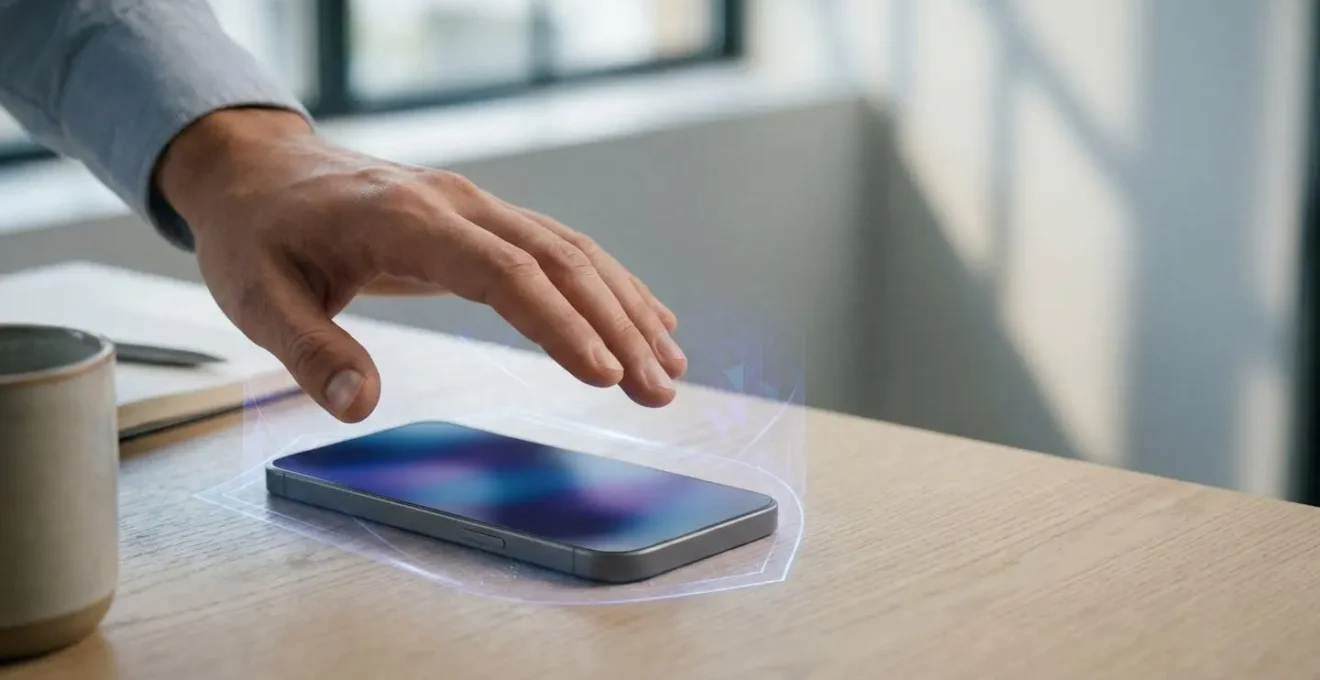
For a Data Protection Officer, authorising face unlock on employee devices is not a legal decision but a technical one: compliance hinges entirely on whether the biometric data is processed within a hardware-based Secure Enclave.
- Systems using 2D cameras (most non-premium devices) present an unacceptable risk under GDPR as they can be spoofed by photographs, failing any rigorous Data Protection Impact Assessment (DPIA).
- Only 3D infrared systems with dedicated hardware encryption (e.g., Apple’s Face ID) can provide the necessary security guarantees that biometric data never leaves the device.
Recommendation: Mandate devices with certified hardware-level biometric isolation and 3D facial mapping for all employee use cases, and prohibit reliance on software-based 2D facial recognition as a matter of policy.
As a Data Protection Officer or IT Manager, the deployment of a new fleet of company smartphones presents a recurring compliance challenge: the seemingly innocuous “face unlock” feature. While employees may see it as a convenient alternative to typing a passcode, from a data protection standpoint, it opens a significant field of legal and technical scrutiny under the UK General Data Protection Regulation (GDPR). The prevailing advice often circles around conducting a Data Protection Impact Assessment (DPIA) and establishing a lawful basis, but this legalistic framework is insufficient without a deep technical understanding of the underlying technology.
The core issue is that not all “face unlock” systems are created equal. A fundamental and critical distinction exists between rudimentary software-based systems and sophisticated hardware-isolated solutions. This distinction is not merely a technicality; it is the central pivot upon which GDPR compliance rests. To treat all facial recognition as a single category is to fundamentally misunderstand the risk. A compliant assessment requires dissecting the technology itself to determine if the biometric data—a special category of personal data—is ever exposed to undue risk.
This article will therefore move beyond generic legal advice. It will provide a prudent, technically-grounded analysis for evaluating the GDPR compliance of face mapping on employee devices. We will dissect why biometric data is treated with such gravity, how to verify the integrity of a device’s security, and why the type of camera and encryption used are non-negotiable factors in your risk assessment. The goal is to equip you with the precise questions and technical criteria needed to make a defensible decision that protects both your organisation and your employees’ fundamental rights.
This guide provides a structured analysis of the key technical and legal considerations. The following sections will break down the essential components of a robust GDPR compliance assessment for facial recognition on corporate mobile devices.
Summary: A Technical and Legal Guide to Face Unlock and GDPR
- Why Is Face Data Treated Differently Than Passwords Under GDPR?
- How to Verify That Face Data Never Leaves the Secure Enclave?
- The Security Gap That Allows Masks to Unlock Older Phones
- Infrared or RGB Camera: Which Face Unlock Should You Trust?
- How to Configure Face Unlock for Staff Wearing Glasses or PPE?
- 3D Face or 2D Photo: Which Can Be Fooled by a Picture of You?
- Software or Hardware Encryption: Which Slows Down Your Phone?
- Why Hardware Encryption Is Essential for Storing GDPR Data?
Why Is Face Data Treated Differently Than Passwords Under GDPR?
Under the UK GDPR, personal data is not a monolithic category. A clear hierarchy of risk exists, and biometric data—such as a facial map, fingerprint, or iris scan—resides in the highest tier, designated as “special category data” under Article 9. This classification is not arbitrary; it stems from a fundamental and immutable characteristic of biometric identifiers. Unlike a password or a PIN, which can be changed or reset following a data breach, a person’s facial geometry is permanent. A compromised password is an inconvenience; a compromised biometric template is a lifelong liability for the individual.
The Information Commissioner’s Office (ICO) and EU regulators have consistently reinforced this position. The core principle is that a data breach involving biometric data can have a more severe and lasting impact on an individual’s fundamental rights and freedoms. As explained in recent GDPR guidance, the fact that biometric data cannot be easily reset makes any security failure a permanent problem. This inherent permanence and uniqueness elevate the processing of such data to a higher standard of care. It is not merely personal data; it is an intrinsic part of a person’s identity.
Biometric data occupies a unique position in GDPR’s special category framework. Unlike most personal data, biometrics are inherently tied to the physical person — you can’t change your fingerprints if they’re compromised the way you can change a password or a credit card number.
– GDPRScoreCheck Legal Analysis, Biometric Data Under GDPR: Face Recognition, Fingerprints and More
Consequently, any organisation acting as a data controller has a heightened duty. The legal basis for processing must be more robust than for standard personal data, and the security measures implemented must be demonstrably state-of-the-art. Simply claiming a “legitimate interest” is insufficient without a rigorous DPIA that proves the risks to the data subject have been mitigated to the lowest possible level. This is why the technical implementation of face unlock is not just an IT detail but a core compliance issue.
How to Verify That Face Data Never Leaves the Secure Enclave?
The single most critical technical question for GDPR compliance is not *if* facial data is collected, but *where* and *how* it is stored and processed. The only acceptable answer from a data protection standpoint is that the biometric template is created, encrypted, and matched entirely within a dedicated, hardware-isolated security chip on the device itself. This component is commonly known as a Secure Enclave (on Apple devices) or a similar Trusted Execution Environment (TEE) on other platforms. This is not a software feature; it is a physical part of the processor architecture.
A Secure Enclave is a self-contained, secure co-processor with its own memory and storage, completely segregated from the main operating system (e.g., iOS or Android). When you set up face unlock on a device with this architecture, the camera captures your face, but the data is immediately passed to the Secure Enclave. The enclave then creates a mathematical representation—the biometric template—and encrypts it with keys that are known only to the enclave itself. The main operating system, and by extension any app running on it, has no access to this raw biometric data or the template. When you later unlock your phone, your face is scanned again, and the new data is passed to the enclave, which performs the match internally. It returns a simple “yes” or “no” decision to the OS, nothing more.
To verify this, a Data Protection Officer must move beyond marketing materials and demand technical specifications from the device manufacturer or vendor. The key is to seek explicit confirmation of hardware-level isolation for biometric processing. Ask for documentation that proves biometric templates are not accessible by the main processor or operating system at any point. If a vendor cannot provide this assurance or describes a software-based security model, the system must be considered high-risk, as the data is inherently more vulnerable to malware, system-level exploits, and unauthorised access.
The Security Gap That Allows Masks to Unlock Older Phones
The widespread adoption of face masks during the COVID-19 pandemic exposed a fundamental weakness in many facial recognition systems, particularly those based on simple 2D imaging. Early systems that relied on matching a full facial portrait failed entirely when presented with a partially obscured face. While some manufacturers later introduced “unlock with mask” features, this was often a software patch that reduced security by focusing on a smaller, less unique dataset (the eye region). This response highlights a critical security gap: systems that can be easily tricked or have their security parameters lowered by software updates are inherently less reliable.
The more profound and persistent vulnerability, however, is not with masks but with the underlying technology itself. A significant number of devices, especially in the mid-range and budget Android market, use the standard front-facing RGB camera for face unlock. This is a 2D system that essentially compares a photograph of your face with a stored photograph. These systems lack “liveness detection” and depth perception, making them dangerously susceptible to spoofing attacks. Research has repeatedly demonstrated these vulnerabilities in real-world devices.
For instance, a systemic issue plagues many devices that do not use 3D mapping. Alarming findings from consumer protection groups have shown that basic security can be bypassed with trivial ease. It was found that nearly 40% of smartphones tested since August 2022 could be fooled by a simple printed photograph of the owner. From a GDPR perspective, deploying a device for employee use that can be unlocked with a photo from a social media profile is a catastrophic failure of the “security by design and by default” principle (Article 25). It demonstrates a lack of appropriate technical and organisational measures to ensure a level of security appropriate to the risk.
The security gap, therefore, is not just about masks; it’s about the fundamental inability of 2D systems to distinguish a live, three-dimensional person from a flat, two-dimensional image. This makes them entirely unsuitable for securing special category data on corporate devices.
Infrared or RGB Camera: Which Face Unlock Should You Trust?
The choice between an infrared (IR) and a standard RGB camera for facial recognition is not a matter of preference; it is the dividing line between a secure biometric system and a high-risk liability. For a DPO, understanding this technical difference is paramount to conducting a meaningful DPIA. An RGB camera captures a standard 2D colour photograph, which is fundamentally insecure. In contrast, a true 3D facial mapping system, like Apple’s Face ID, uses a suite of IR sensors that operate on a different principle entirely.
These advanced systems employ a dot projector to cast a grid of thousands of invisible infrared dots onto a user’s face. An IR camera then reads the distortion of this grid to build a precise, three-dimensional depth map of the facial geometry. This process inherently provides liveness detection, as a flat photograph or a video on a screen will not distort the dot grid in the same way as a real, 3D face. This makes it exceptionally resistant to the spoofing attacks that plague 2D RGB systems. The system isn’t just matching a picture; it’s verifying the physical presence of a unique three-dimensional object.
The following table outlines the critical distinctions a Data Protection Officer must consider when evaluating the technology provided on employee devices. The disparity in risk is not subtle; it is a categorical difference that directly impacts the defensibility of your compliance position.
| Feature | 3D Infrared (e.g., Apple Face ID) | 2D RGB Camera |
|---|---|---|
| Technology | Projects grid of invisible infrared dots to create 3D depth map of face geometry | Standard camera matching 2D photo to stored image |
| Liveness Detection | Inherent – verifies real 3D object is present | Optional software-based (blinking) – easily fooled |
| Photo Spoofing Resistance | High – cannot be fooled by flat photos or videos | Low – vulnerable to printed photos and screen replays |
| GDPR Risk Classification | Lower risk – suitable for Data Protection Impact Assessment approval | High risk – almost impossible to justify in DPIA for employee data |
| Hardware Requirements | Dedicated infrared emitters and sensors required | Standard RGB camera (lower cost) |
| False Acceptance Rate | Typically below 1:1,000,000 (certified) | Significantly higher – varies by implementation |
Given these differences, it becomes clear that from a risk-based perspective, only devices equipped with 3D infrared mapping technology should be considered for handling sensitive corporate data. To aid in this evaluation, IT managers should have a standard set of questions for any device vendor.
Vendor Evaluation Checklist: Assessing Biometric Systems for GDPR Compliance
- Does your system use 3D depth mapping or only 2D RGB cameras?
- What is the certified False Acceptance Rate (FAR) for your facial recognition system?
- Can you provide independent audit results proving resistance against photo spoofing attacks?
- What liveness detection methods are implemented – passive, active, or inherent hardware-based?
- Has your system been tested against high-resolution photos, videos, and 3D masks?
How to Configure Face Unlock for Staff Wearing Glasses or PPE?
A common operational concern for IT managers is the reliability of facial recognition for employees who wear glasses, medical masks, or other forms of Personal Protective Equipment (PPE). A system that fails to authenticate a legitimate user consistently creates friction and leads to users disabling security features, which is a significant risk. Modern, secure 3D facial recognition systems have been engineered to address these challenges while adhering to GDPR principles like data minimisation.
Secure systems like Apple’s Face ID are designed from the outset to be adaptive. The initial scan creates a detailed mathematical model of the face. For users who wear glasses, the system is designed to identify that the glasses are not part of the face and can perform authentication with or without them. The system’s neural network uses the initial comprehensive map and subsequent successful unlocks to learn and adapt to gradual changes in appearance, such as growing a beard. This adaptability is crucial for usability.
Case Study: Adapting Face ID for PPE with ‘Alternate Appearance’
Apple’s Face ID system provides a feature to configure an ‘alternate appearance’. This became highly relevant during the COVID-19 pandemic. iOS 15.4 introduced a specific setting to enable Face ID to work with a mask, a feature designed for healthcare workers and others in PPE-heavy environments. Importantly, this feature doesn’t create a second, separate biometric template. Instead, it updates the single existing template with additional data points focused on the unique characteristics around the eye region. This approach aligns with the GDPR data minimisation principle by not collecting or storing more biometric data than is strictly necessary. However, it remains incumbent upon the organisation to provide secure, non-discriminatory alternatives—like a strong passcode—for employees who cannot or will not use face unlock due to disability, religious objections, or safety requirements.
It is a legal and ethical imperative that no employee is forced to use a biometric system. There must always be an equally secure and accessible alternative, such as a complex alphanumeric passcode enforced by a Mobile Device Management (MDM) policy. Providing this alternative is a key mitigating measure in any DPIA. It ensures that the use of face unlock is a choice, which helps to address the power imbalance inherent in the employer-employee relationship and ensures accessibility for all staff members.
3D Face or 2D Photo: Which Can Be Fooled by a Picture of You?
The answer to this question is stark and has profound implications for GDPR compliance: any system relying on 2D photo comparison can be fooled by a picture, and is therefore fundamentally unfit for securing employee data. This is not a theoretical vulnerability; it is a proven and repeatable flaw. As the market for biometric authentication grows, with a projected 3.1 billion mobile devices using it by 2025, the distinction between secure and insecure implementations becomes ever more critical.
The vulnerability of 2D systems lies in their lack of depth perception. They function like a bouncer at a nightclub checking a patron’s ID against their face—but a bouncer who is incapable of telling the difference between a real person and a photograph. If the patterns of light and dark in the photo on the ID match the patterns in the photo presented for entry, access is granted. This is precisely how 2D face unlock works, and it’s why a printed photo or even an image displayed on another phone’s screen can defeat it.
In stark contrast, 3D facial mapping systems are immune to this type of attack. These systems, which use technologies like structured infrared light, are not looking at a 2D image but are measuring the physical topology of the face. They are checking for the specific curvature of a forehead, the depth of eye sockets, and the shape of a nose in three-dimensional space. A flat photo has none of these properties. This is why independent tests consistently show a performance chasm between the two technologies.
Apple’s Face ID system, which uses 3D mapping, passed all spoofing tests, indicating a higher level of biometric security on iPhones. This could explain why many banking apps only permit face recognition security measures on Apple devices.
– Which? Consumer Research Team, Smartphones have face recognition that can be easily spoofed with 2D photo, Which? finds
For a Data Protection Officer, the conclusion is unavoidable. Permitting the use of 2D facial recognition on a corporate device would be a clear failure to implement “appropriate technical measures” as required by GDPR Article 32. The risk is known, the technology to mitigate it exists, and choosing a system vulnerable to such a simple bypass would be indefensible in the event of a data breach.
Software or Hardware Encryption: Which Slows Down Your Phone?
A common, though often outdated, concern among IT managers is that strong security measures, particularly encryption, will negatively impact device performance. In the context of modern smartphones, this fear is largely unfounded when encryption is implemented correctly—that is, in dedicated hardware rather than in software. The distinction between these two approaches is critical for both security and performance.
Software-based encryption relies on the device’s main processor (CPU) to perform the cryptographic calculations. This means encryption competes for resources with the operating system, apps, and other processes. On older or less powerful devices, this can lead to noticeable slowdowns, especially during intensive read/write operations. More importantly from a security perspective, the encryption keys must exist in the device’s main RAM at some point during operation, making them potentially vulnerable to sophisticated attacks like “cold boot” attacks, where an attacker freezes the RAM chips to recover data from them.
Performance Advantage: Hardware-Based Security Processors
Modern devices circumvent these issues by offloading all cryptographic operations to a dedicated security co-processor, such as a Secure Enclave or Trusted Platform Module (TPM). This hardware is specifically designed and optimised for one task: fast, efficient encryption and decryption. Because it’s a separate physical chip, it operates independently of the main CPU, resulting in negligible performance impact. The user experiences strong, always-on encryption without any perceivable lag. Furthermore, the encryption keys are generated and stored within this secure hardware and are physically incapable of being accessed by the main OS. An attacker cannot simply copy an encrypted file and decode it on another system because the keys are sealed to that specific, unique piece of hardware.
This hardware-based approach offers a significant security advantage. The Secure Enclave, for instance, runs its own microkernel and has a separate, secure boot process, receiving independent system updates. This isolation ensures that even if the main operating system is completely compromised by malware, the security of the biometric data and encryption keys within the enclave remains intact. Therefore, the argument that strong encryption slows down a phone is only valid for obsolete, software-only implementations. For any modern corporate device, hardware-accelerated encryption is a standard feature that provides robust security with no performance penalty.
Key takeaways
- GDPR treats biometric data as “special category” because it’s immutable; a breach has permanent consequences, unlike a password leak.
- Only 3D infrared face unlock systems with hardware-based “Secure Enclaves” can be considered GDPR-compliant for employee data, as they prevent data from ever leaving the device.
- 2D face unlock systems using standard cameras are a major liability, as many can be spoofed with a simple photograph, failing the “security by design” principle.
Why Hardware Encryption Is Essential for Storing GDPR Data?
For a Data Protection Officer, hardware encryption is not an optional extra; it is the fundamental technical control that underpins a defensible GDPR compliance strategy for mobile devices. Its importance extends far beyond just securing data at rest; it provides critical capabilities for breach mitigation and secure data disposal, both of which are central tenets of the regulation. When special category data like biometric templates are involved, relying on anything less than hardware-level encryption is an unjustifiable risk.
One of the most compelling arguments for hardware encryption is its role in data breach response. Under Article 34 of the UK GDPR, there is a crucial exemption to the requirement to notify individuals of a personal data breach. If the compromised data has been “rendered unintelligible to any person who is not authorised to access it,” for example, through strong, state-of-the-art encryption, the obligation to notify data subjects may not apply. When a device with hardware encryption is lost or stolen, the data on it remains unintelligible without the keys sealed within the secure processor. This can transform a potential compliance crisis into a manageable incident report to the ICO.
When a device is decommissioned, hardware encryption allows for ‘cryptographic erasure’, where simply deleting the encryption key makes all data on the device permanently and instantly unrecoverable. This is the most effective way to prove data has been securely deleted as required by GDPR.
– GDPR Local Compliance Experts, Biometric Data GDPR Compliance Made Simple
This concept of cryptographic erasure is also vital for fulfilling the “right to erasure” (Article 17) and for end-of-life device management. Securely wiping a standard hard drive can be a time-consuming and uncertain process. With hardware encryption, the process is instantaneous and absolute. By deleting the unique encryption key stored in the secure hardware, the entire volume of data on the device is immediately turned into meaningless cryptographic noise, with no possibility of recovery. This provides a clear, auditable, and technically robust method for proving that data has been permanently destroyed, fulfilling a core obligation under GDPR.
Therefore, it is imperative for data protection officers and IT leadership to mandate hardware-level security specifications, including a Secure Enclave or equivalent and 3D facial mapping, in all procurement processes involving devices intended for corporate use. Anything less represents a failure to implement appropriate technical measures and an unacceptable risk to the organisation and its employees.